
本教程目标是指导用户如何在无需编写代码/修改规则链的情况下为每个设备配置报警规则并设置邮件通知
- 1. 导入仪表盘
- 2. 配置profile规则
- 3. 配置阈值输入框
- 4 .配置Notification(仅初次使用需要)
- 附加章节:
- 5. 我想发送邮件给特定收件人怎么办?
- 6. 如何为每种设备单独设置一页以便管理
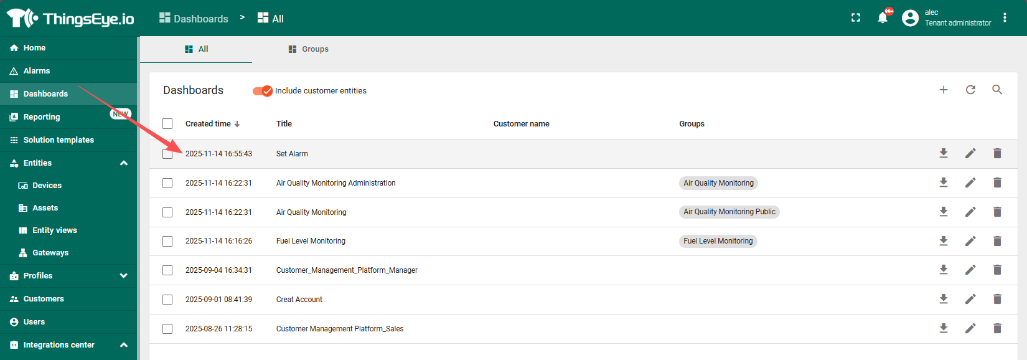
1. 导入仪表盘
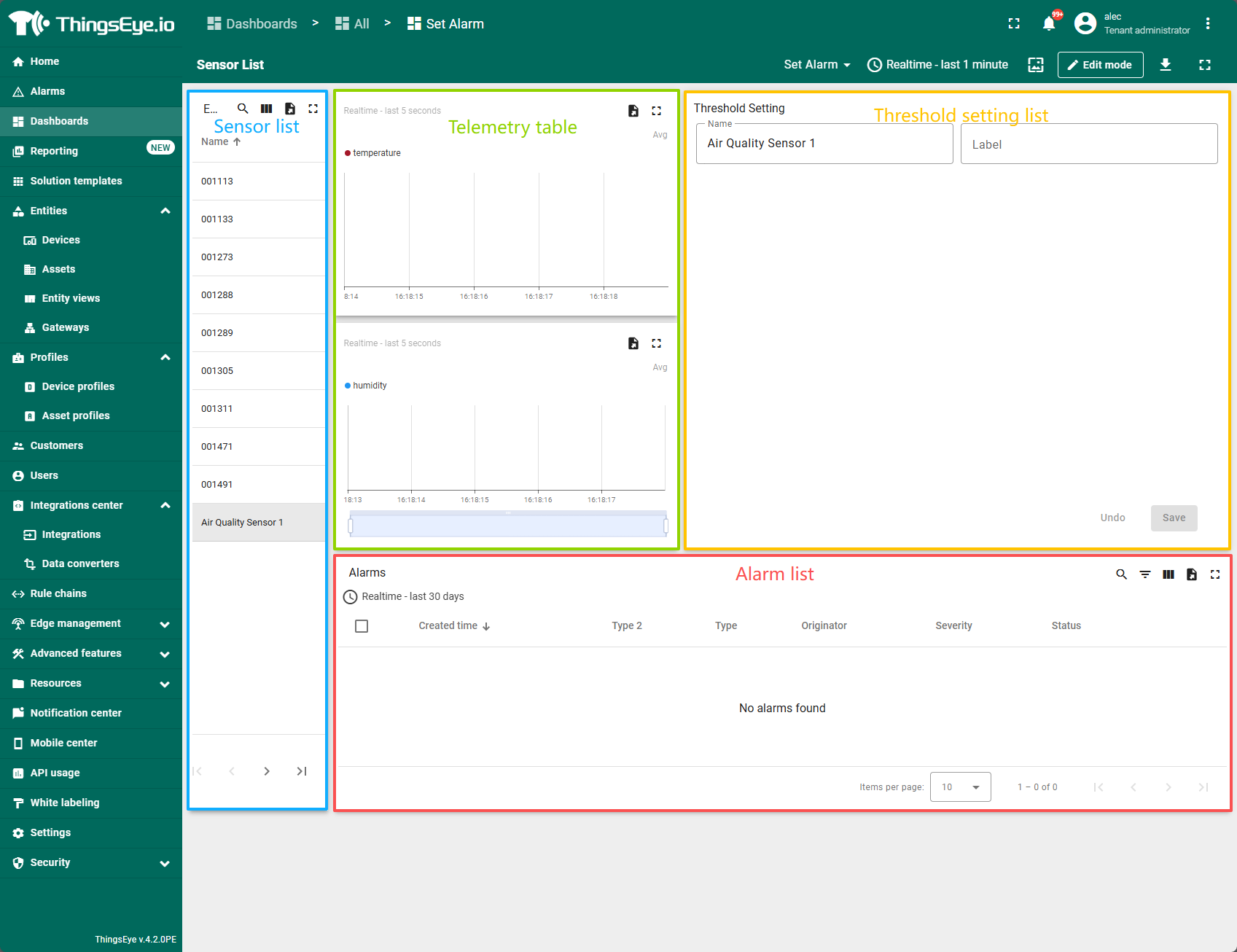
The Dashboard shown below displays all devices by default.

Each device's threshold are managed separately. Clicking on a device in the device list on the left will display the current device status and preset thresholds/email addresses on the right.
2. 配置profile规则
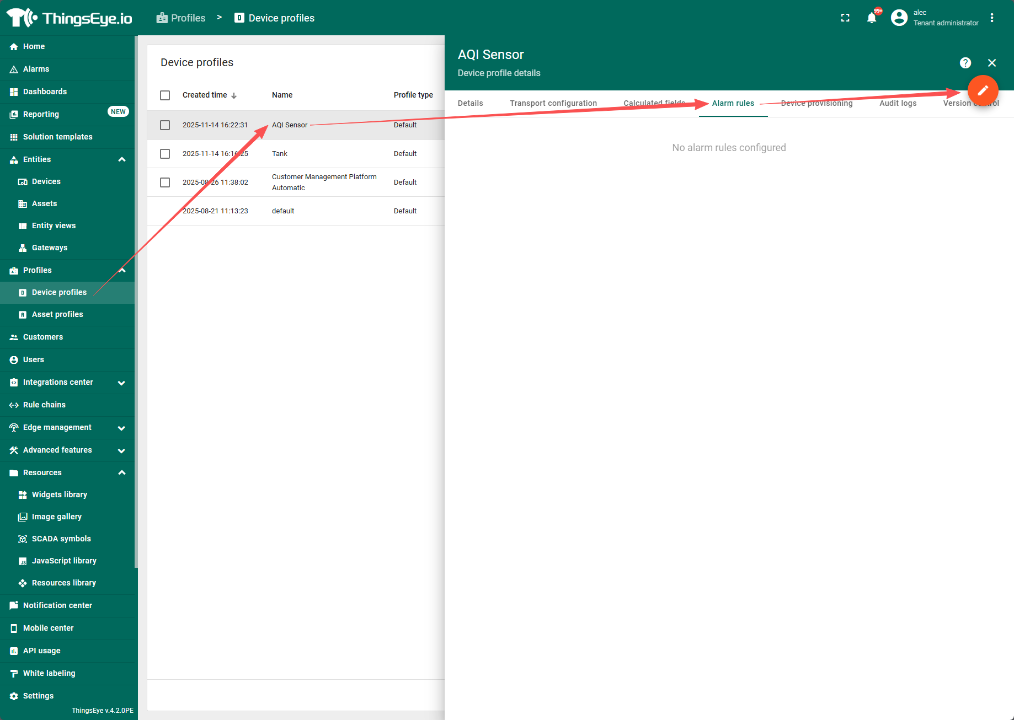
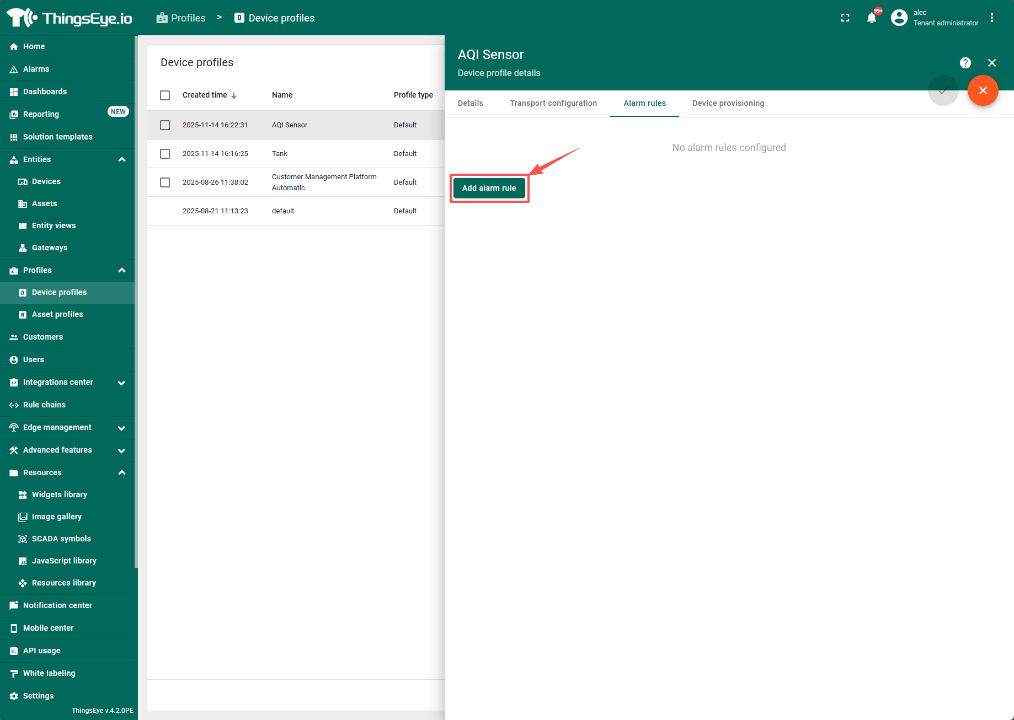
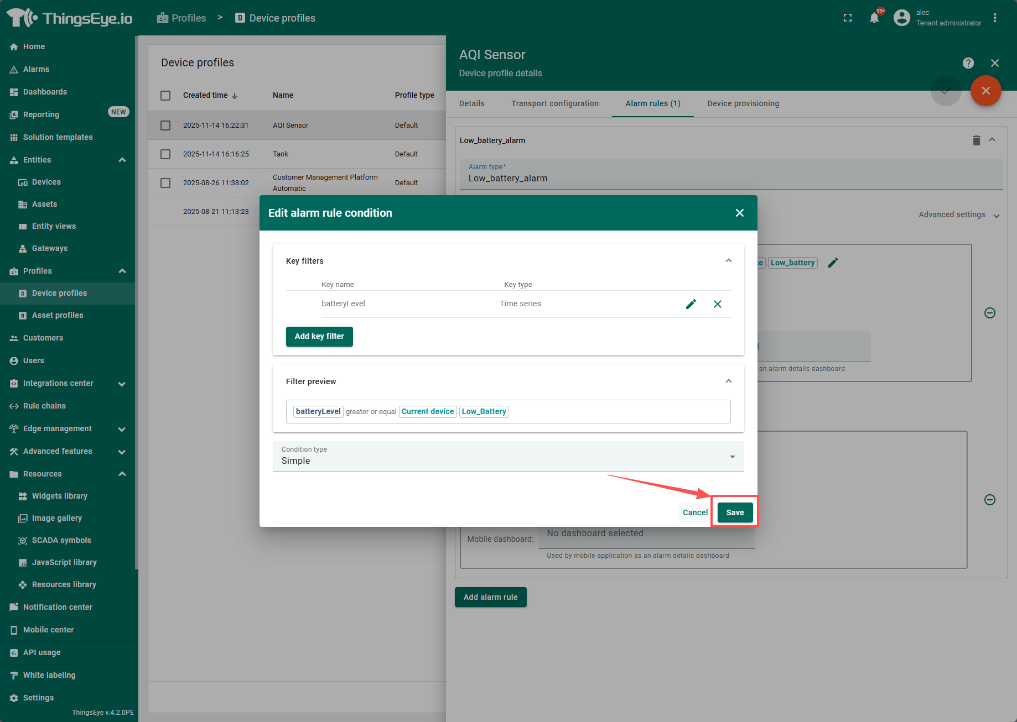
2.1 创建condition以在达到阈值时报警
点击编辑图标进入编辑模式并新建报警规则
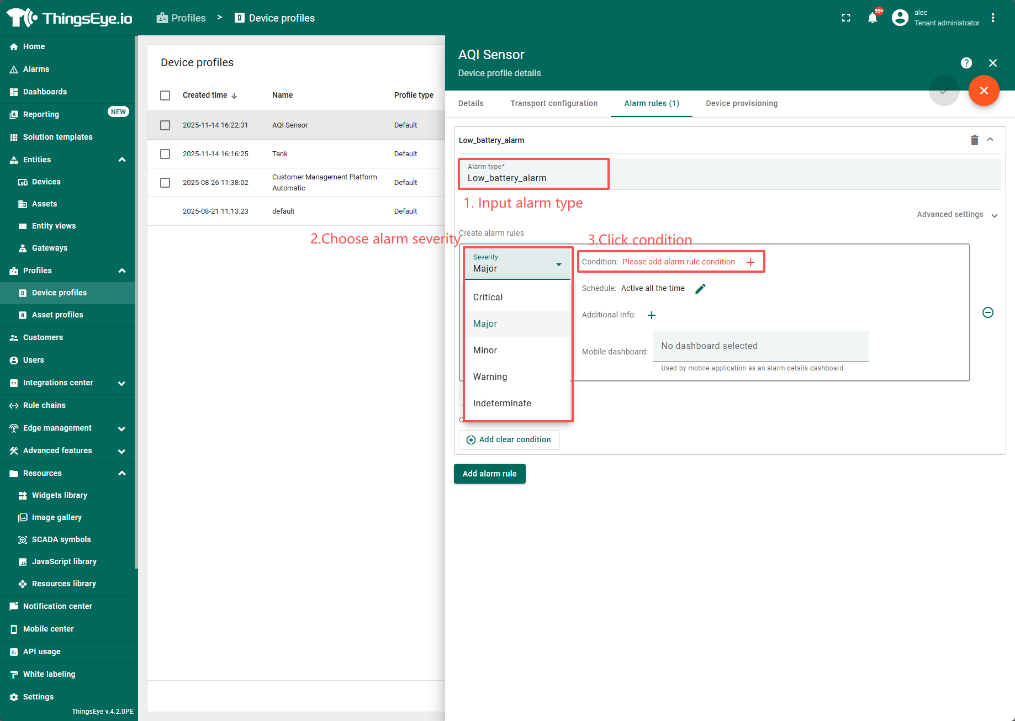
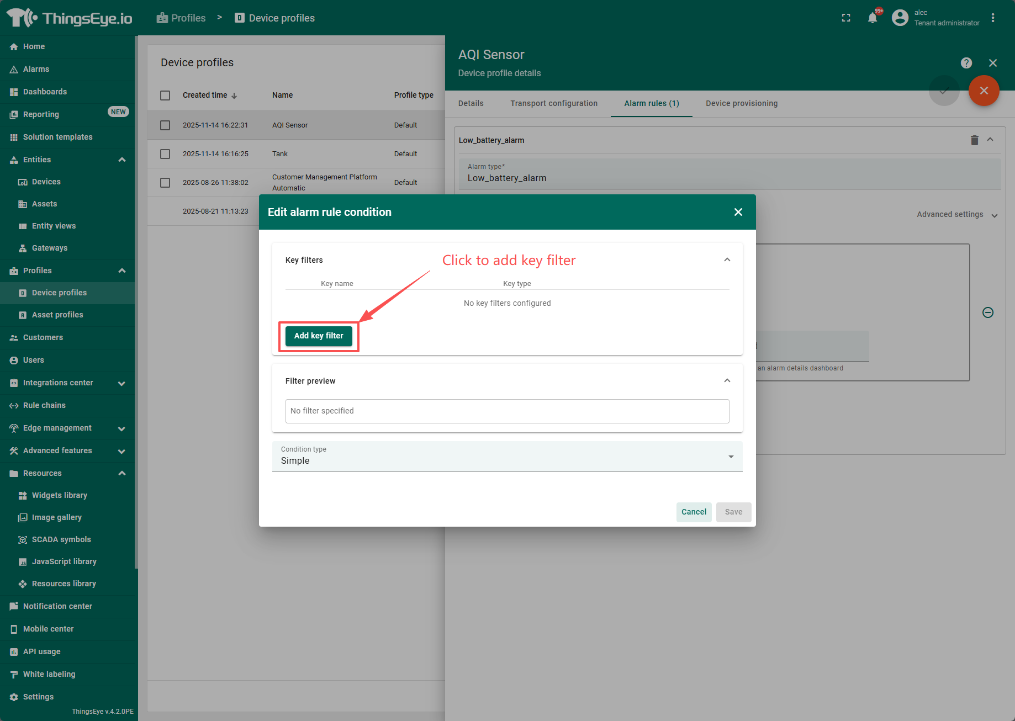
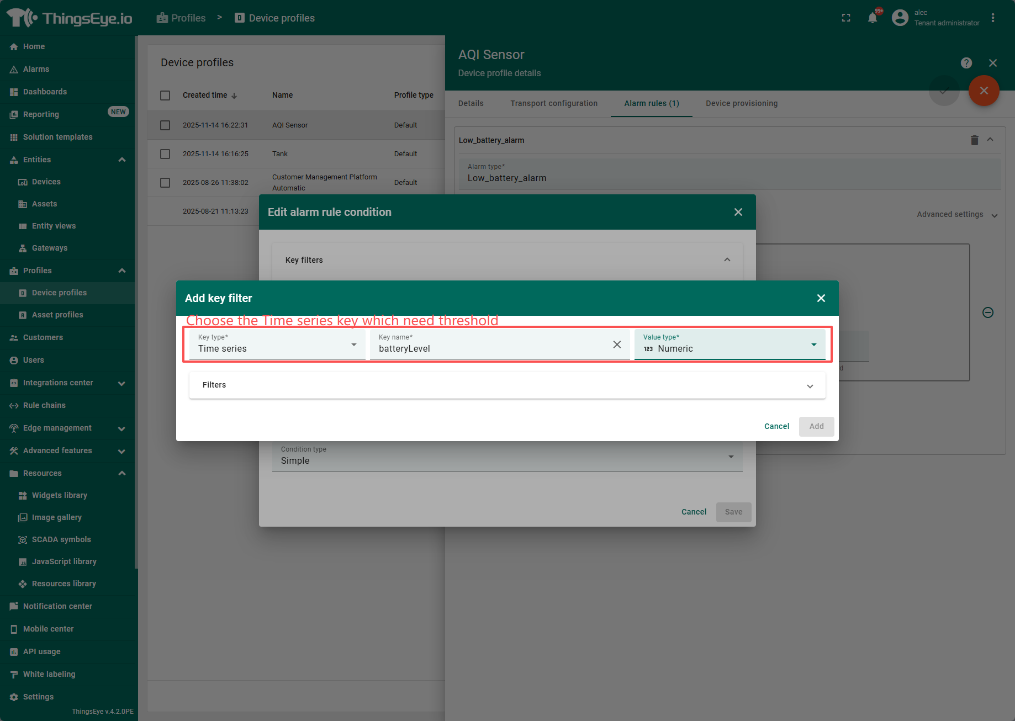
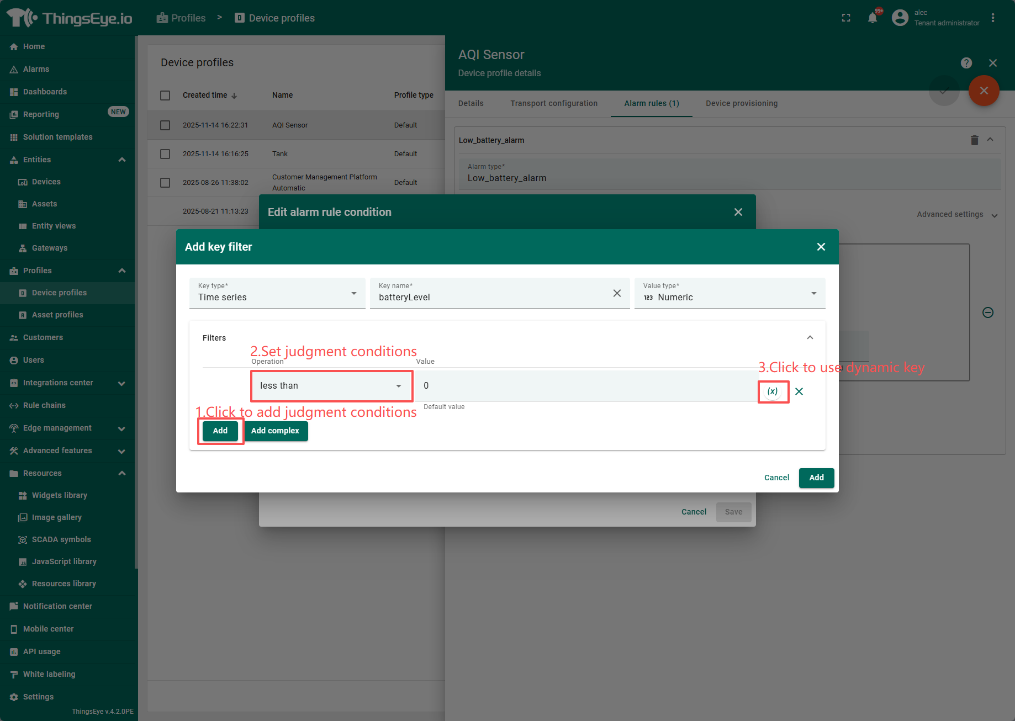
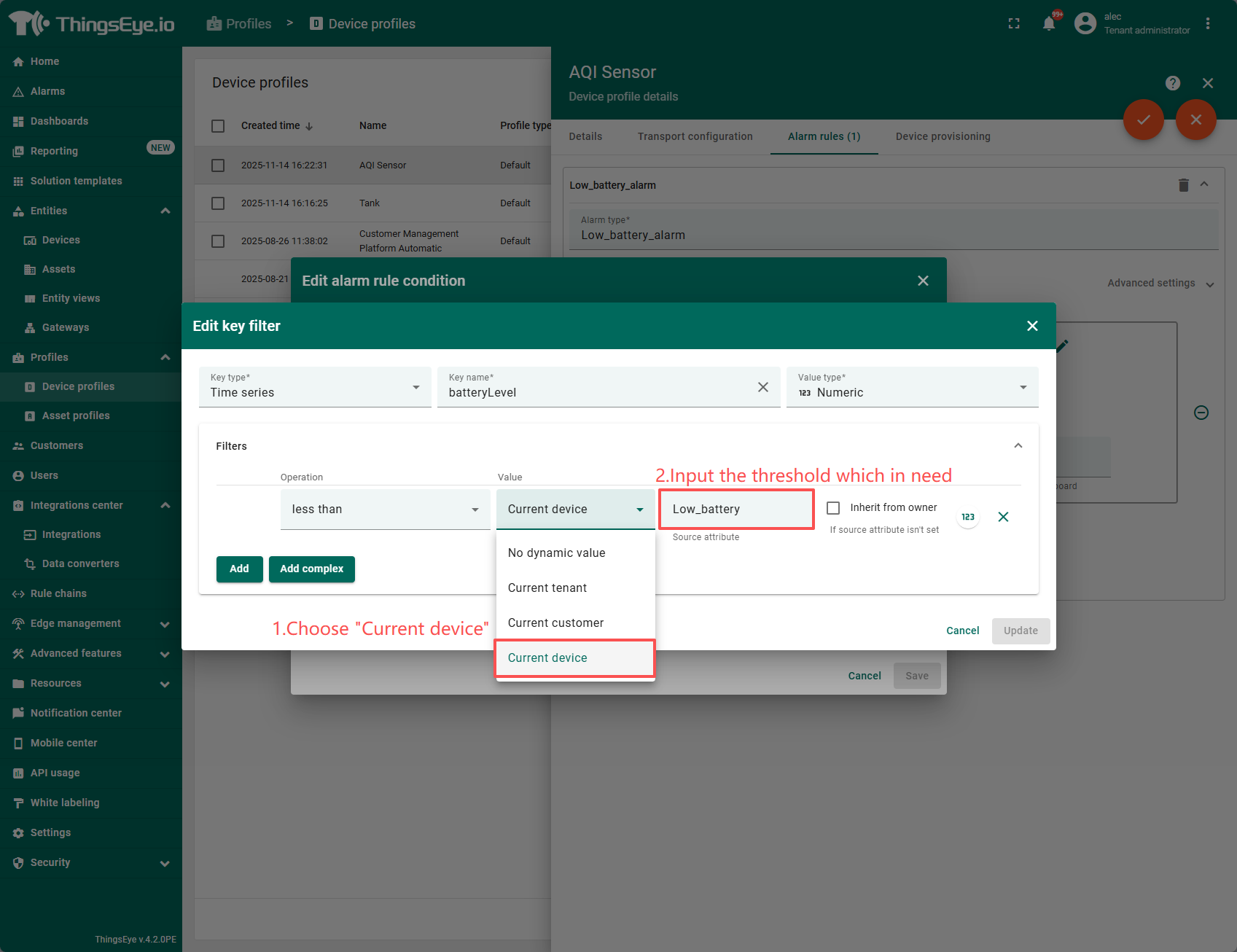
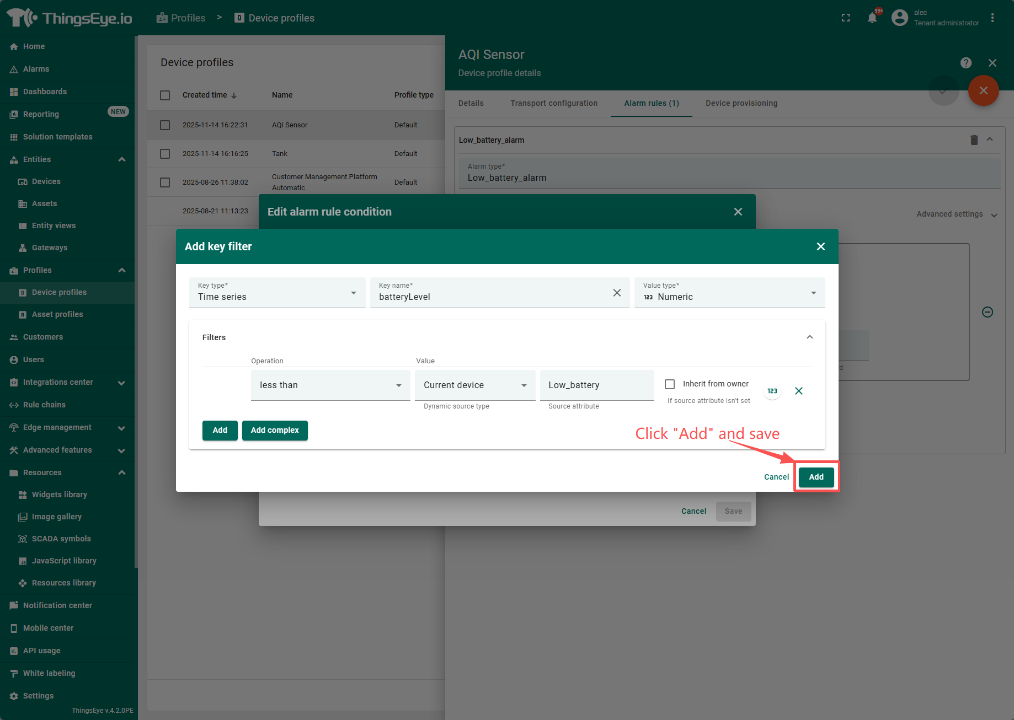
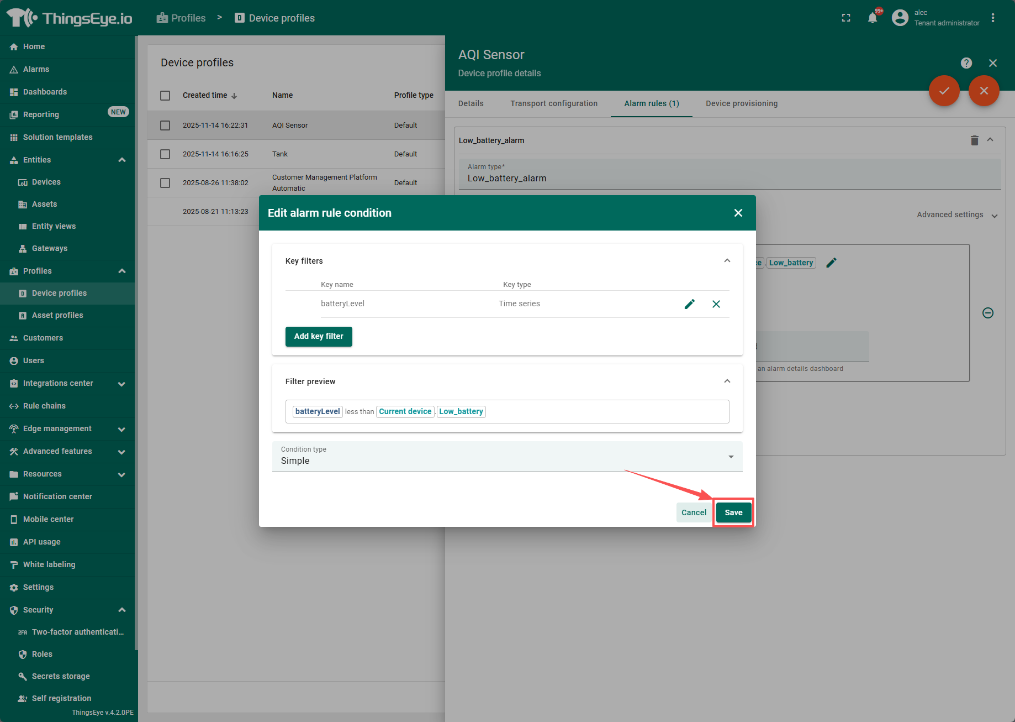
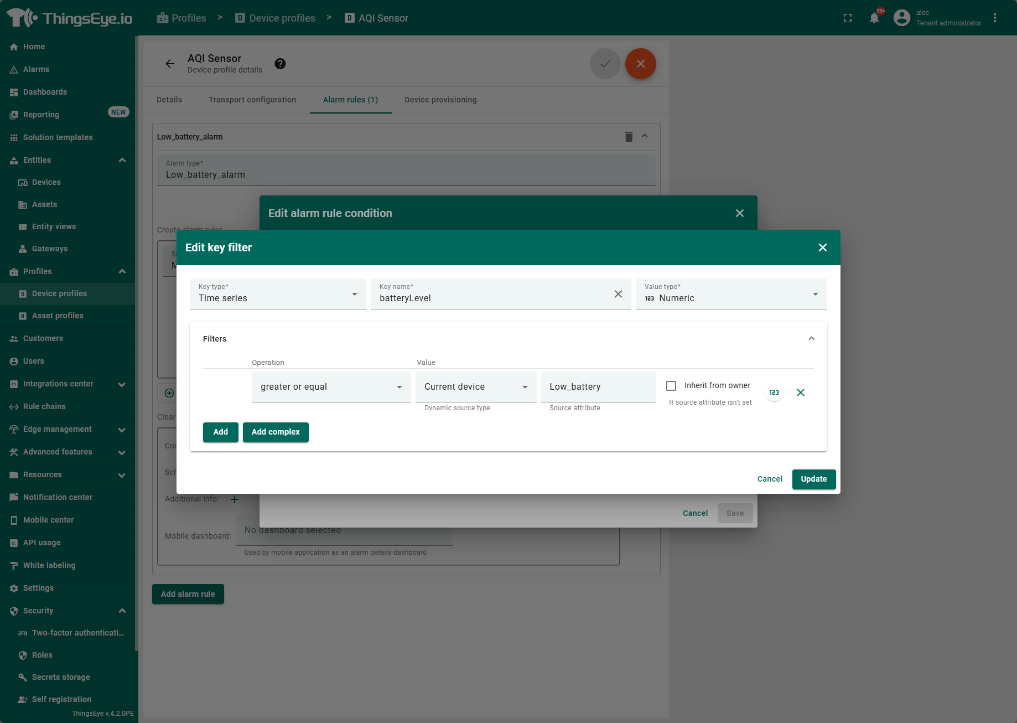
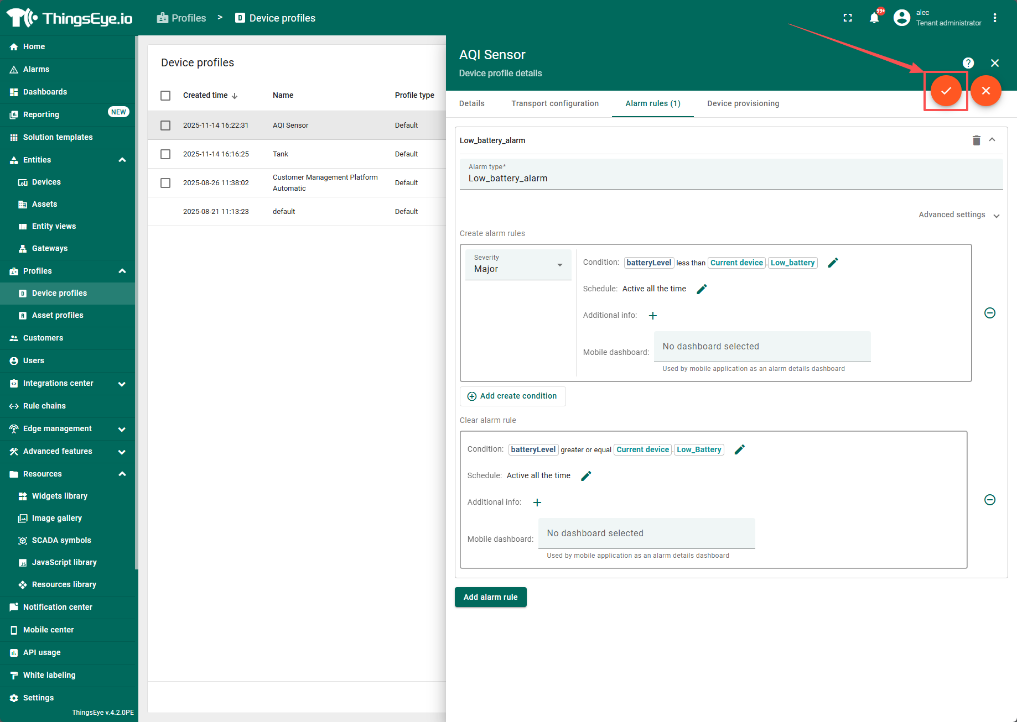
2.2 设置clear condition 以在数据恢复正常的时候清除Alarm
步骤与Creat alarm类似,仅值设置相反
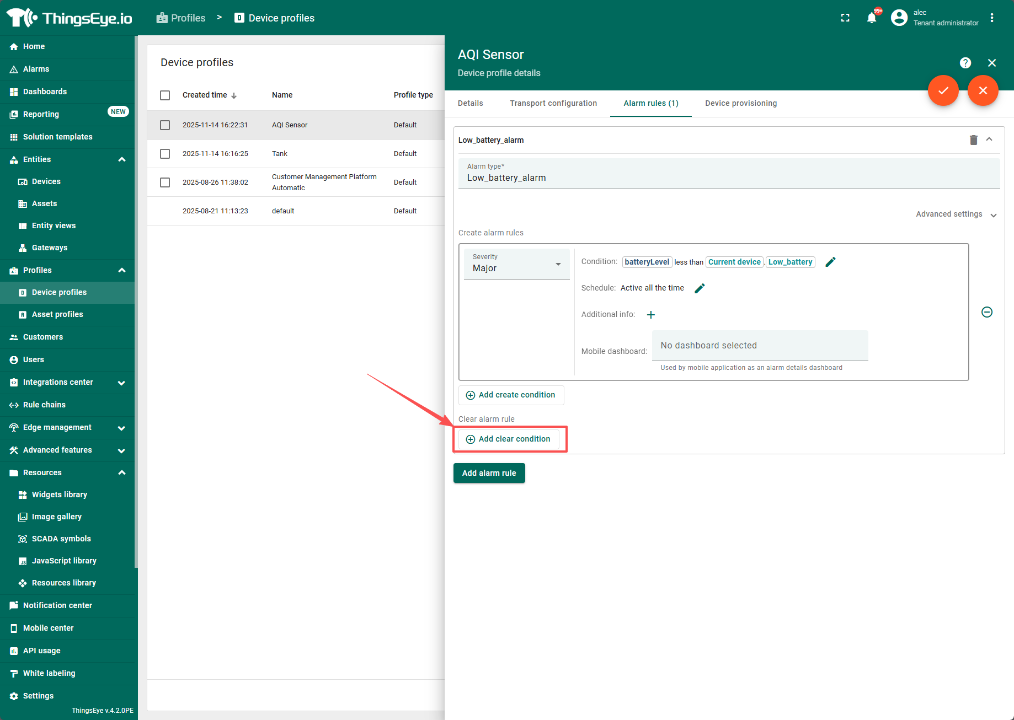
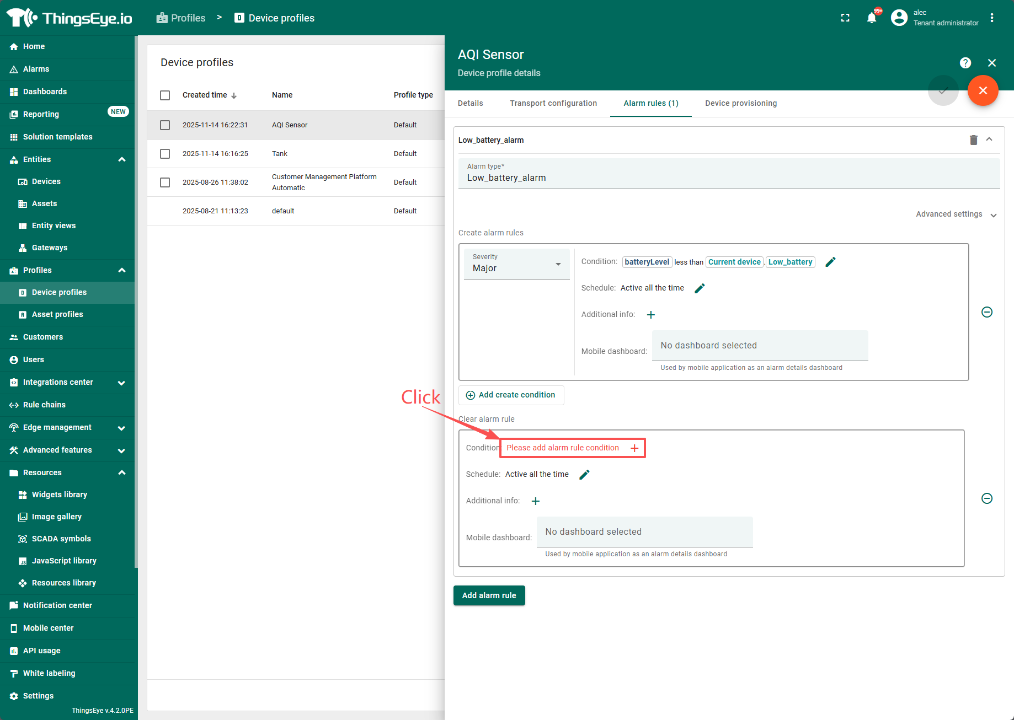
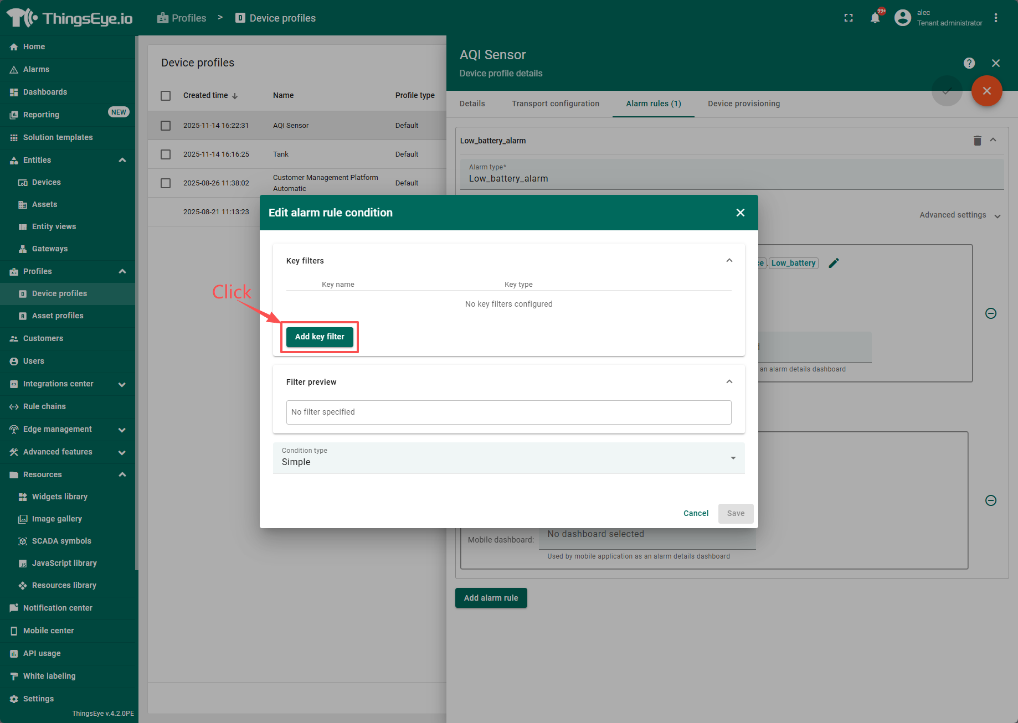
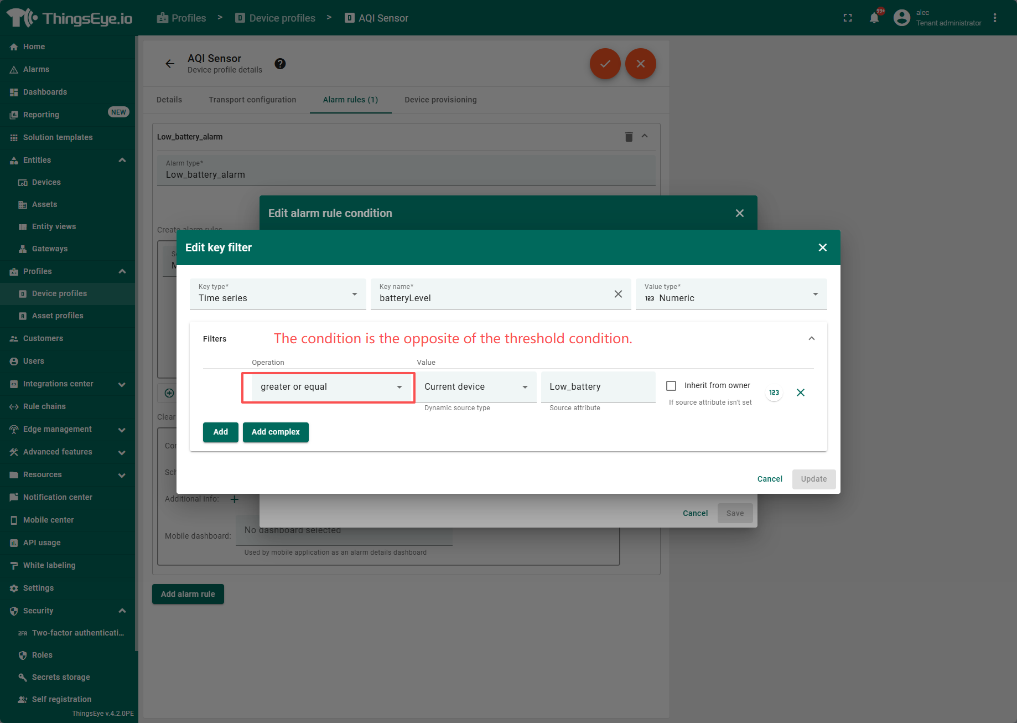
Save after set
3. 配置阈值输入框
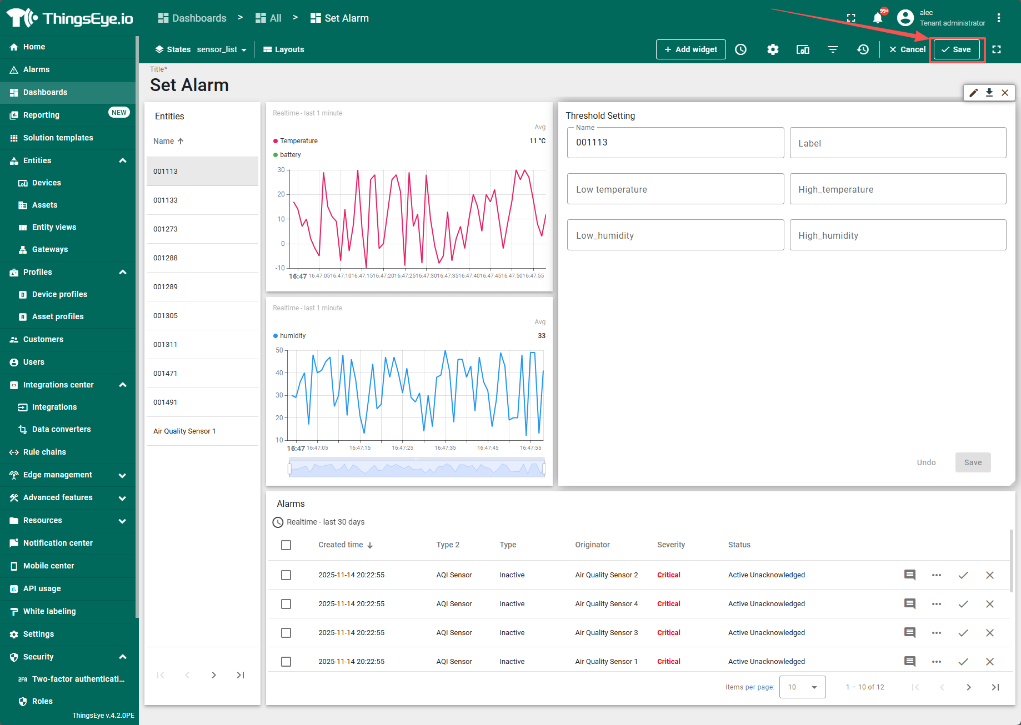
仪表盘中预配置了Temperature 和 Humidity 及其高低阈值
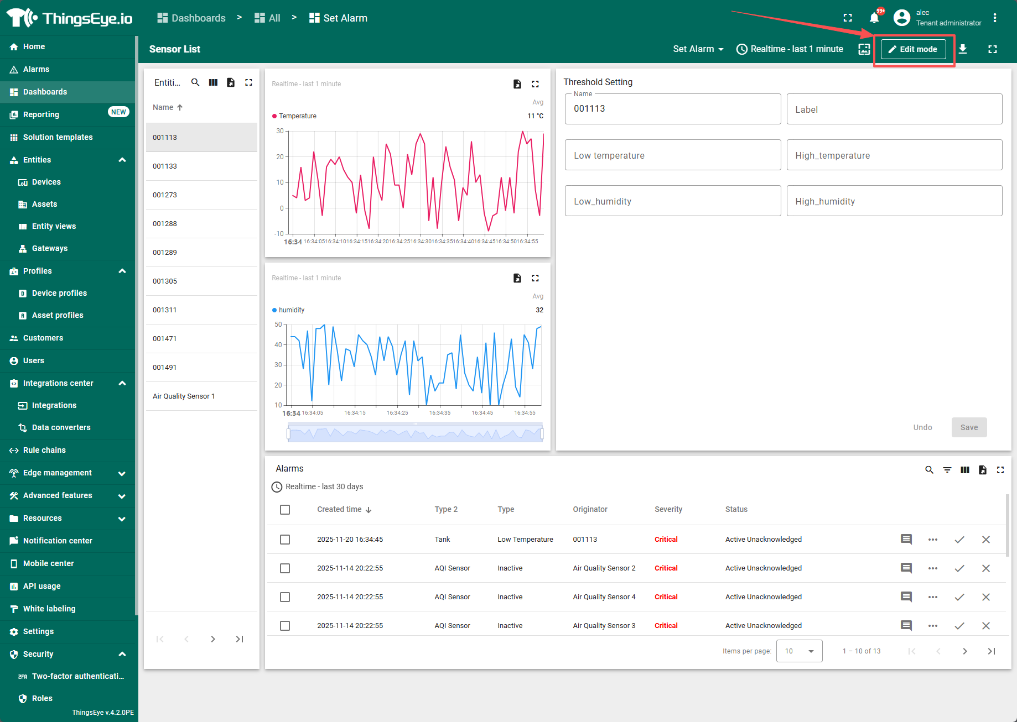
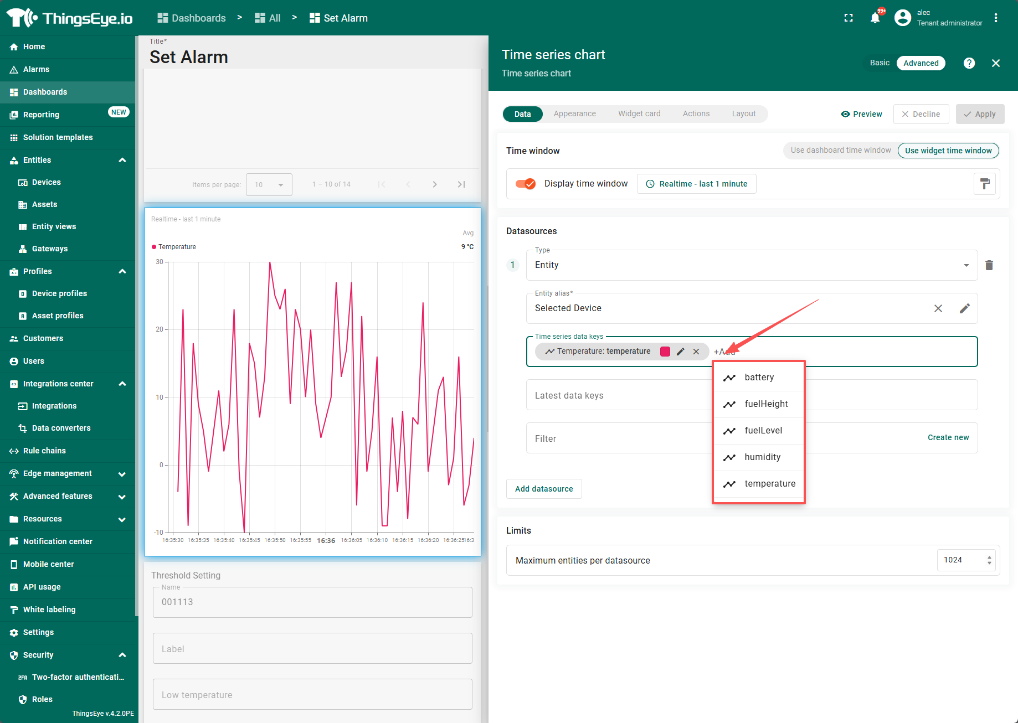
3.1 选择要显示的Realtime data key
点击Edit mode进入编辑模式
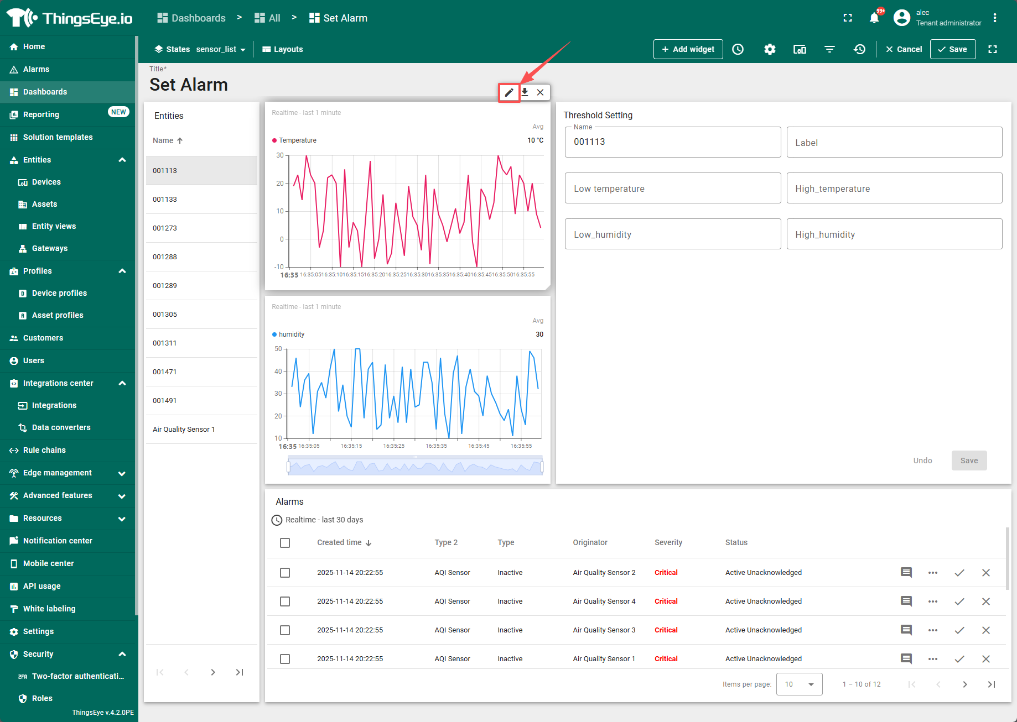
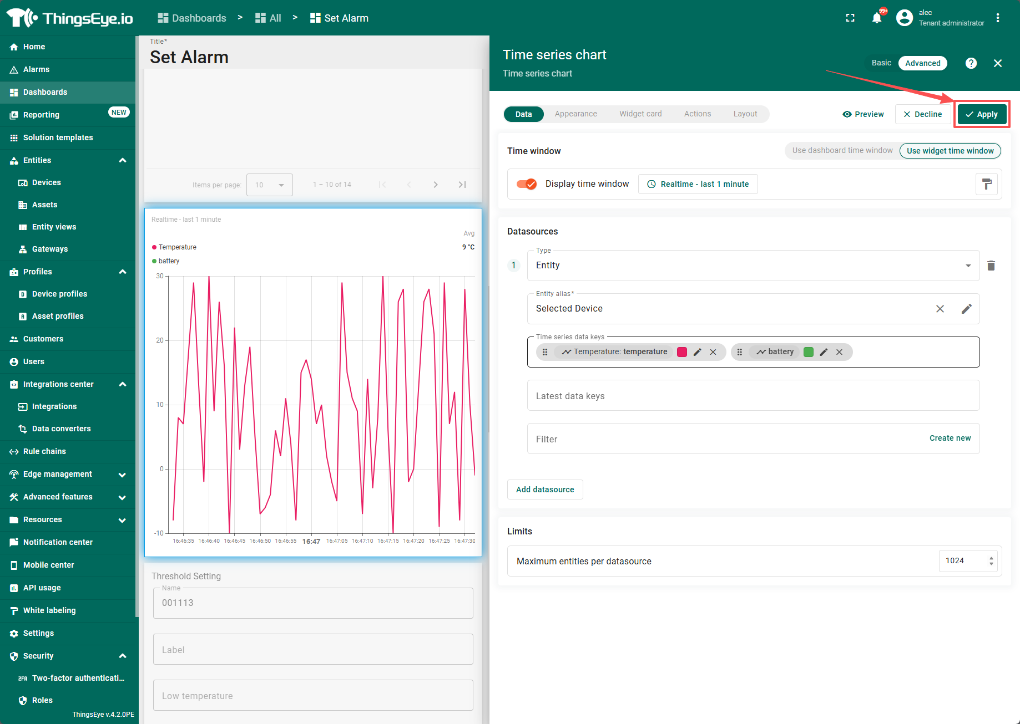
选择需要显示的key
确认后保存
2.2 创建Threshold KEY
进入编辑模式,选择Threshold Setting 组件
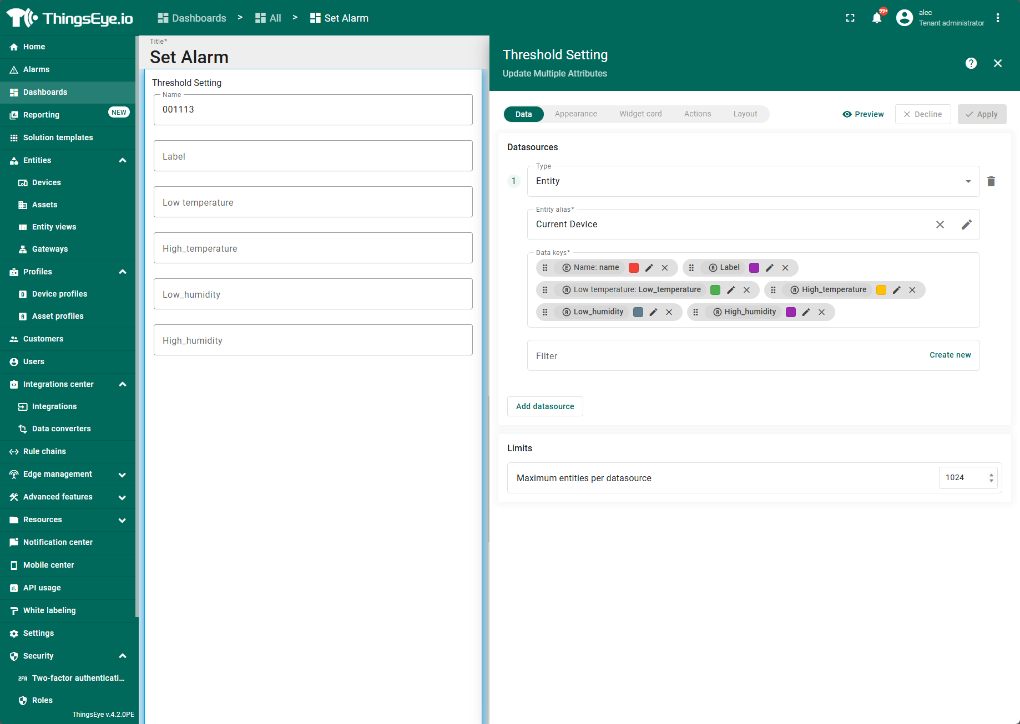
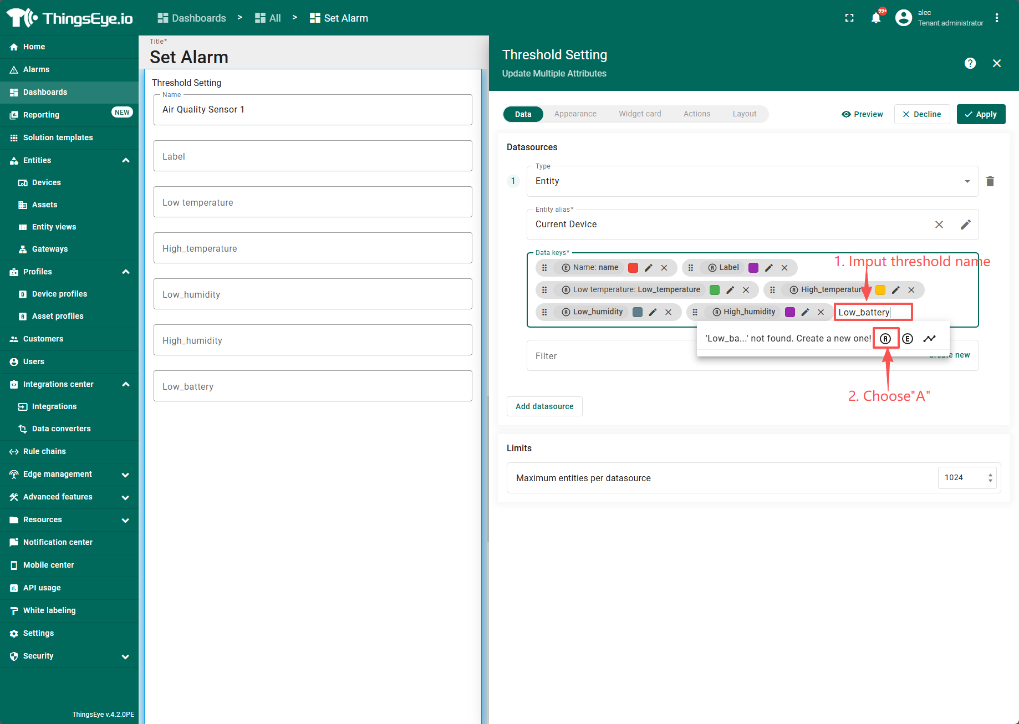
Save after add.
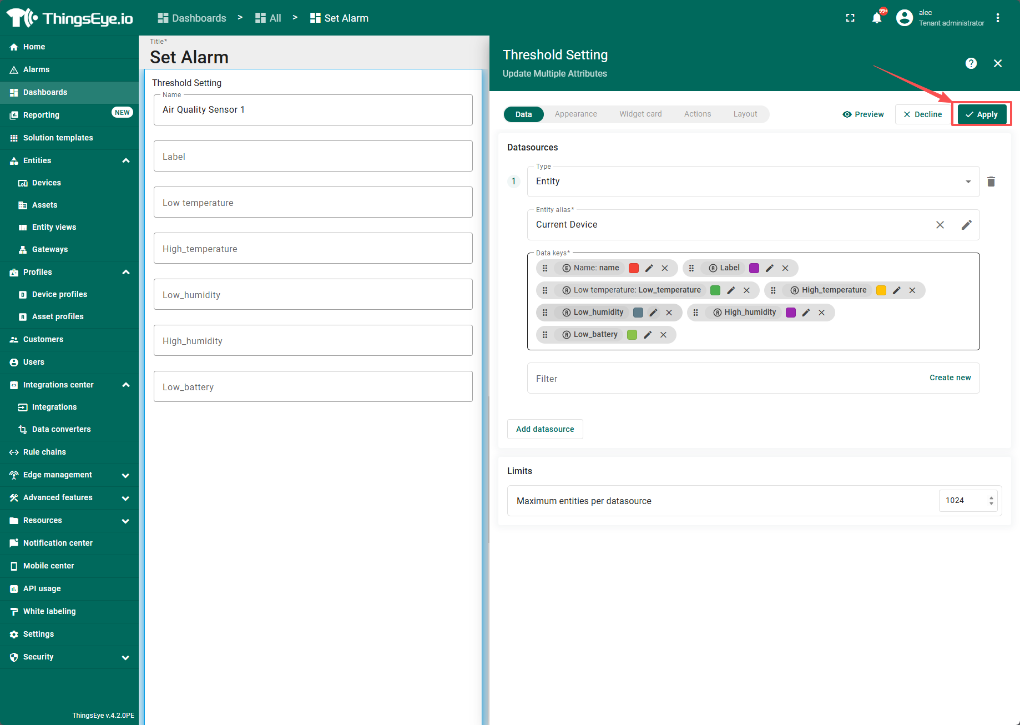
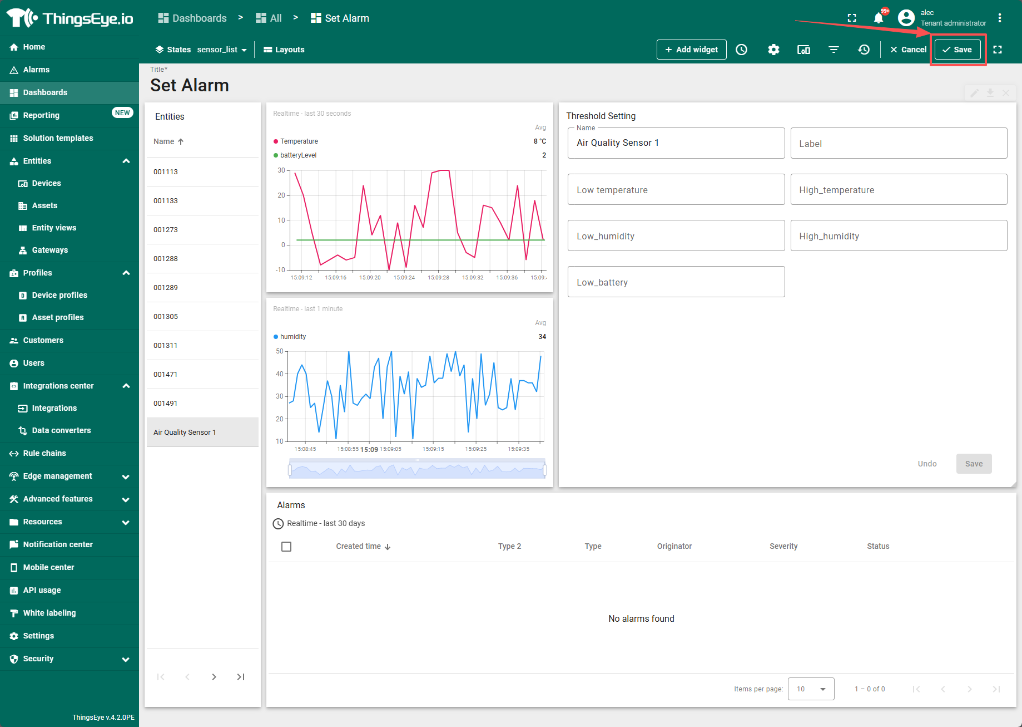
3.3 示例
收到的警报邮件示例: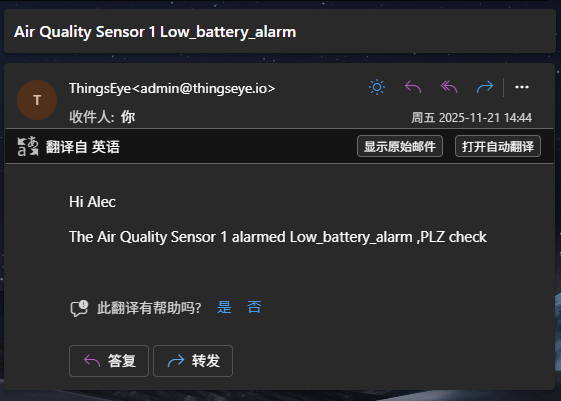
4 .配置Notification(仅初次使用需要)
如果是第一次配置发送邮件的功能,还需要先配置Notification以指定收件人/模板/发送规则
4.1 配置Recipients
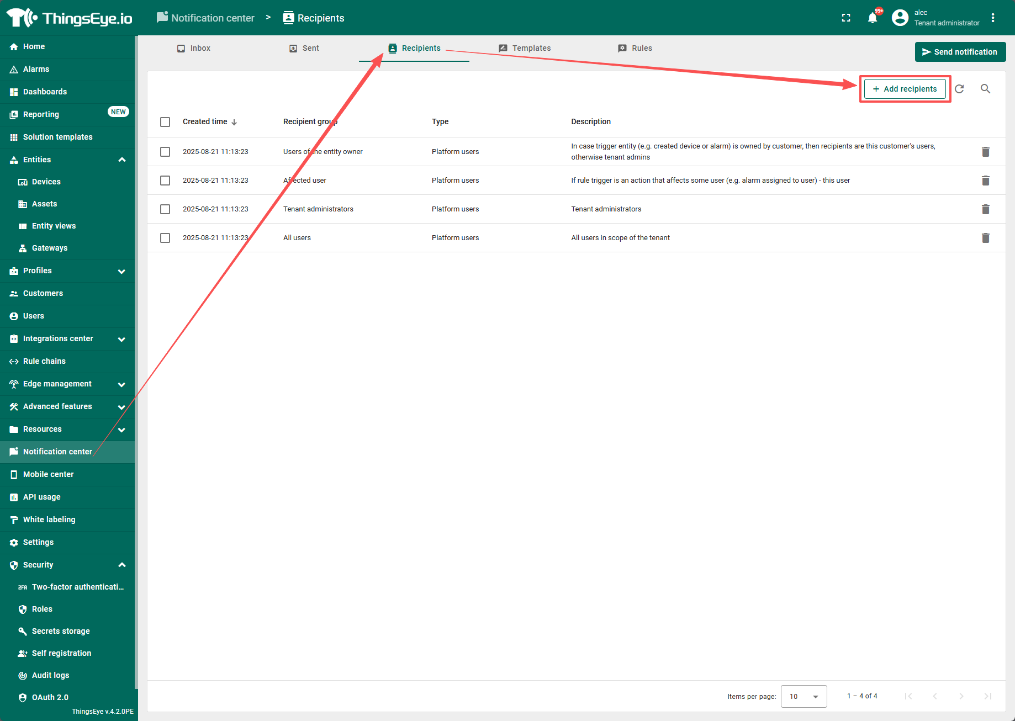
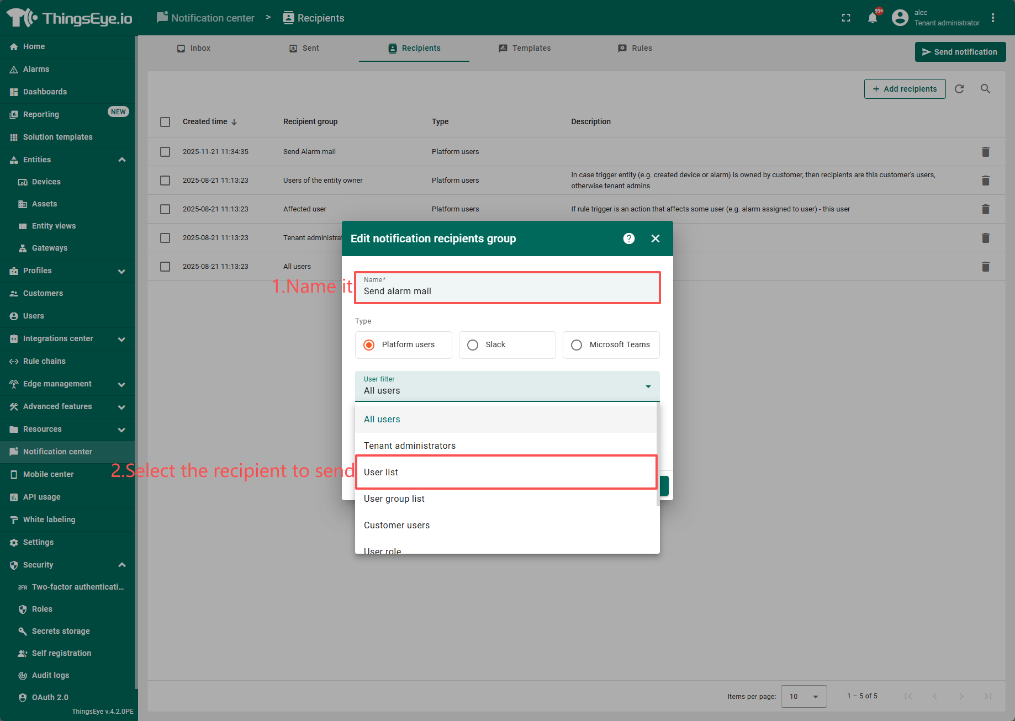
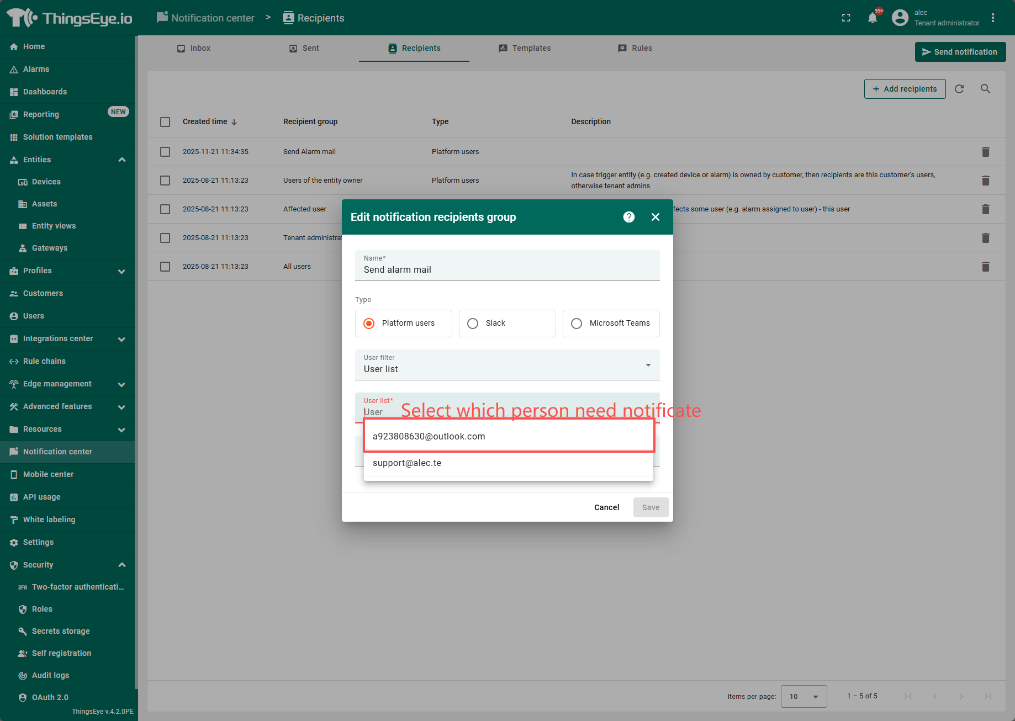
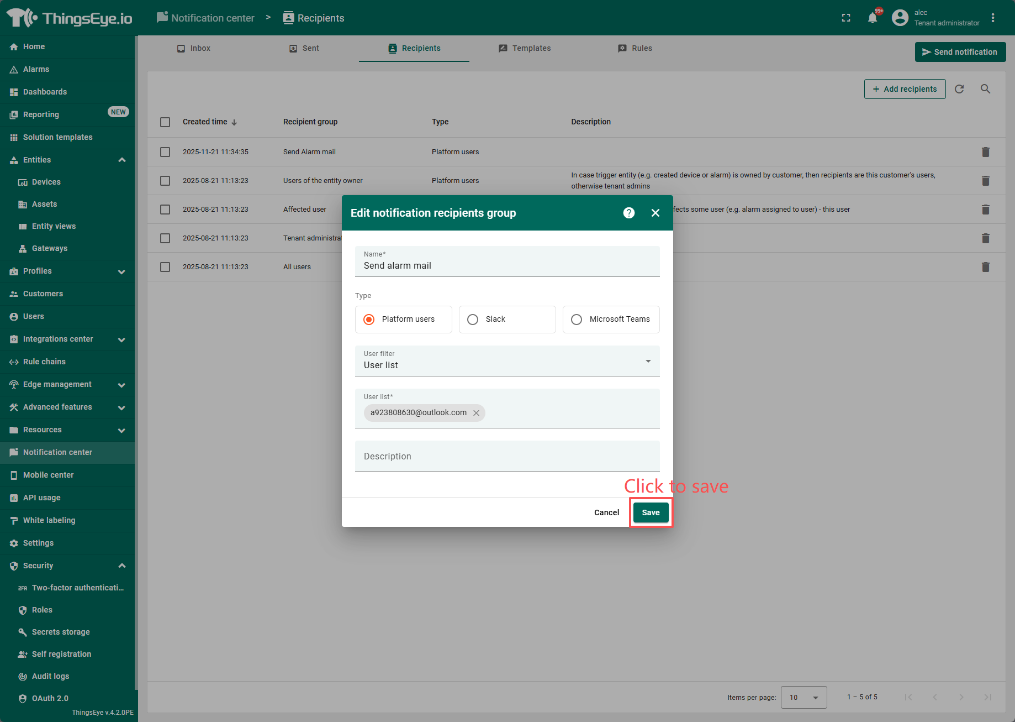
4.2 配置Templates
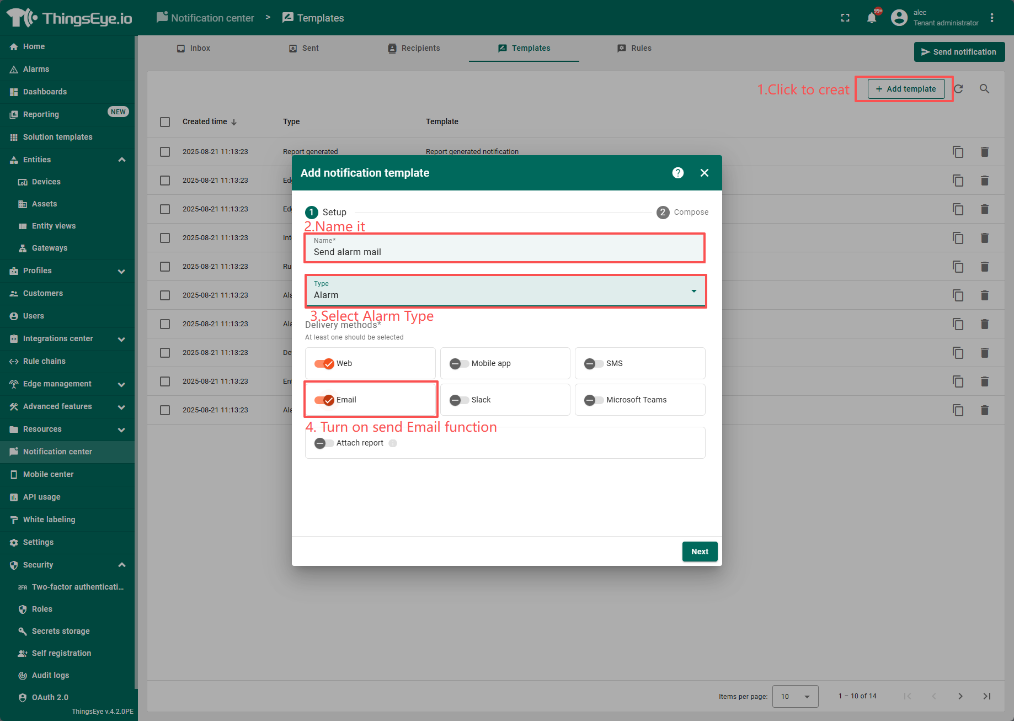
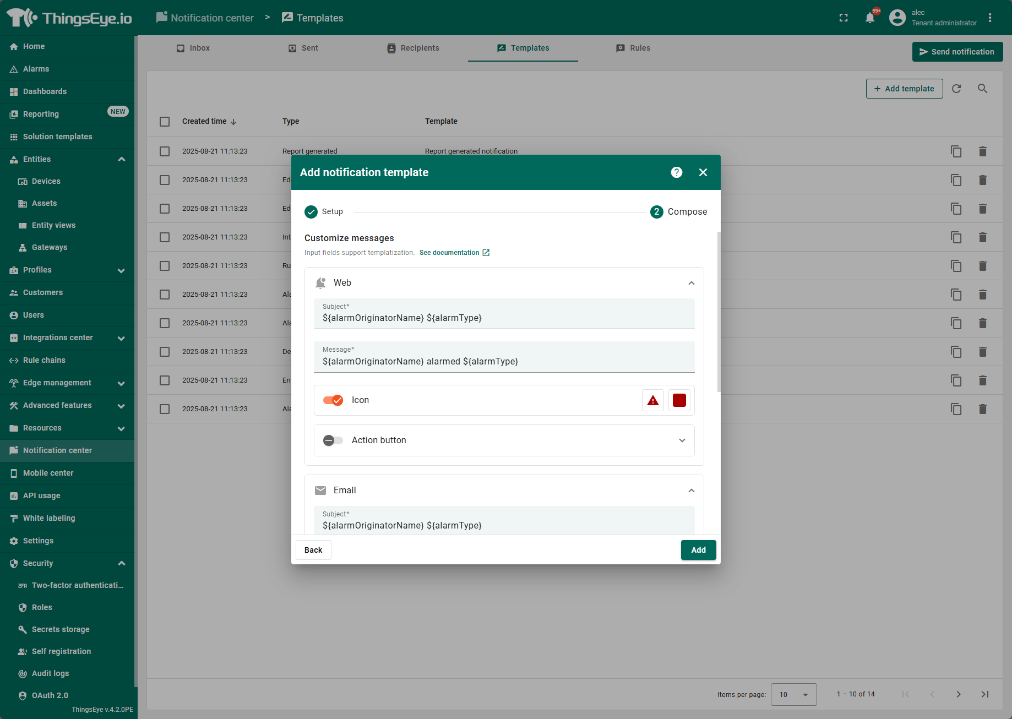
Set Compose
Web
Subjtct:${alarmOriginatorName} ${alarmType}
Message:${alarmOriginatorName} alarmed ${alarmType}
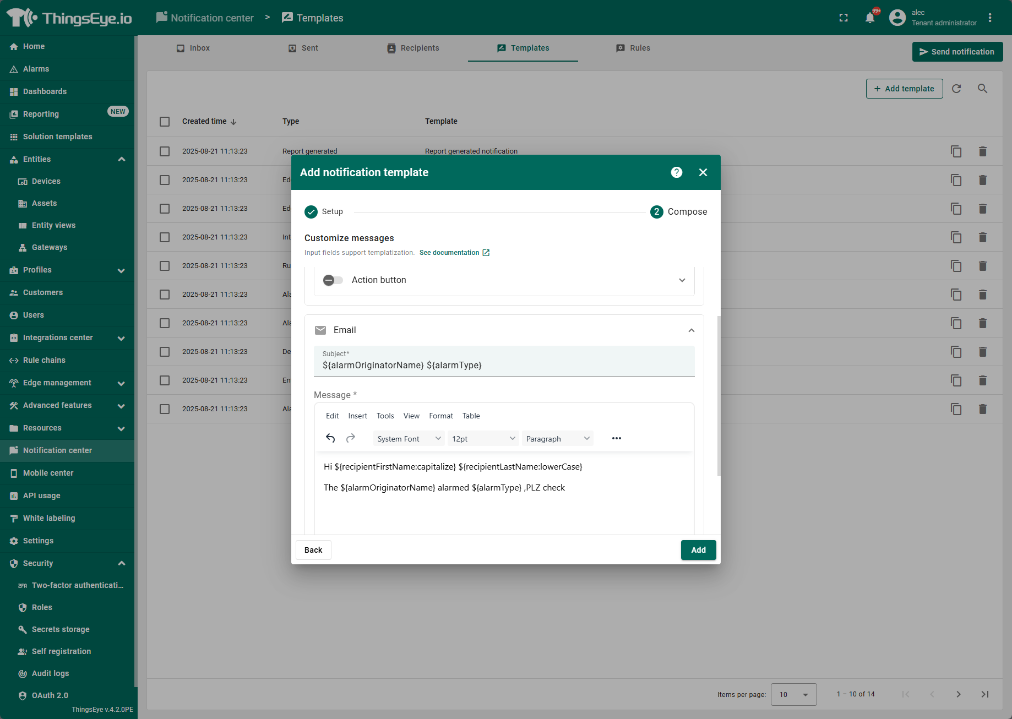
Subjtct:${alarmOriginatorName} ${alarmType}
Message:Hi ${recipientFirstName:capitalize} ${recipientLastName:lowerCase}
The ${alarmOriginatorName} alarmed ${alarmType} ,PLZ check
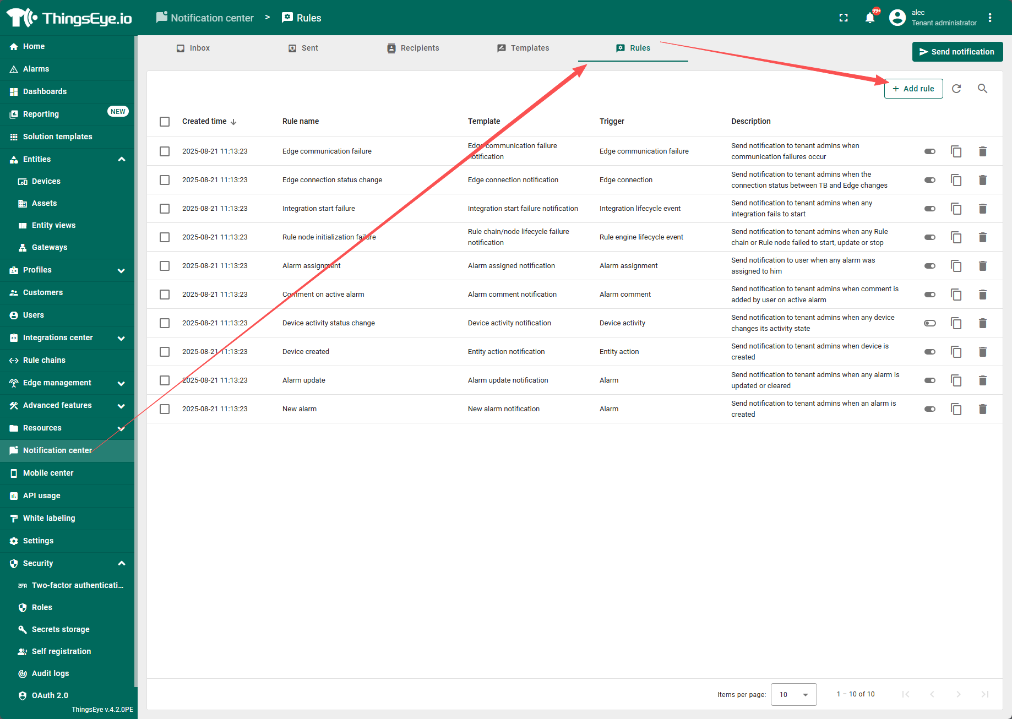
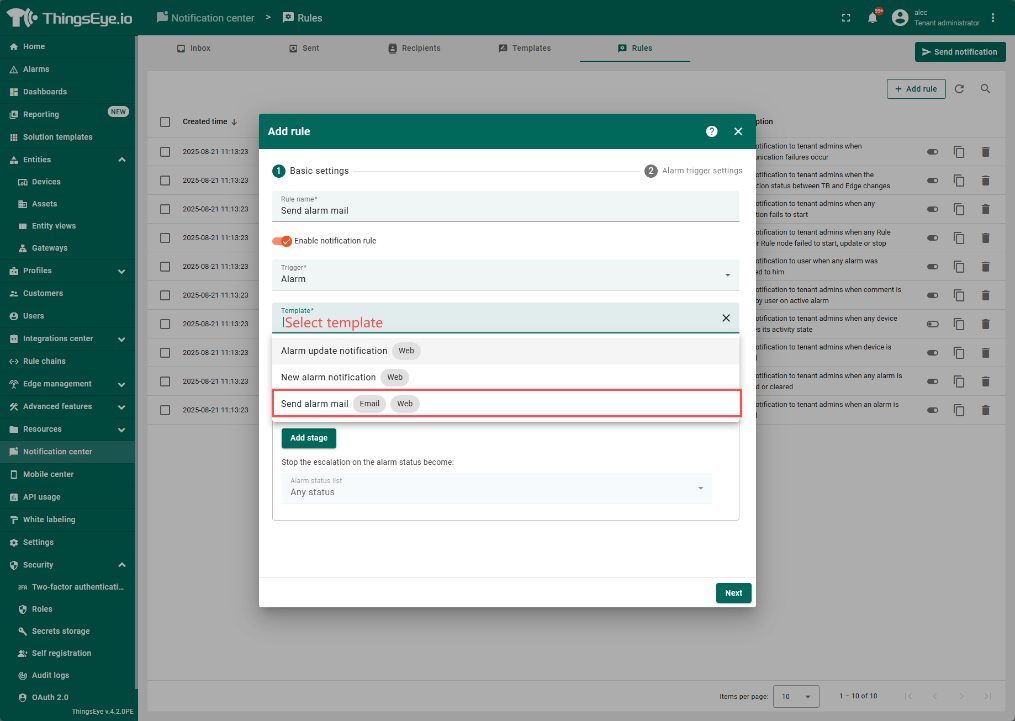
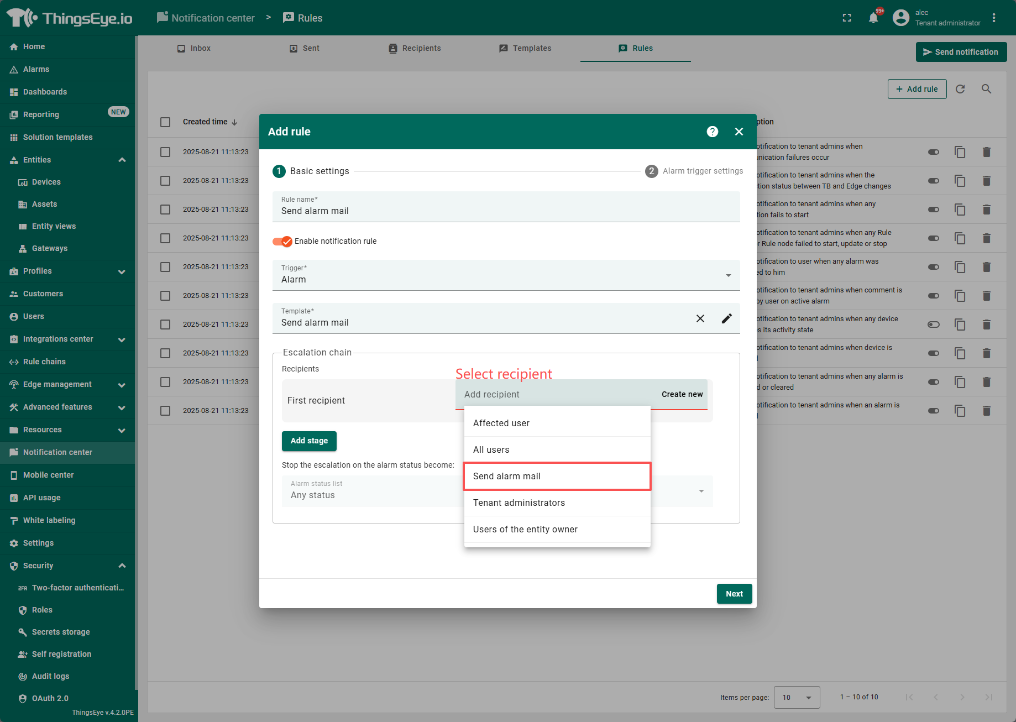
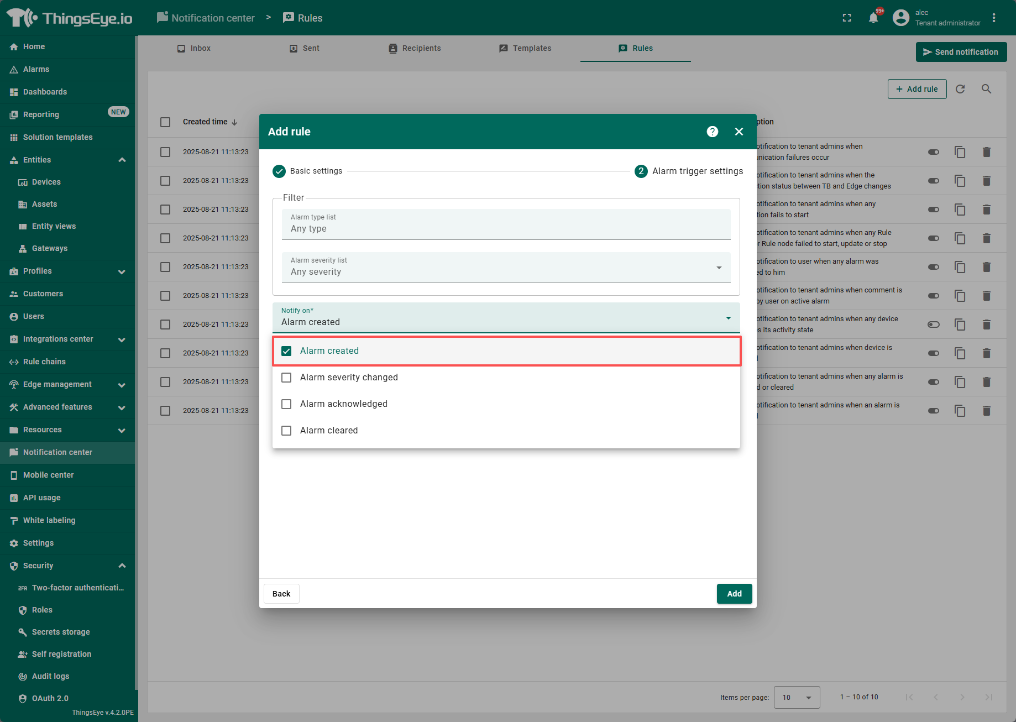
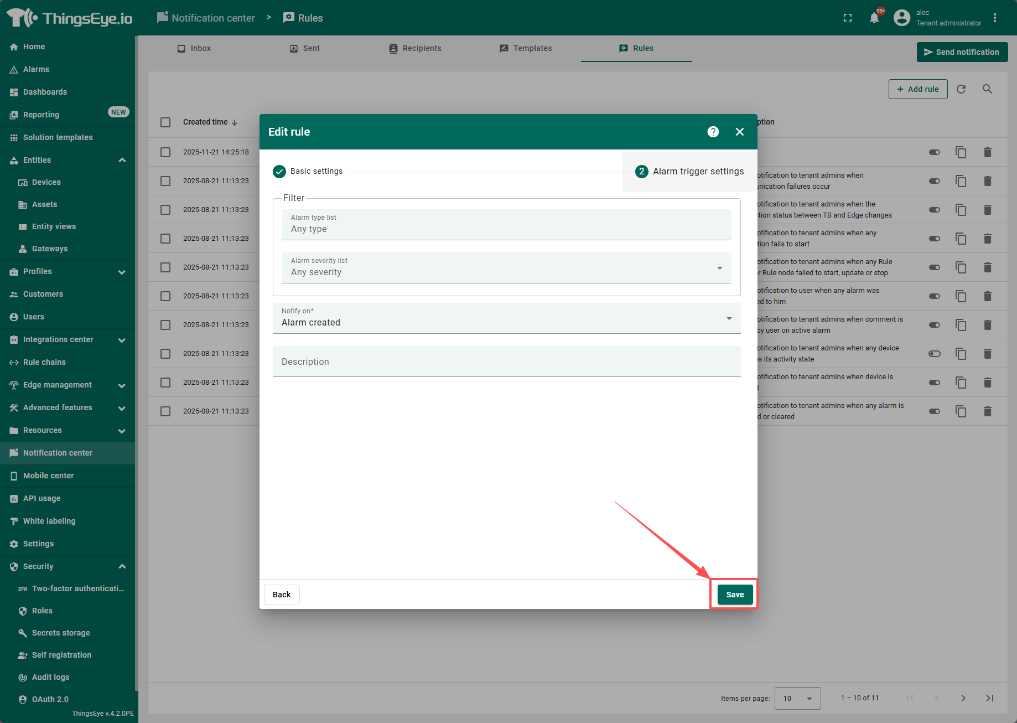
4.3 配置Notification Rules
附加章节:
5. 我想发送邮件给特定收件人怎么办?
6. 如何为每种设备单独设置一页以便管理