2.3 Delete a Tenant
Section Objectives
Learn how to delete a tenant and the precautions involved. Deleting a tenant is an irreversible operation and should be performed with caution.
Applicable Roles
System Administrator
Prerequisites
Logged in to the platform with a System Administrator account.
The target tenant already exists.
The necessity of deleting the tenant has been confirmed, and the tenant administrator has been notified to back up data.
Steps
Step 1: Navigate to Tenant Management Page
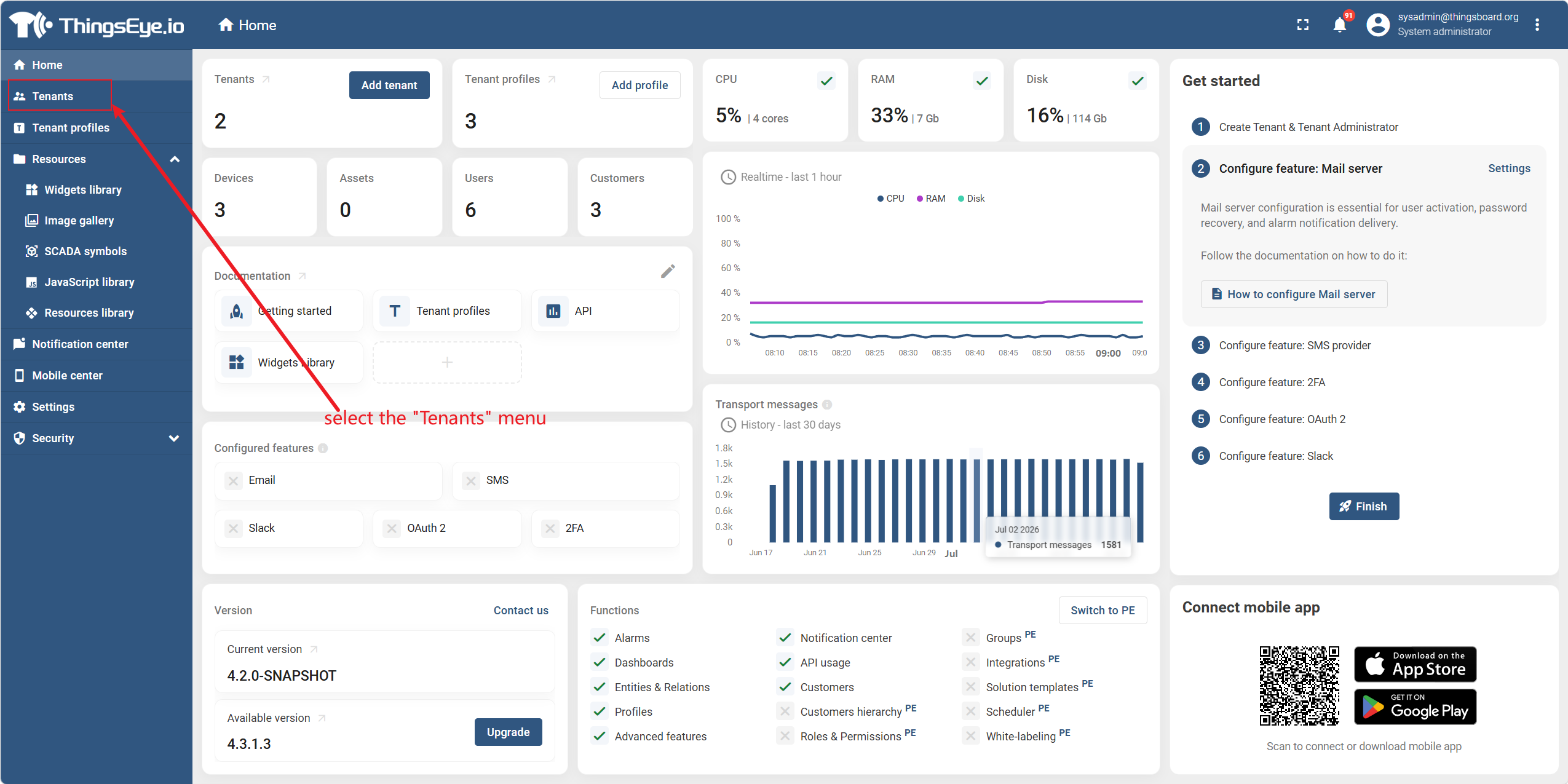
From the left sidebar, select the "Tenants" menu item to enter the tenant list page.
Step 2: Locate the Target Tenant
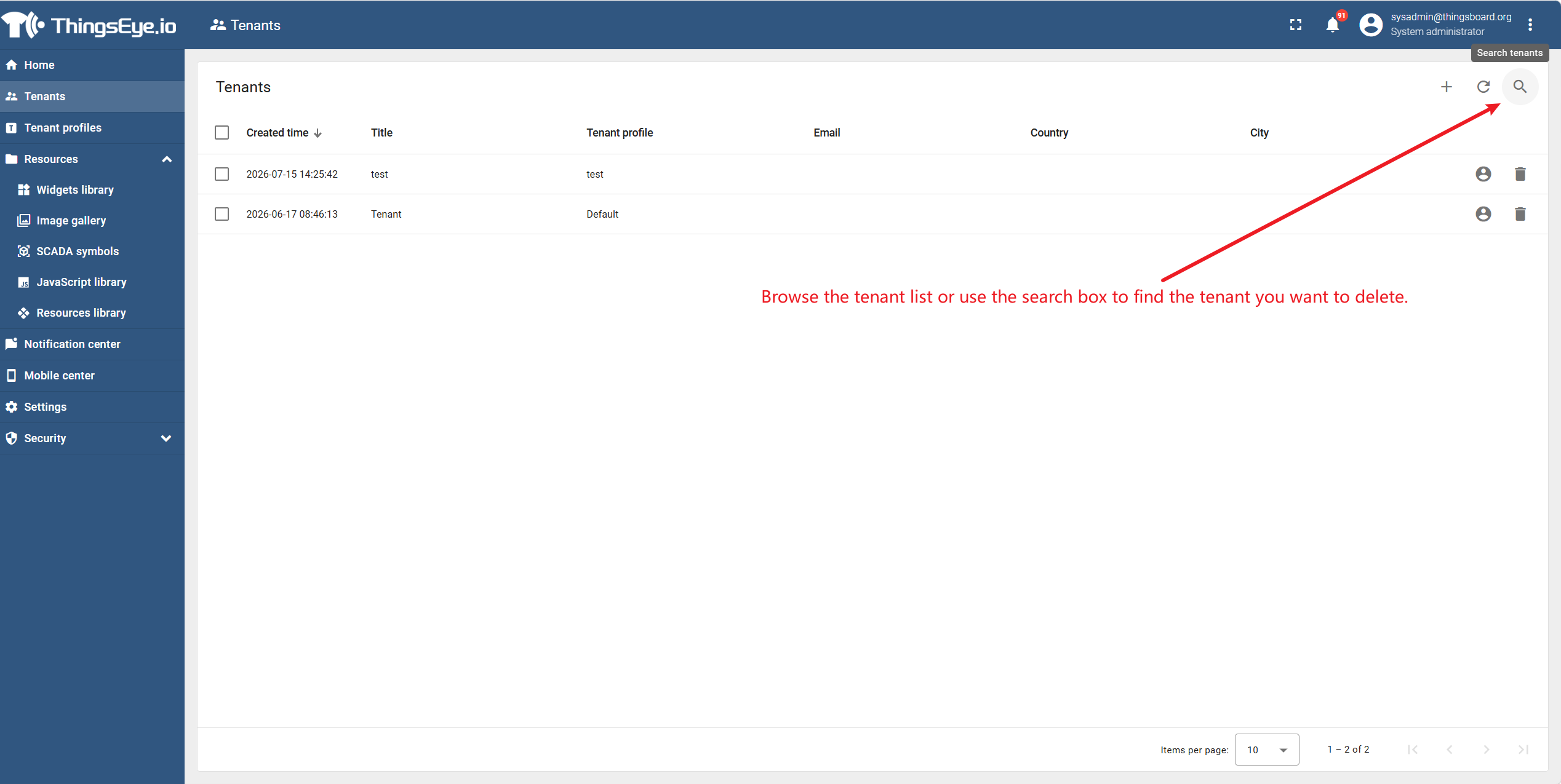
Browse the tenant list or use the search box to find the tenant you want to delete.
Step 3: Open the Delete Confirmation Dialog
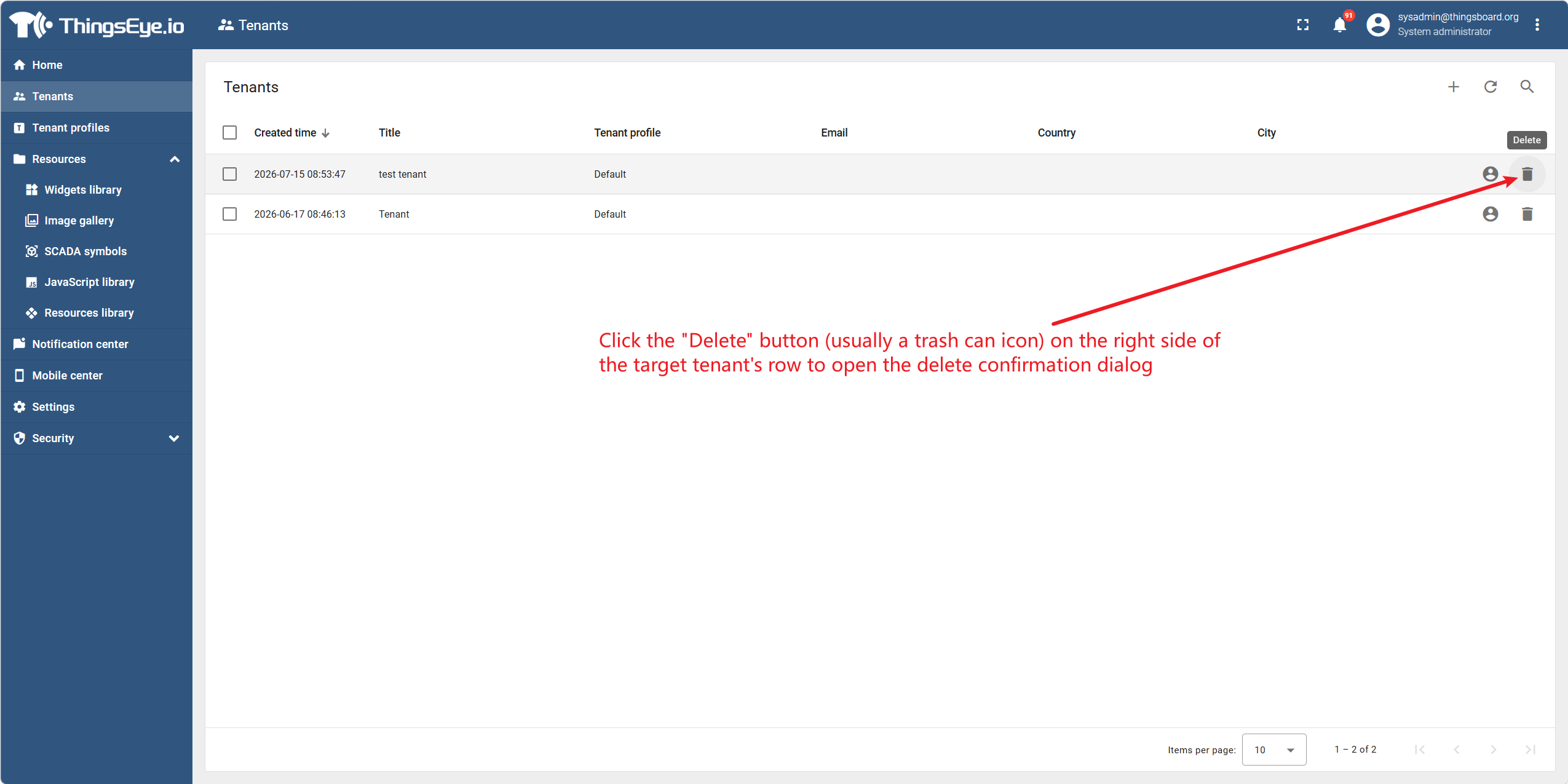
Click the "Delete" button (usually a trash can icon) on the right side of the target tenant's row to open the delete confirmation dialog.
Step 4: Confirm the Deletion
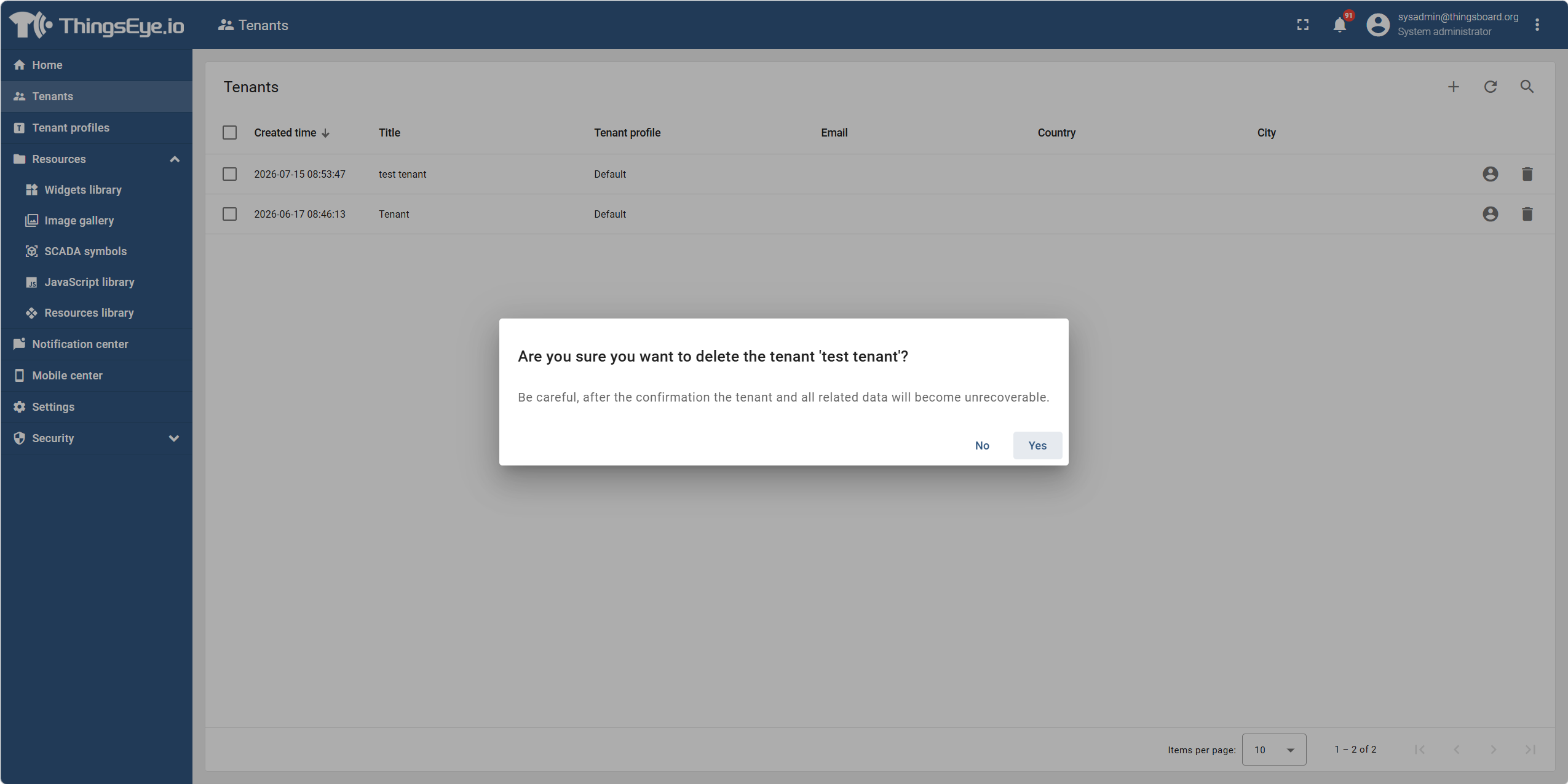
In the delete confirmation dialog, the system will display the tenant name and a prompt about associated resources. After confirmation, click the "Yes" button.
Warning
Deleting a tenant will permanently remove all data under the tenant, including but not limited to:
- Tenant admin accounts and all user accounts
- All devices, their credentials, and telemetry data
- All assets and their associations
- All dashboards (published and unpublished)
- All rule chains and configurations
- All alarm records
- All audit logs (associated with this tenant)
The above data cannot be recovered after deletion. Please proceed with caution.
Step 5: Deletion Complete
After clicking confirm, the system executes the deletion.
Pre-Deletion Checklist
Before performing the deletion, it is recommended to confirm the following items one by one:
| Check Item | Status |
|---|---|
| Confirmed that the tenant no longer has any business needs | ☐ |
| Notified the tenant administrator and confirmed they are aware of the consequences | ☐ |
| All important data within the tenant has been backed up | ☐ |
| Confirmed there are no ongoing business processes under the tenant (e.g., device data collection, alarm handling, etc.) | ☐ |
Important Notes
| Note | Description |
|---|---|
| Irreversibility | The delete operation is irreversible; all data is permanently lost. It is recommended to back up critical data (e.g., export rule chains, dashboards) before deletion. |
| Cascade Deletion Scope | All associated entities under the tenant are cascaded and deleted together, with no need to clean up individually. The system handles all associated resources in one operation. |
| Deletion Duration | The duration of the deletion operation depends on the volume of tenant data. For large data volumes, it may take from a few seconds to several minutes. |
| Concurrent Deletion Restriction | The platform does not support deleting multiple tenants simultaneously; only one tenant can be deleted at a time. |
| Audit Trail | The deletion operation itself will be recorded in the system-level audit logs, but all detailed historical data for the tenant will be cleared. |