1.2 Logout
Objective
Learn how to securely log out of the platform management console and end the current session.
Applicable Role
System Administrator
Prerequisites
Logged into the platform with a system administrator account
Steps
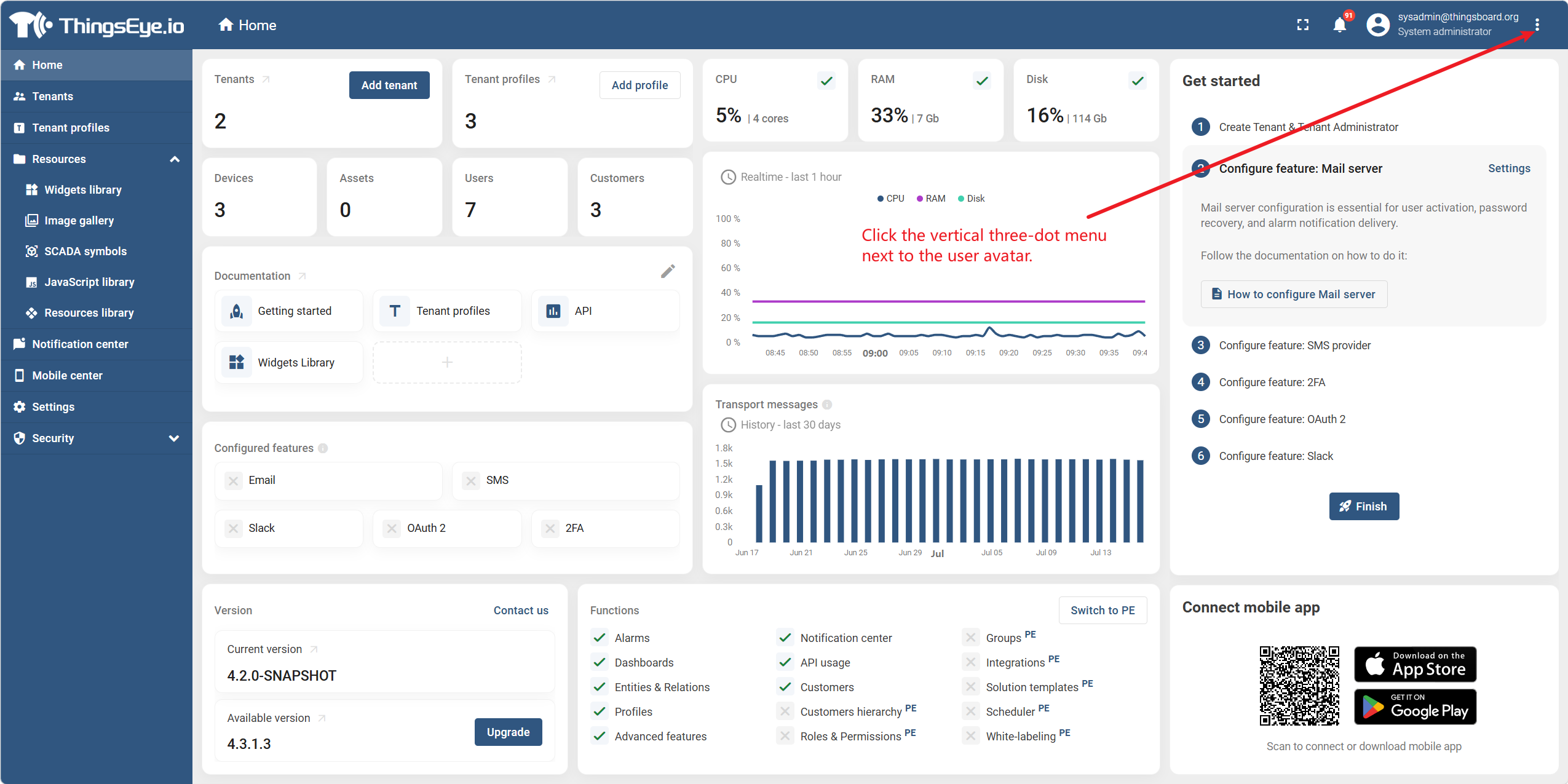
Step 1. Click the vertical three-dot menu next to the user avatar
Click the current user's avatar or name in the upper-right corner of the platform management interface to expand the user dropdown menu.
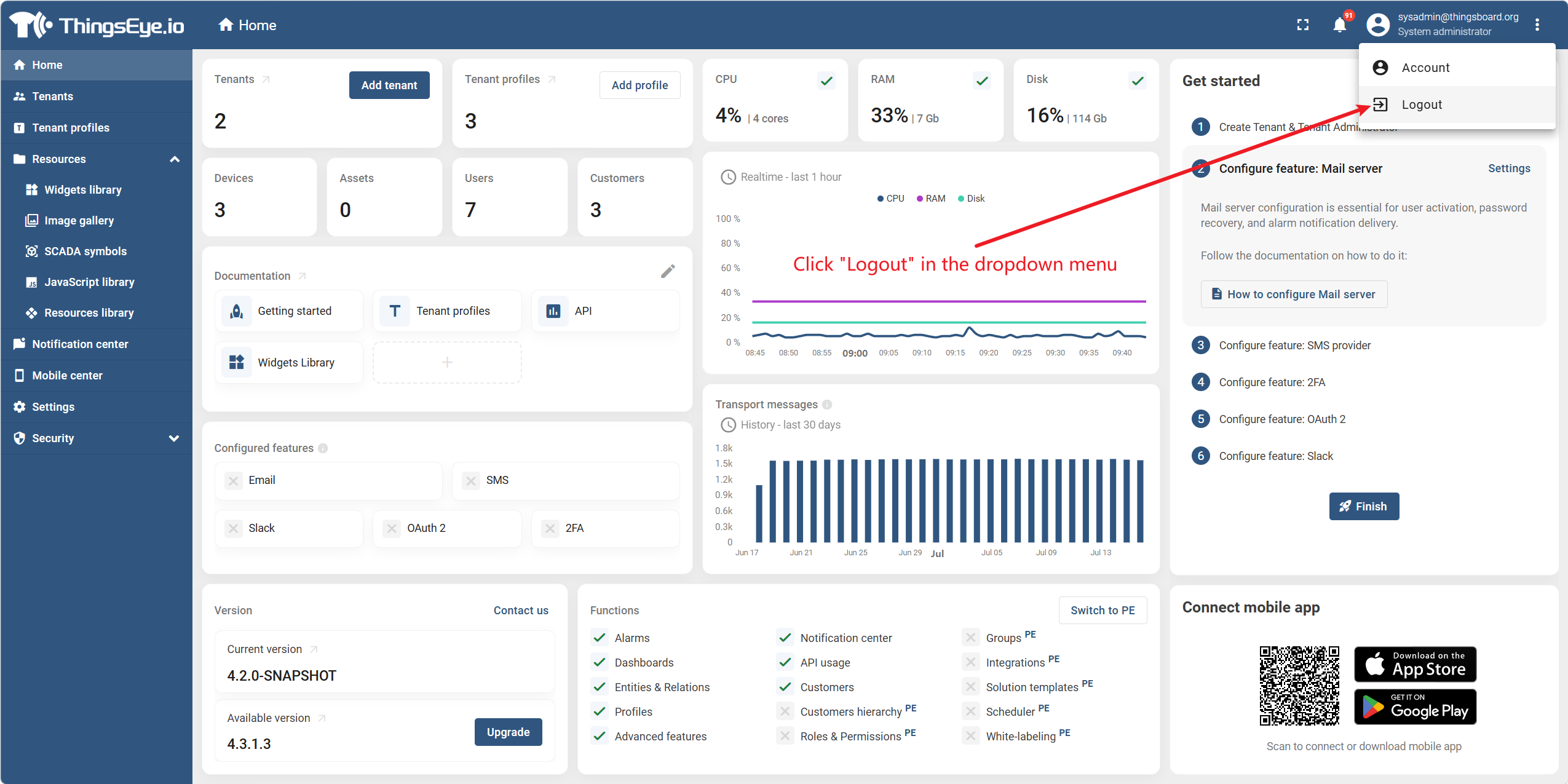
Step 2. Click "Logout" in the dropdown menu
Click "Logout" in the dropdown menu. The system immediately clears the current session and redirects to the login page.
Completion Criteria
- Successfully logged out and redirected to the login page
- Session is cleared and cannot access previous management pages via browser back button