Customer Management Platform End User Guide
1. Overview
The Customer Management Platform is intended to assist Dragino/TE employees in periodically tracking customer payments.
2. How to Set Up
2.1 Obtain an Account
Please contact Alec (Alec@thingeye.io) to apply for a platform management account. Required information: applicant email/country/applicant name/customer name/signing date/customer email/customer recharge amount/cost per device.
Please note: If the signing date is earlier than the application date, the current period's fee will be deducted directly.
Example application email:
Applicant: Anna@dragino.io/China/Dragino/Anna
Customer information:
Mike/2025-09-06/Mike@google.io/500$/0.5$per
John/2025-10-01/John@google.io/200$/0.7$per
.
.
.
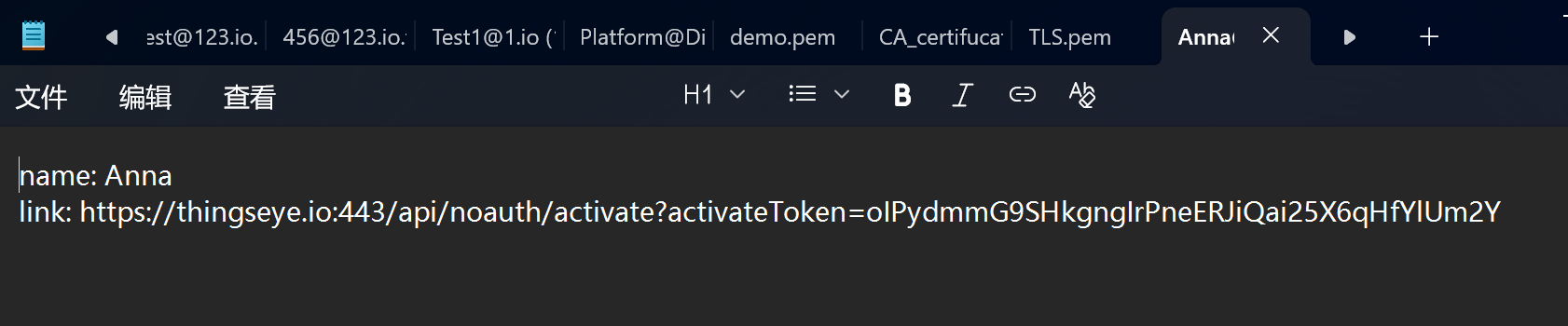
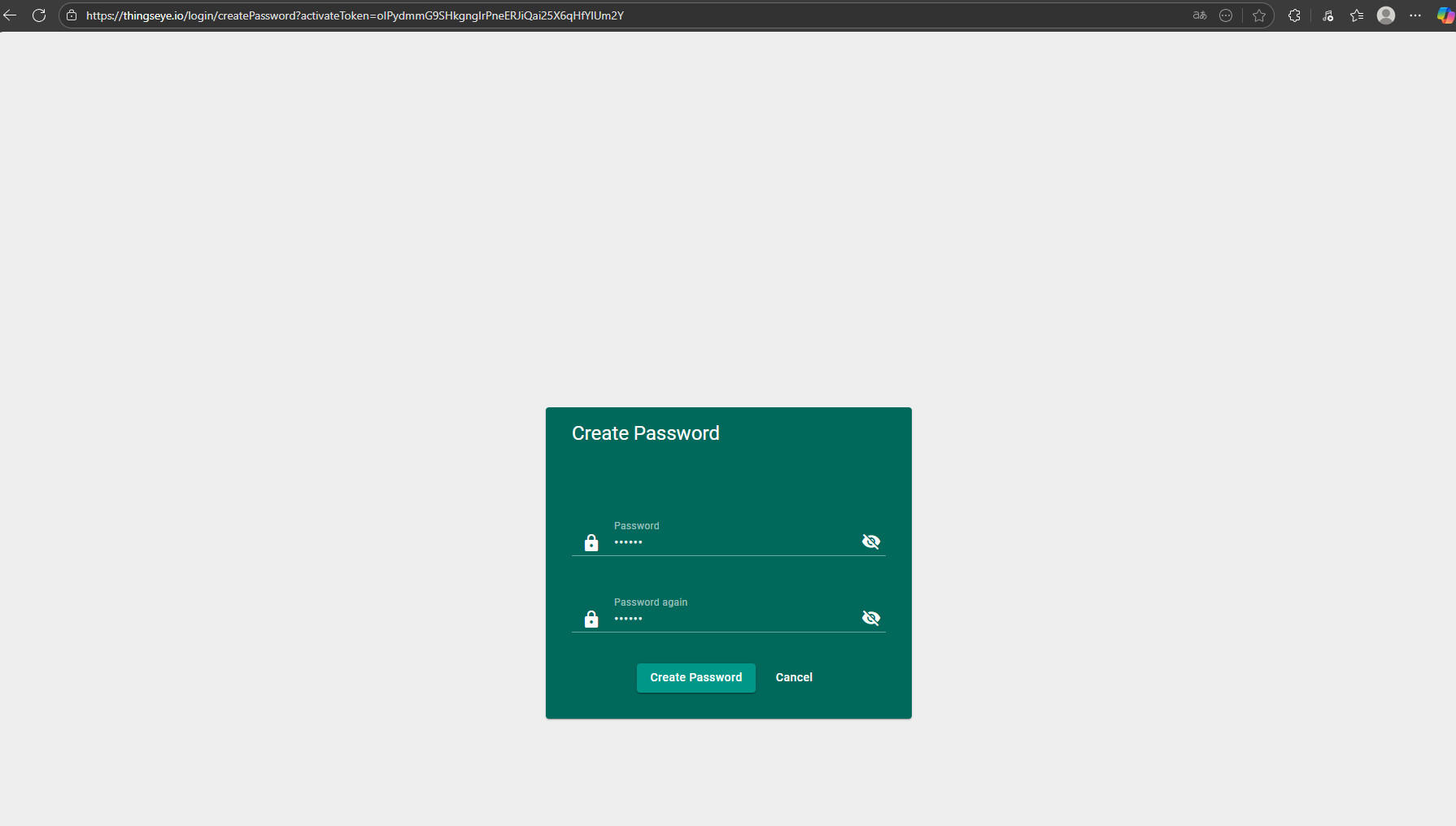
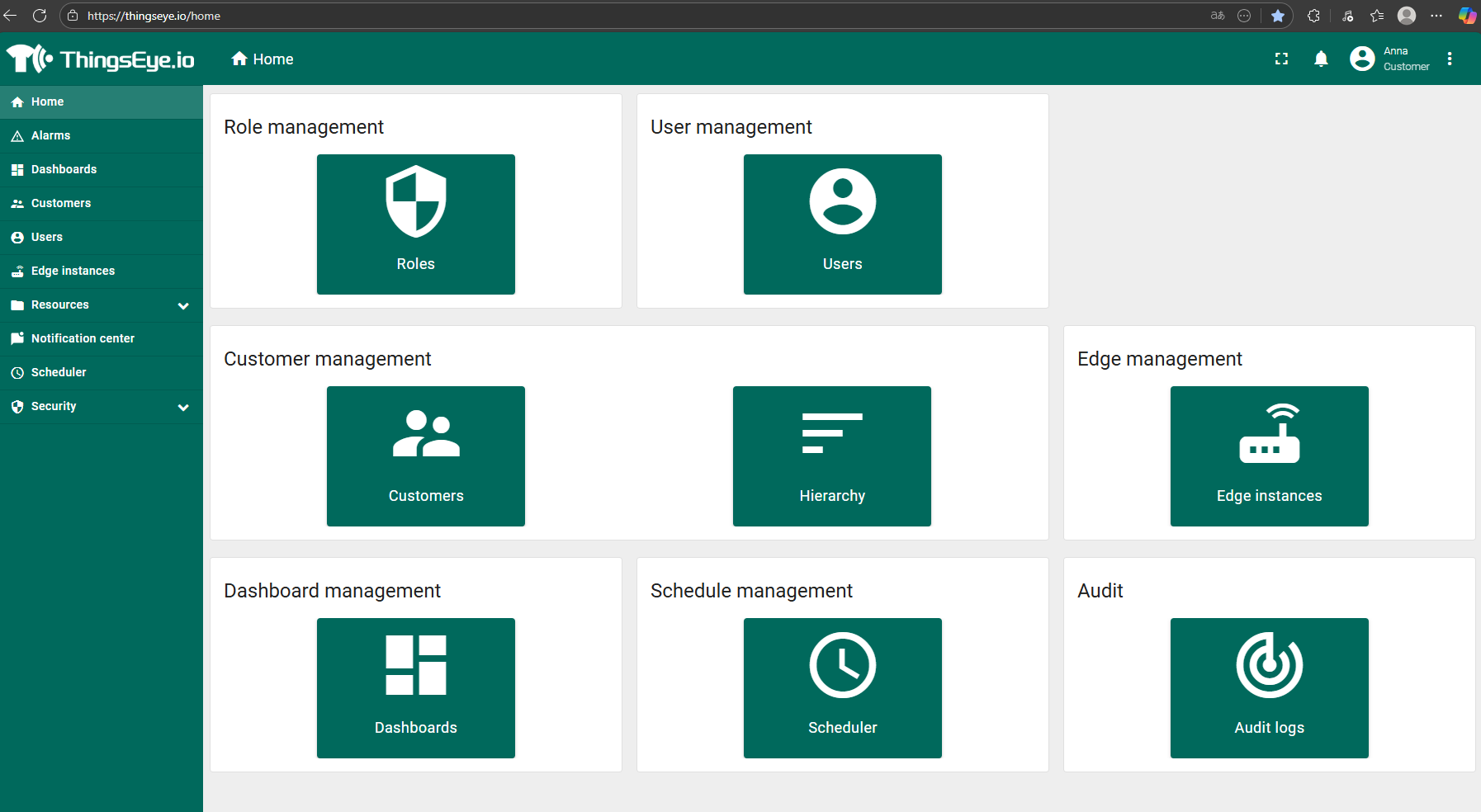
After the application is confirmed, you will receive an email with a txt document containing password setup instructions. Copy the built-in link into your browser to set your password, then you can log in at https://thingseye.io/ using your application email and password.
2.2 Import the Dashboard
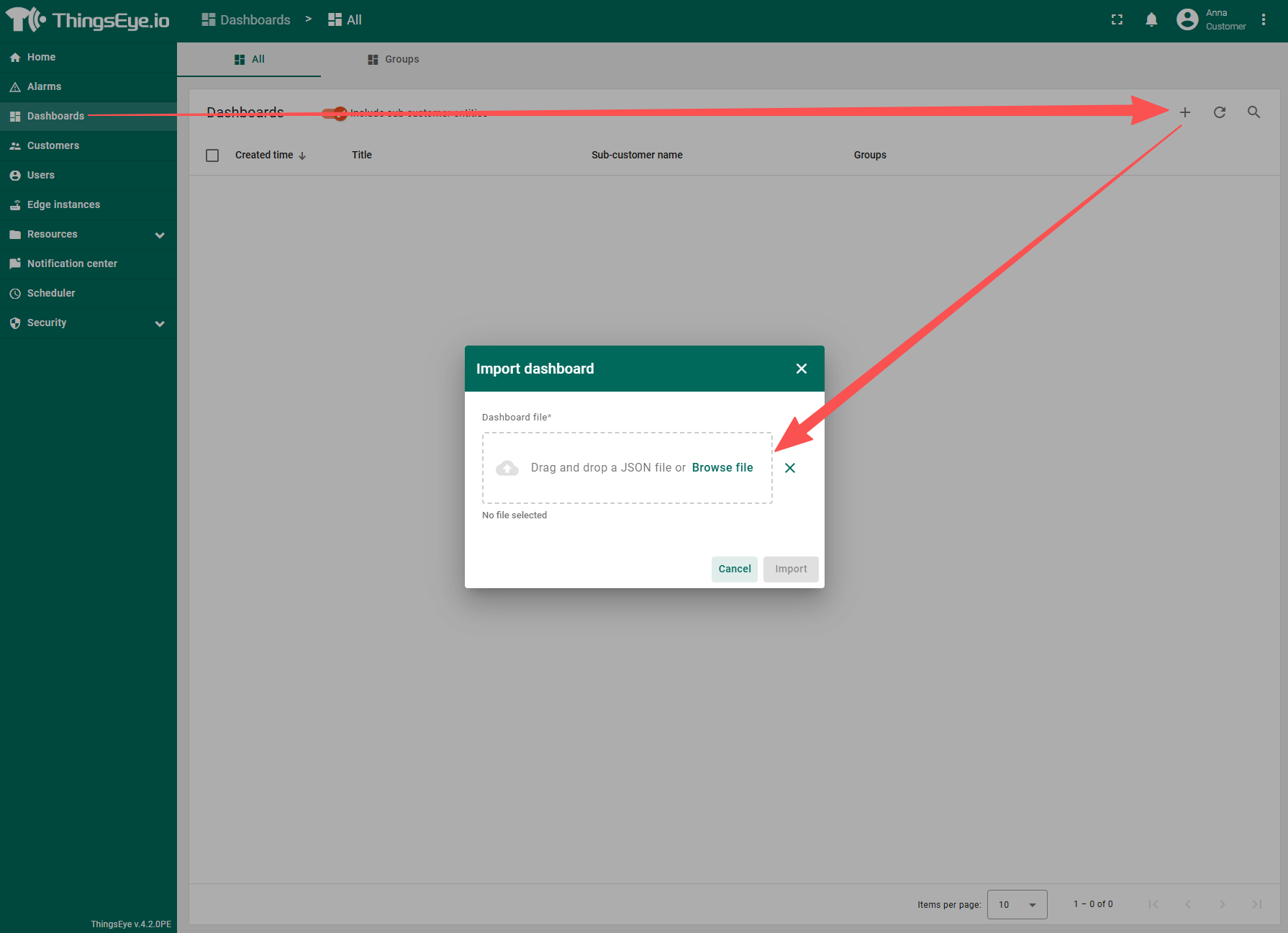
Click Dashboard, click the + sign in the upper right corner, and download and import this file: customer_management_platform_sales.json
3. Interface Introduction
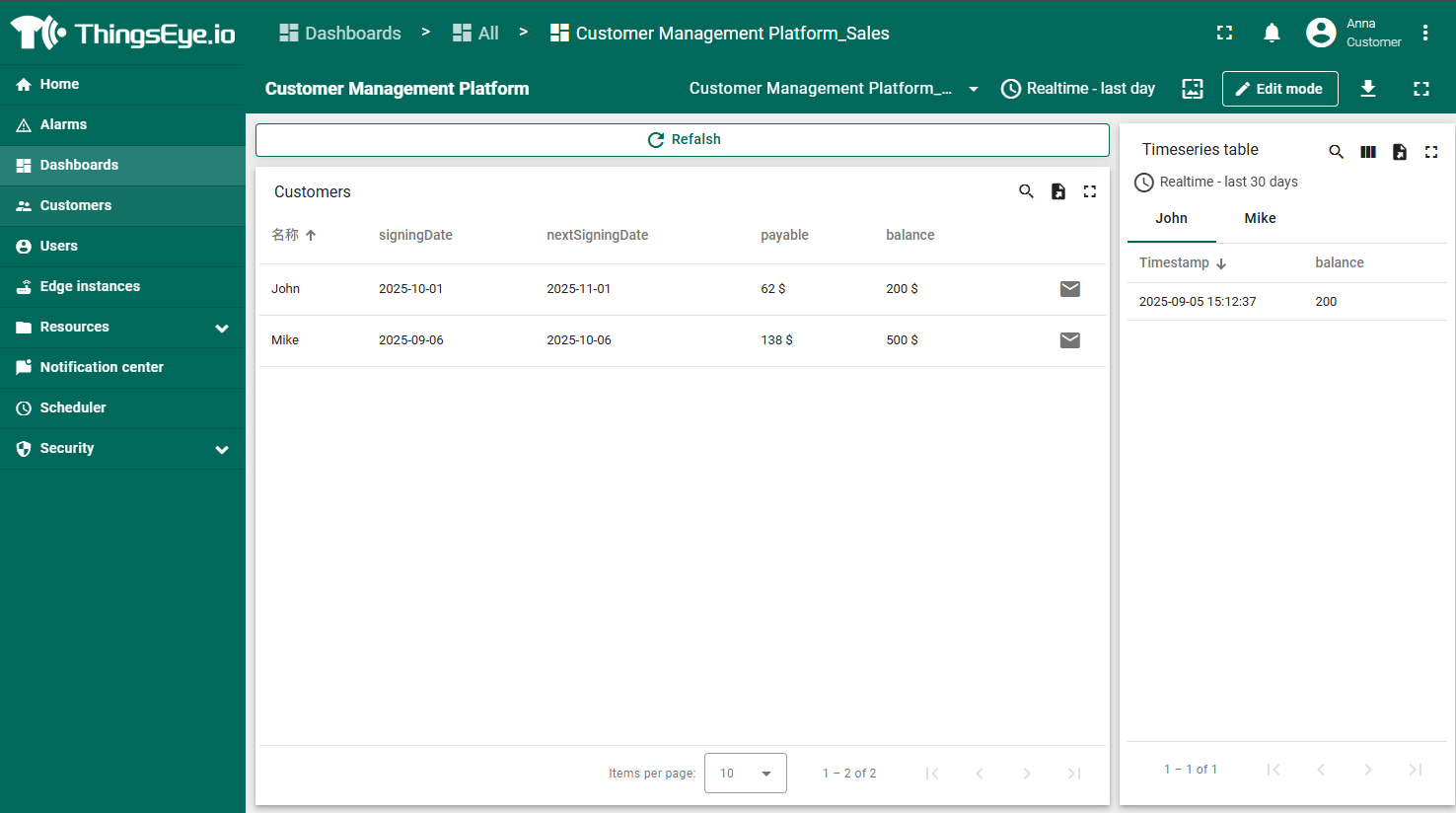
After importing the dashboard, enter the dashboard, and you will be able to see all the customer information and recharge records you have submitted.
4. Create a Subscription
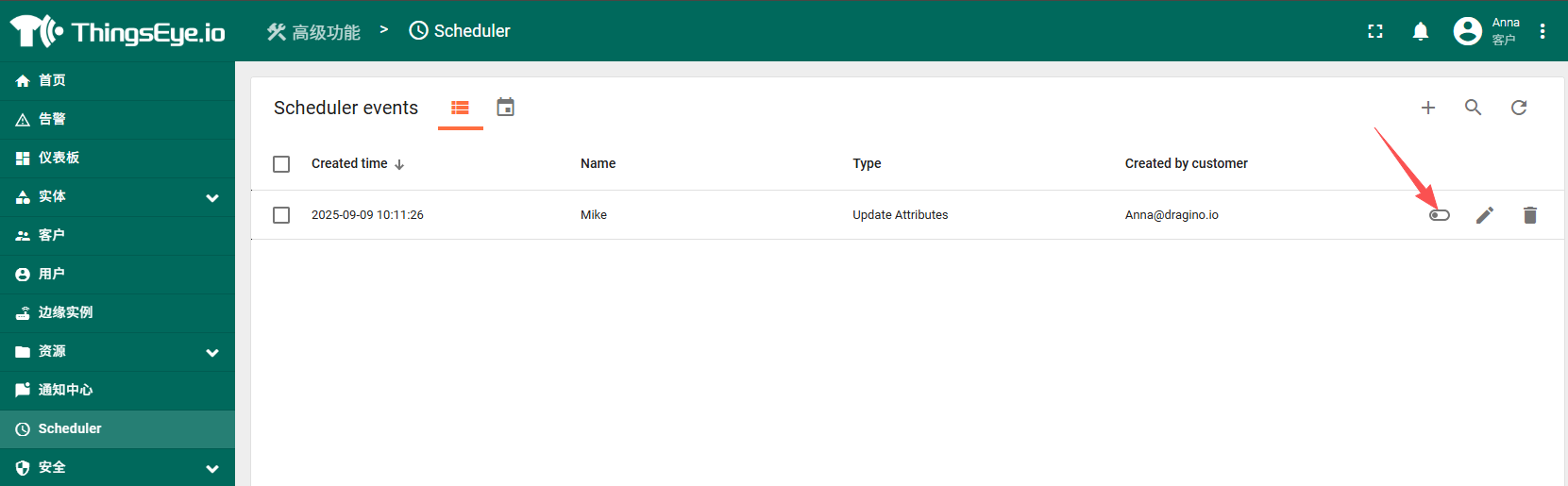
The subscription here is a periodic check function. If the customer suspends use, please close it promptly.
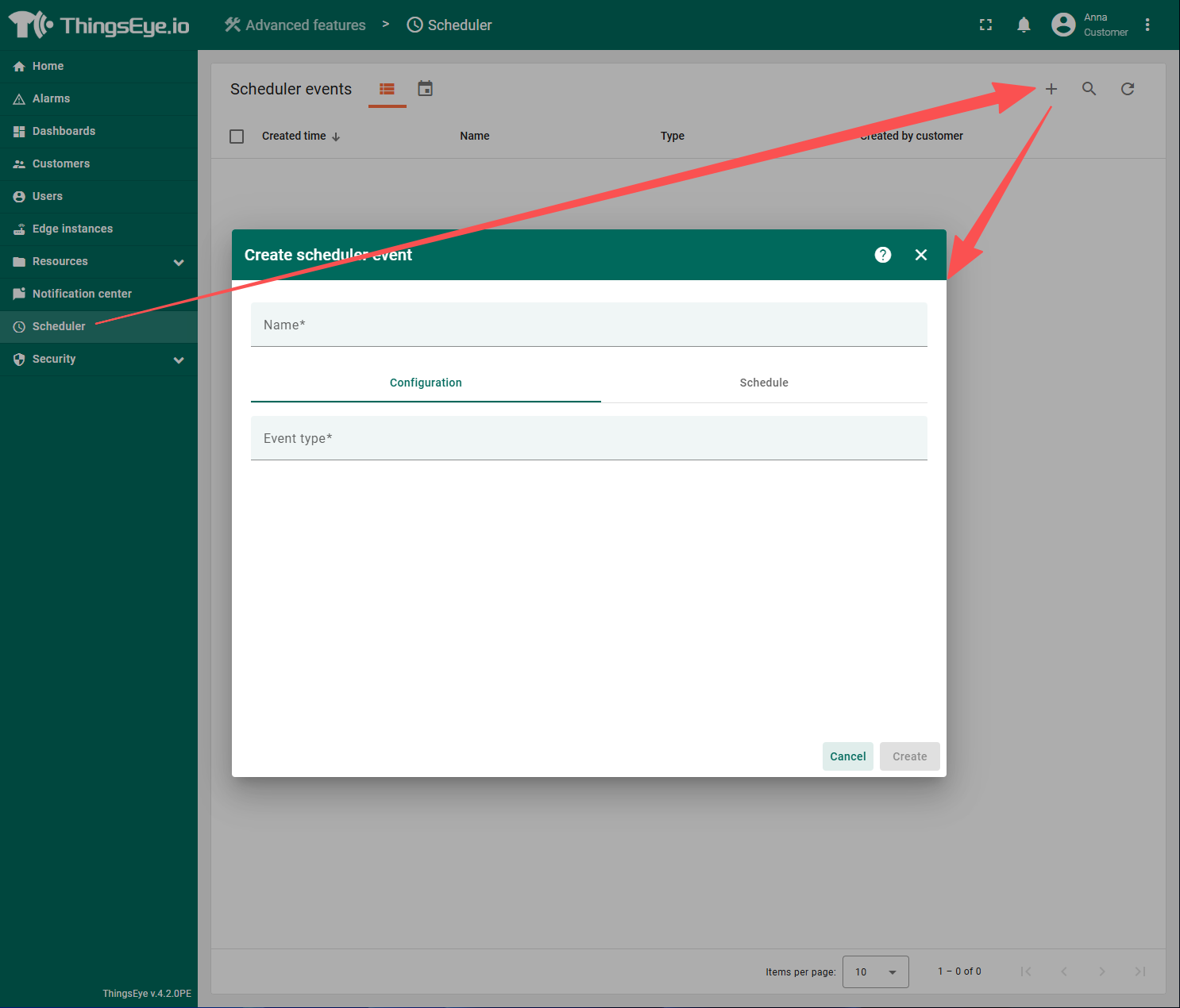
4.1 Click Scheduler to Create a Subscription
4.2 Fill In the Information in Order
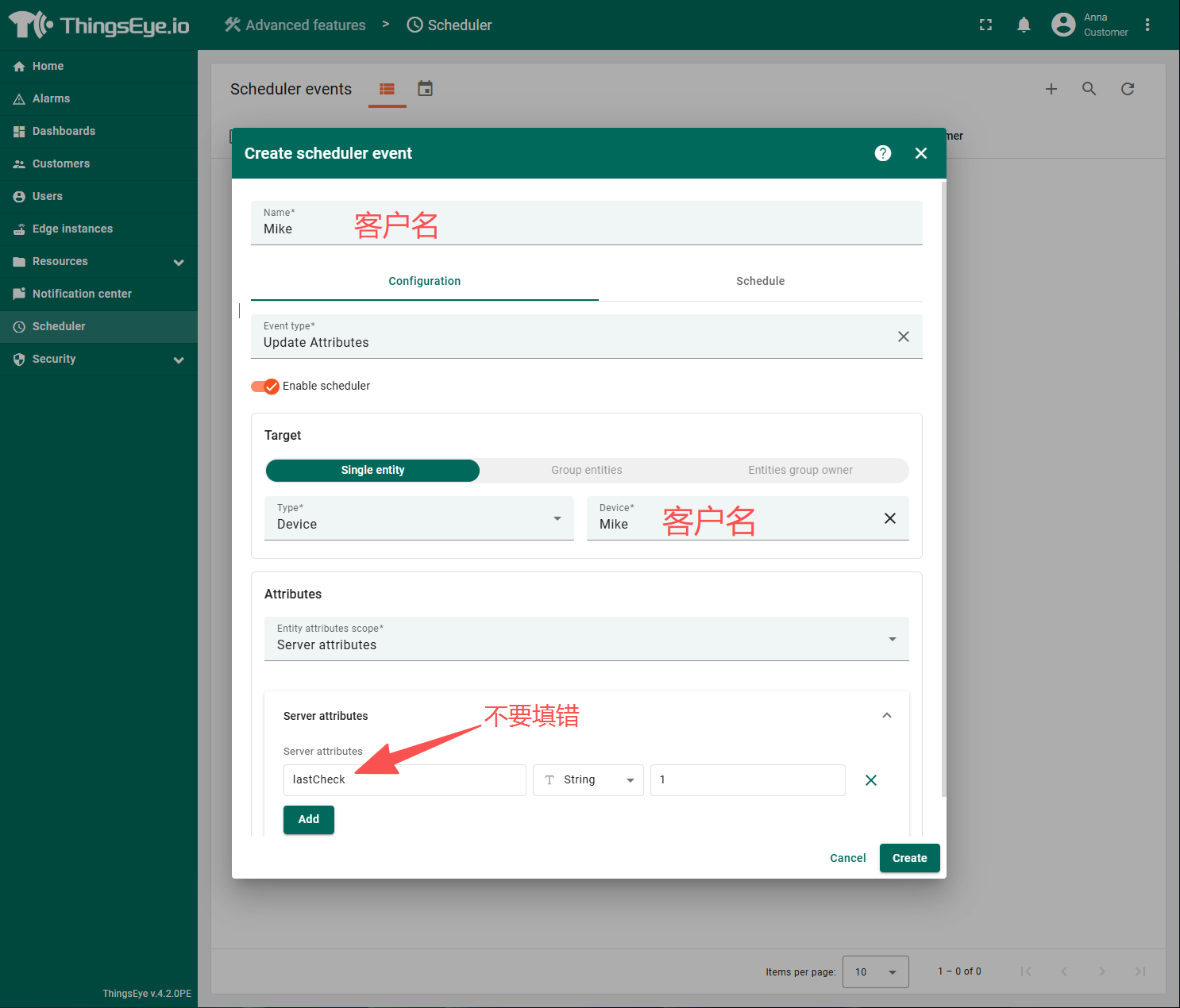
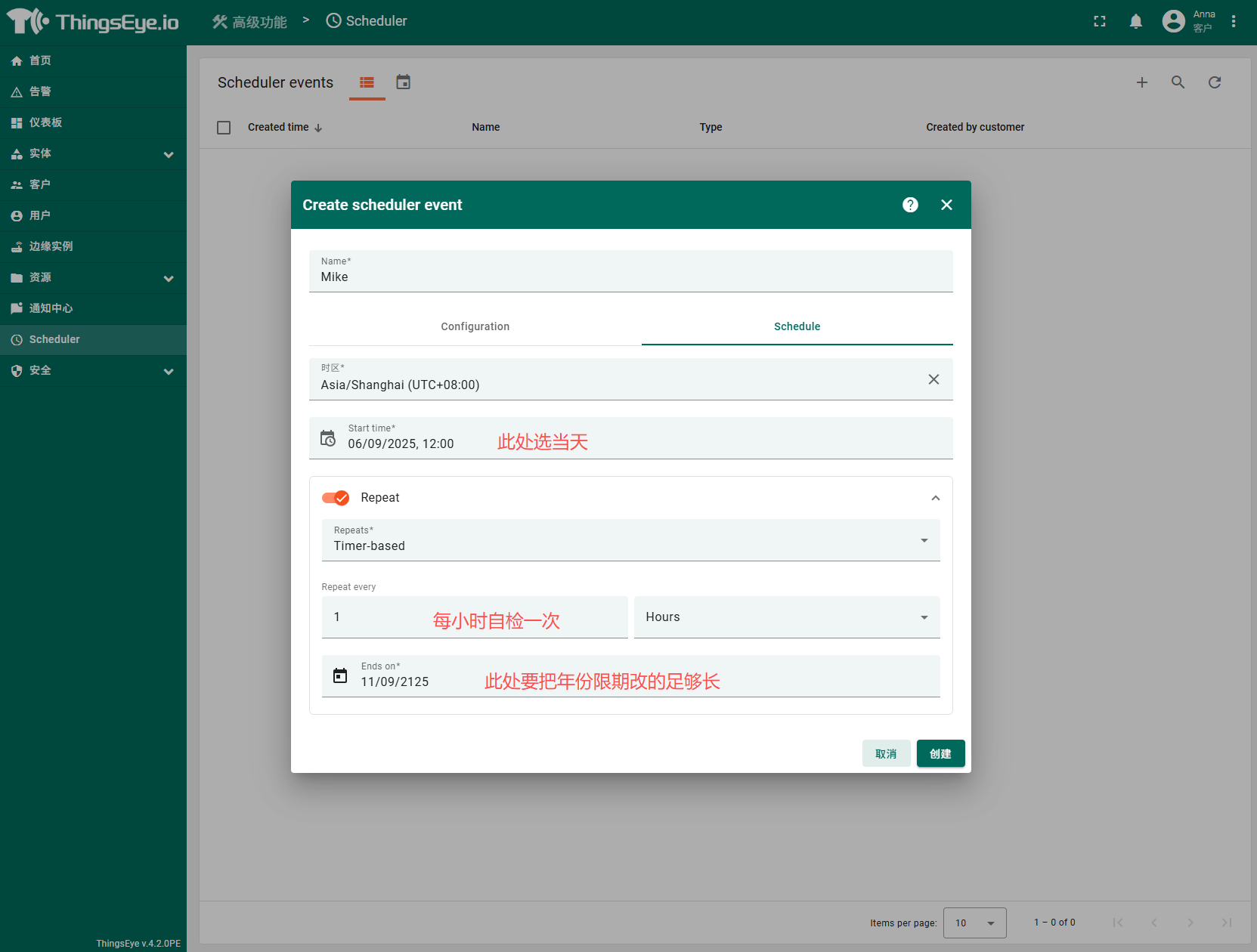
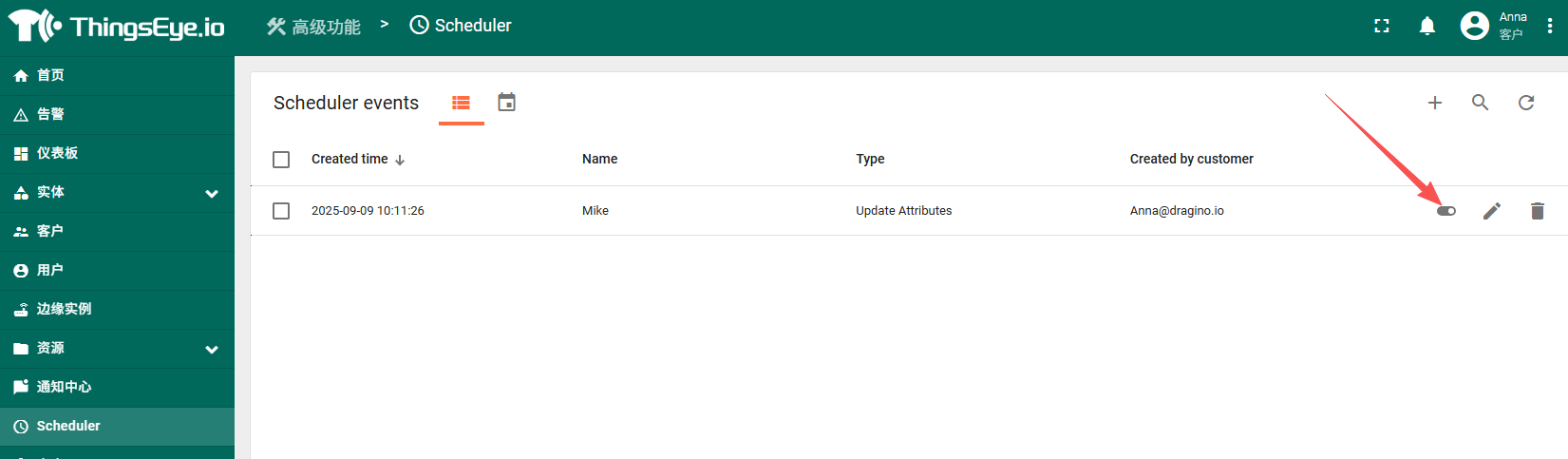
After creation is complete, if the customer has paid, turn on the subscription; otherwise, turn it off promptly.
5. Introduction to Periodic Reminder Functions
5.1 Deduction Reminders
On the signing date, which is the billing date for each period, if the customer's balance is sufficient to pay the next bill, you and your customer will receive the following emails respectively:
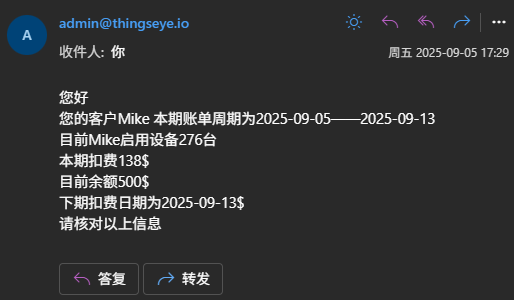 &
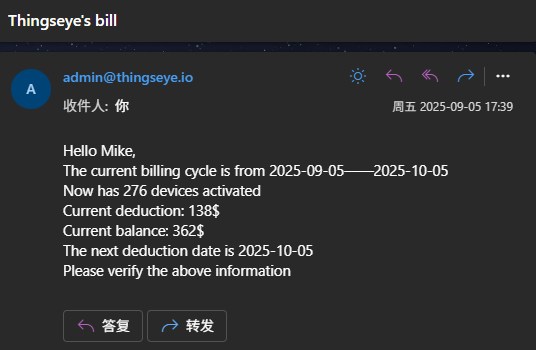
If the customer's balance is insufficient to pay the next bill, you and your customer will receive the following emails respectively:
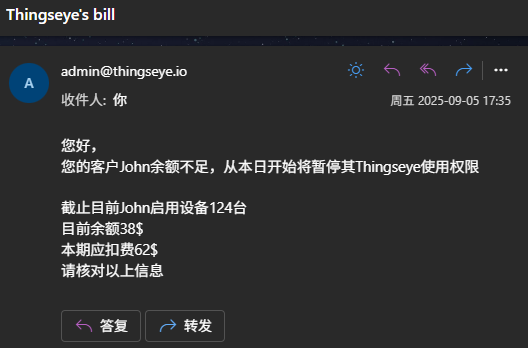 &
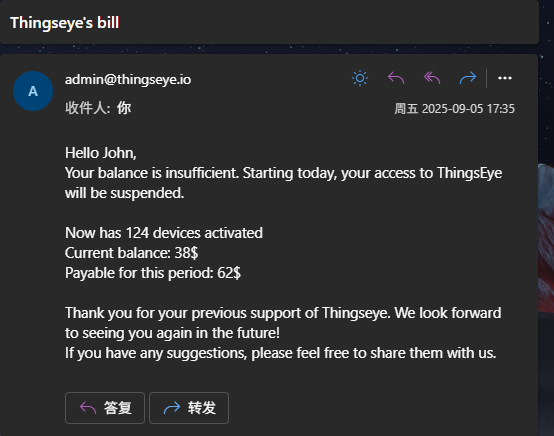
5.2 Pre-Deduction Reminders
7 days before the next billing date, if the customer's balance is sufficient to pay the next bill, you and your customer will receive the following emails respectively:
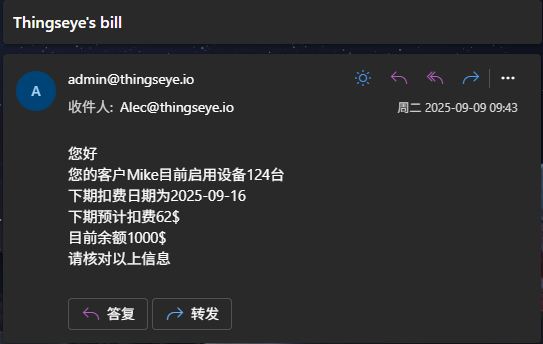 &
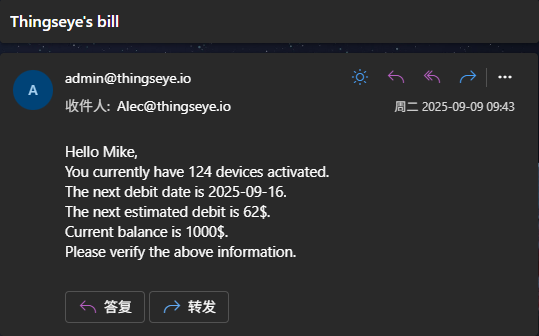
7 days before the next billing date, if the customer's balance is insufficient to pay the next bill, you and your customer will receive the following emails respectively:
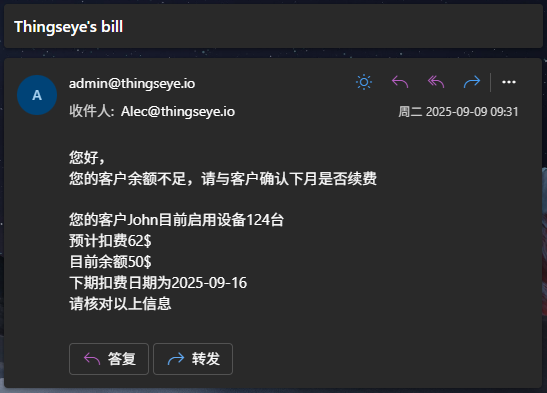 &
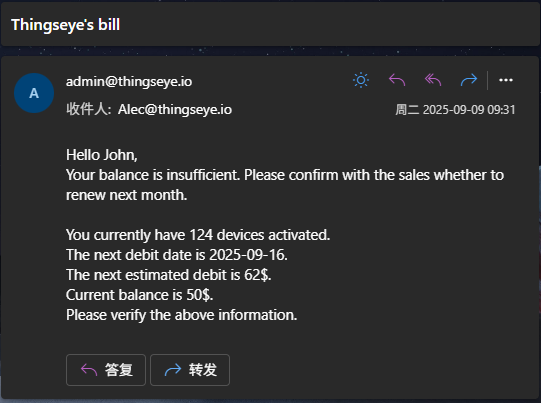
6. Follow-up Maintenance
6.1 Customer Recharge
Please contact Alec (Alec@thingeye.io) to add the recharge amount. Required information: applicant email/applicant name/customer name/customer recharge amount/cost per device.
Example application email:
Applicant: Anna@dragino.io/Anna
Customer information:
Mike/500$/0.5$per
John/200$/0.7$per
.
.
.
6.2 Customer Deactivation
When you receive a customer deactivation email, please close the subscription promptly to save platform traffic.
6.3 Customer Re-signs After a Period of Deactivation
Please contact Alec (Alec@thingeye.io) to re-sign. Required information: applicant email/applicant name/customer name/signing date/customer email/customer recharge amount/cost per device.
Please note: If the signing date is earlier than the application date, the current period's fee will be deducted directly.
Example application email:
Applicant: Anna@dragino.io/Anna
Customer information:
Mike/2025-09-06/Mike@google.io/500$/0.5$per
John/2025-10-01/John@google.io/200$/0.7$per
.
.
.
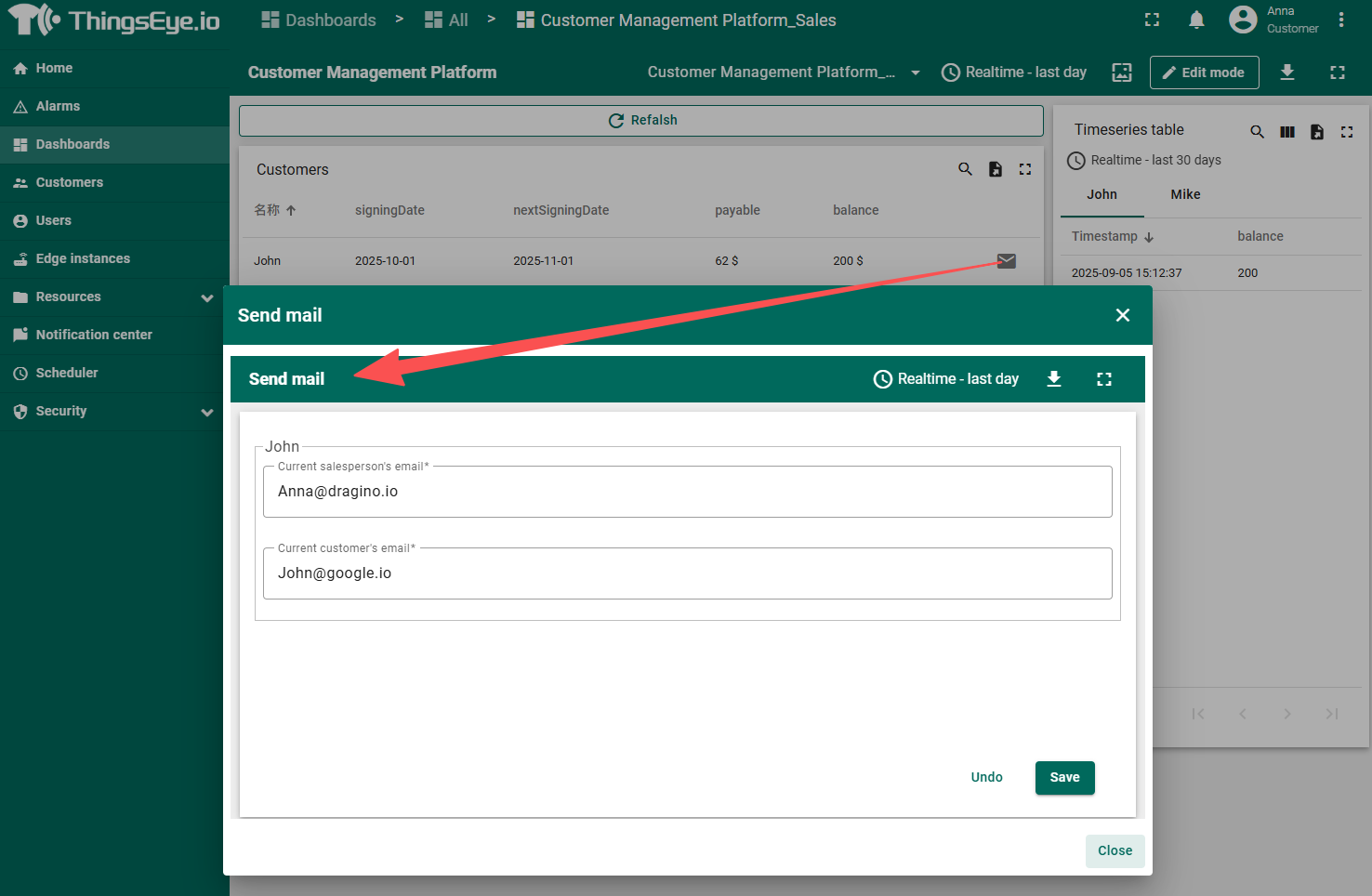
If the customer's email has been changed, you can also manually click the email icon to change it.