Sim Card Management End User Guide
1. Overview
The Sim Card Management platform is designed to help customers access their Sim card data more conveniently
2.Apply for an account
Please contact Alec (Alec@thingeye.io) to apply for a Dragino integrated application management platform account. Required information: Email address/Country/Company name/Administrator name
Sample application email:
申请人:Anna@Dragino.io/China/Dragino/Anna
After confirming your application, you will receive an email with a txt file containing your password. Copy the built-in link to your browser and set the password.
You can then log in to https://thingseye.io/ using your application email and password.


3.Preparation
3.1 Import Dashboard
Click on the dashboard, click on the + sign in the upper right corner, download and import this file:Sim cards management.json

3.2 Creat Devices
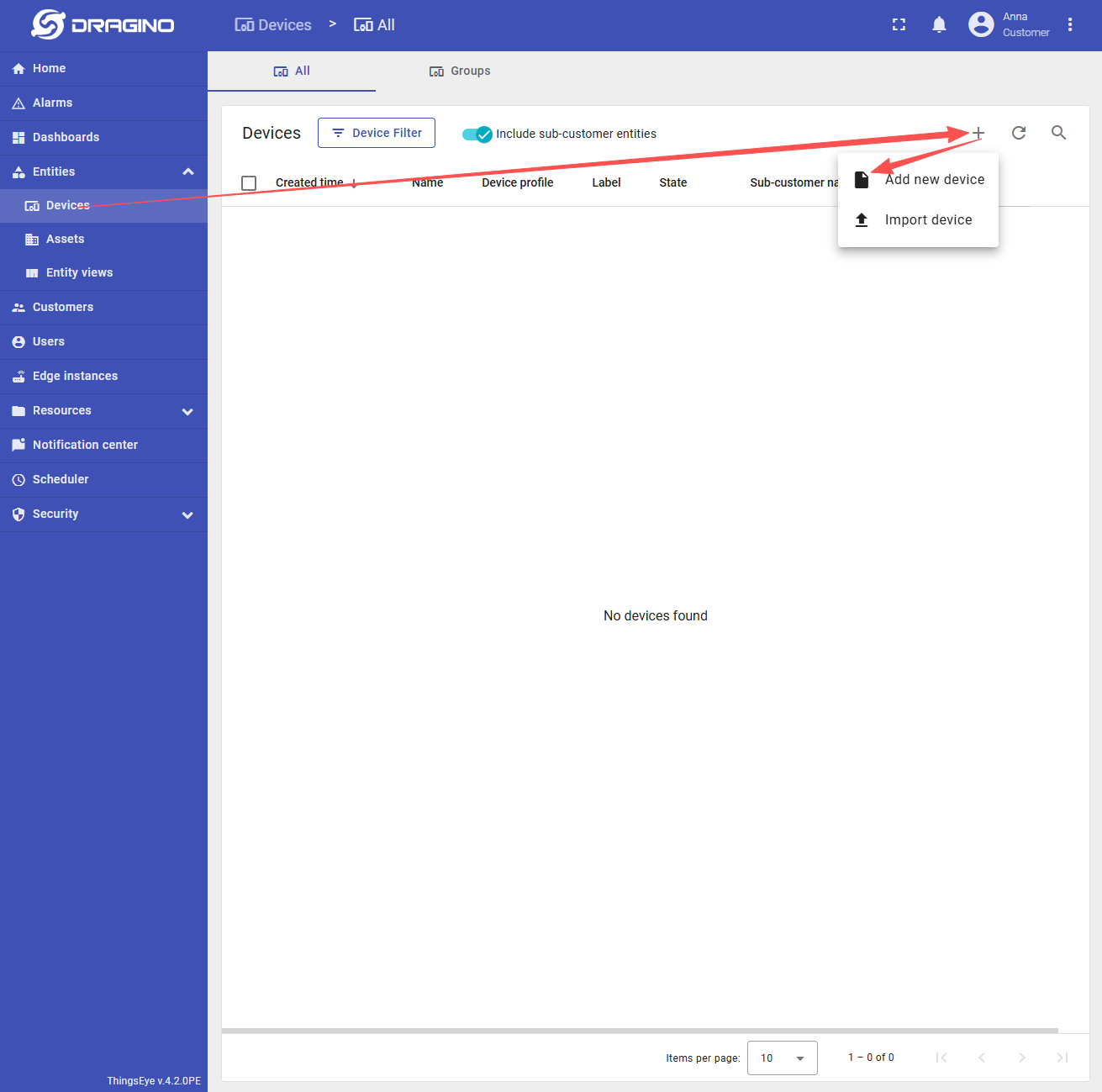
1. Add new device
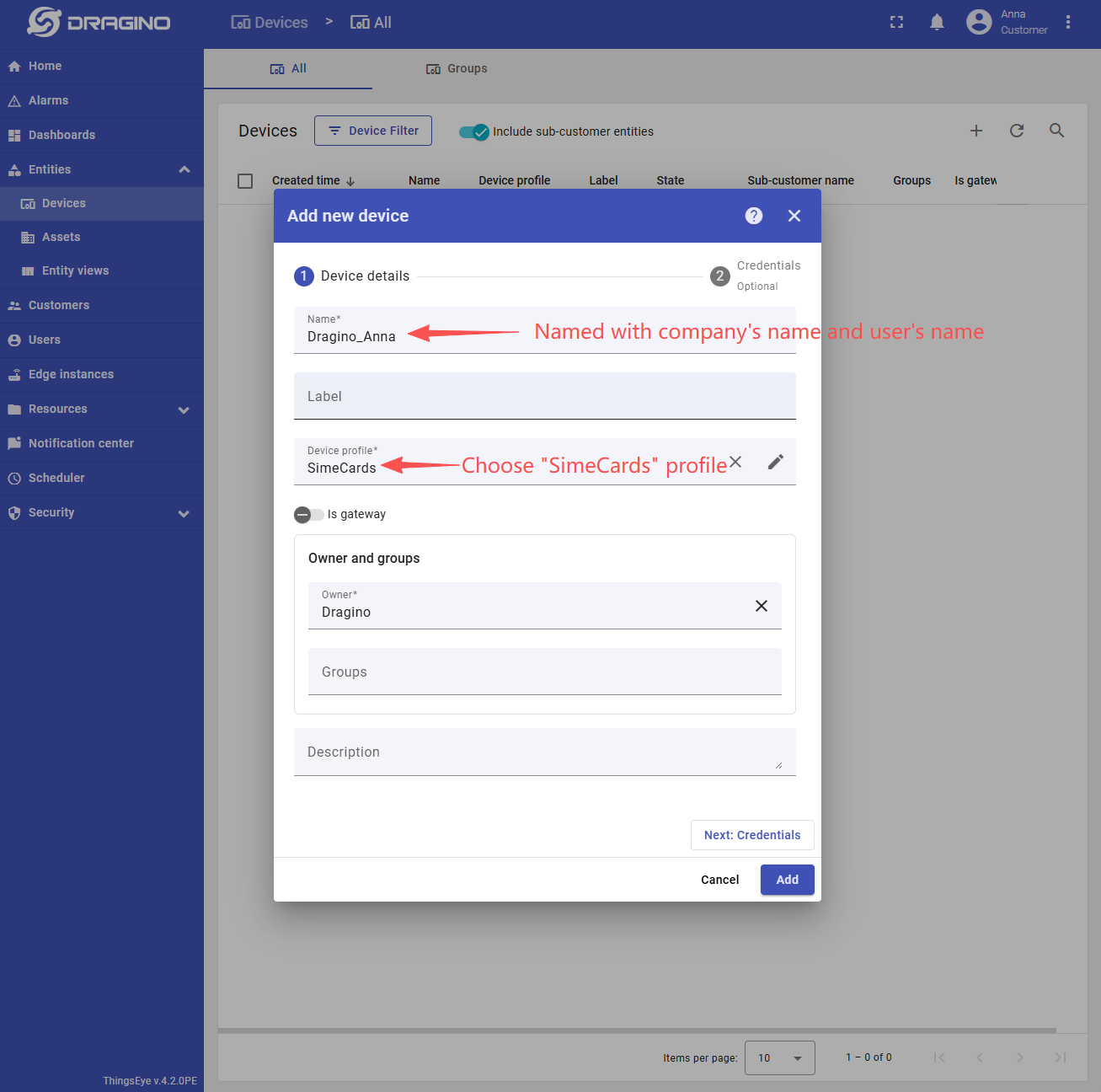
2. Configuring the device
4.Query
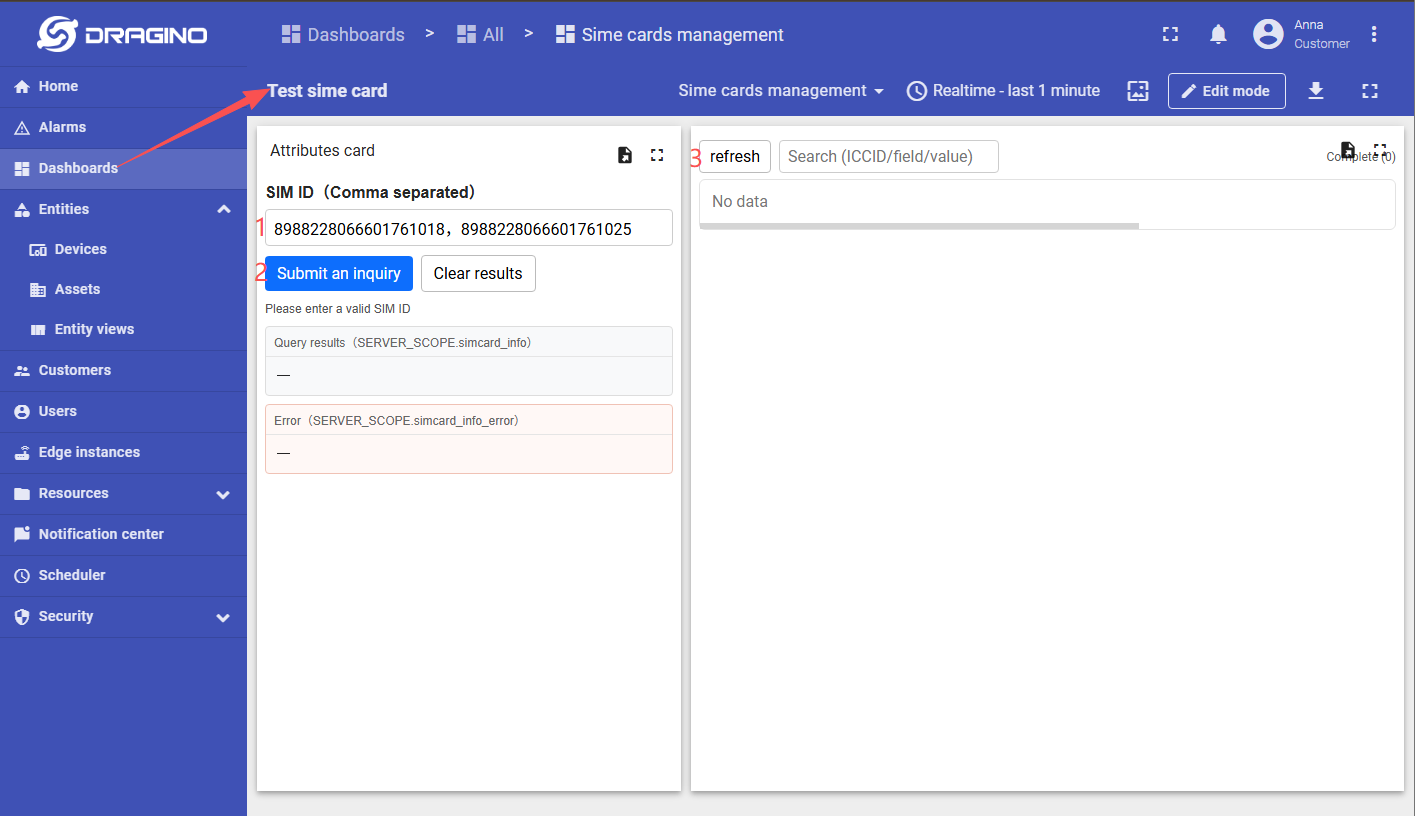
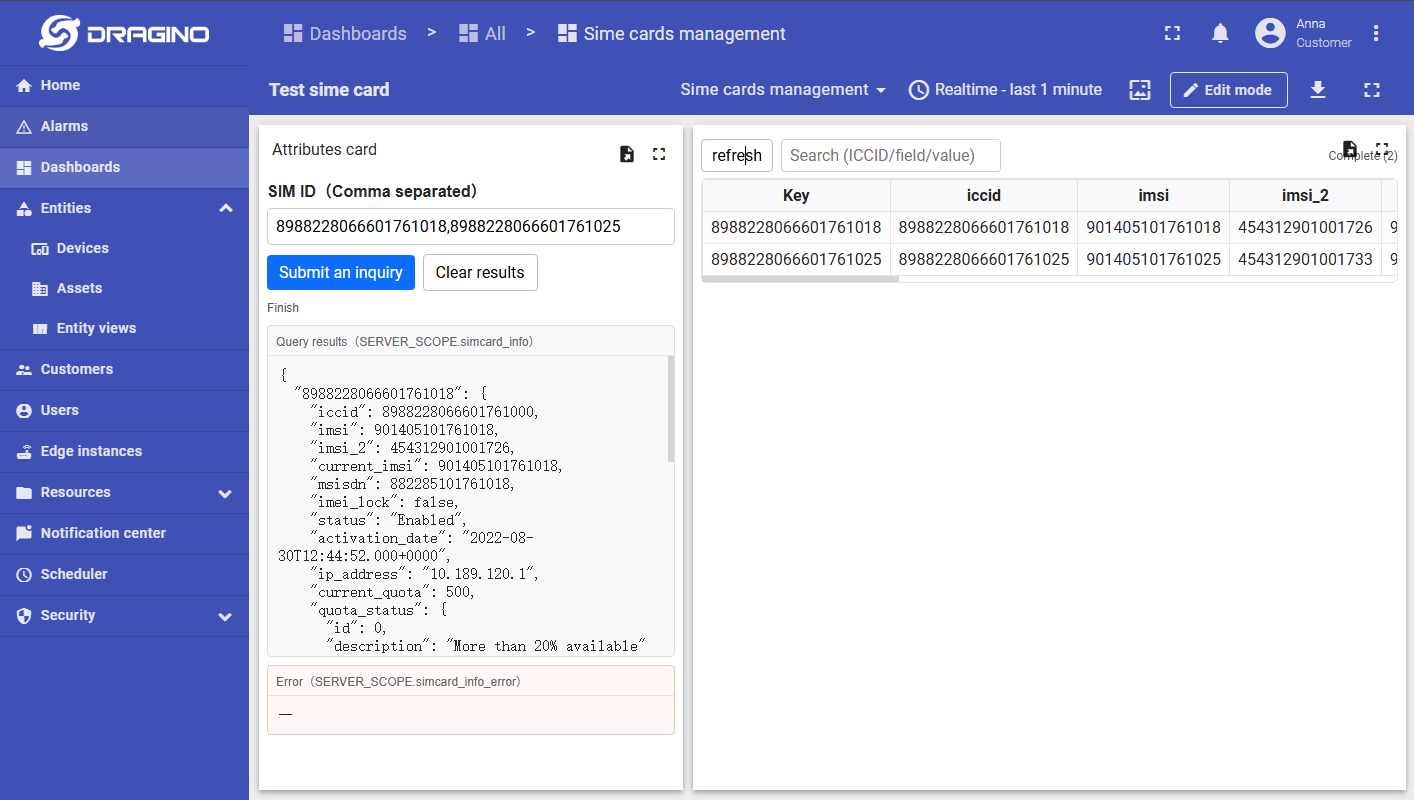
Enter the dashboard and enter the ICCID of the Sim card, separated by commas.
The list on the right will only show the SIM card status at the time of the last search. Please click refresh to view it later.