4.3 Delete a Tenant Admin
Objective
This section guides the system administrator in deleting tenant admin accounts that are no longer needed, to clean up admin resources under tenants and maintain the cleanliness of the account system.
Applicable Role
System Administrator
Prerequisites
Already logged into the System Administrator console.
The target tenant admin already exists.
The target tenant admin account is not currently locked or in use by other operations (e.g., ongoing batch import/export, etc.).
Steps
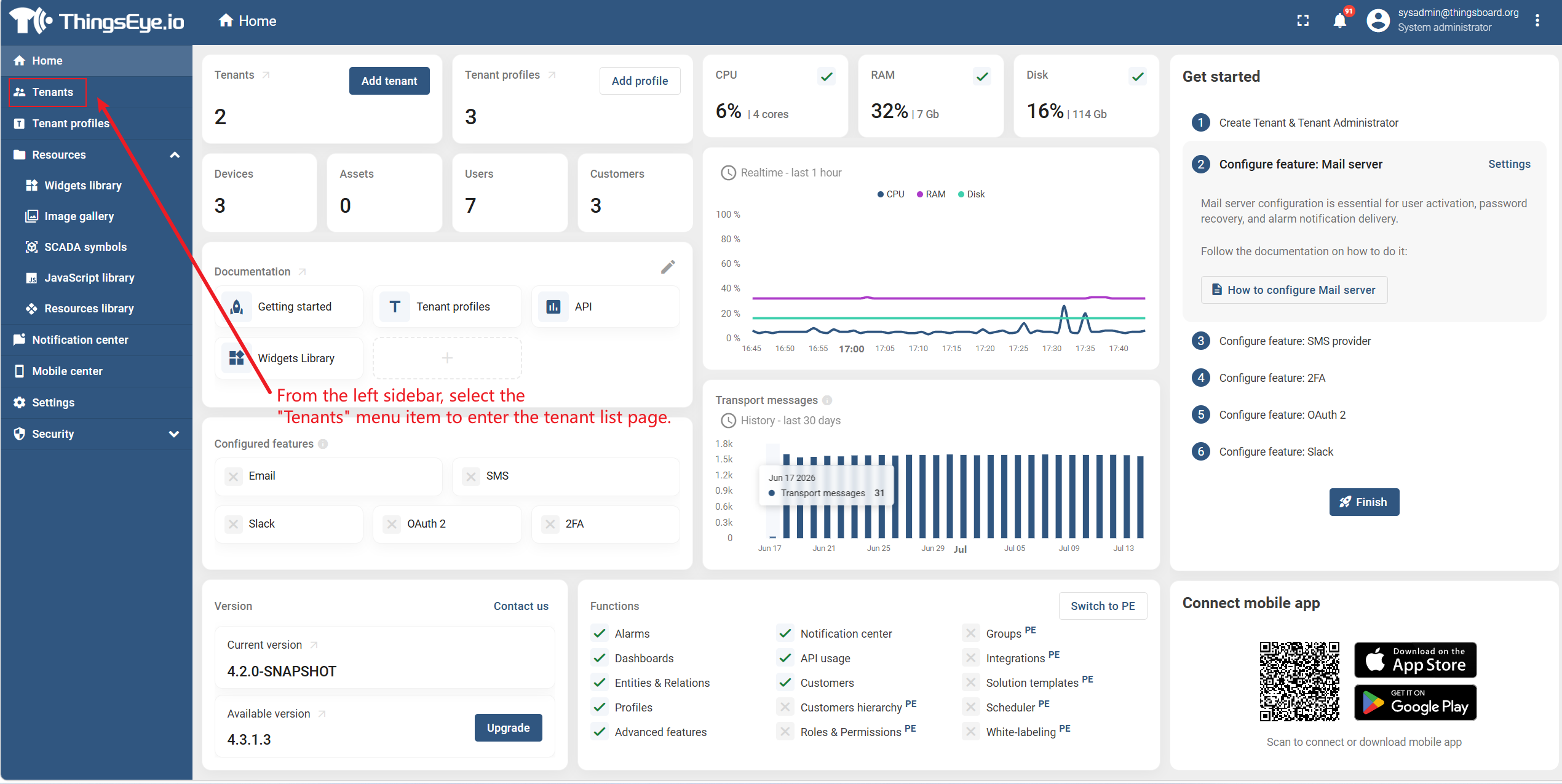
Step 1: Navigate to the Tenant Management Page
From the left sidebar, select the Tenants menu to enter the tenant list page.
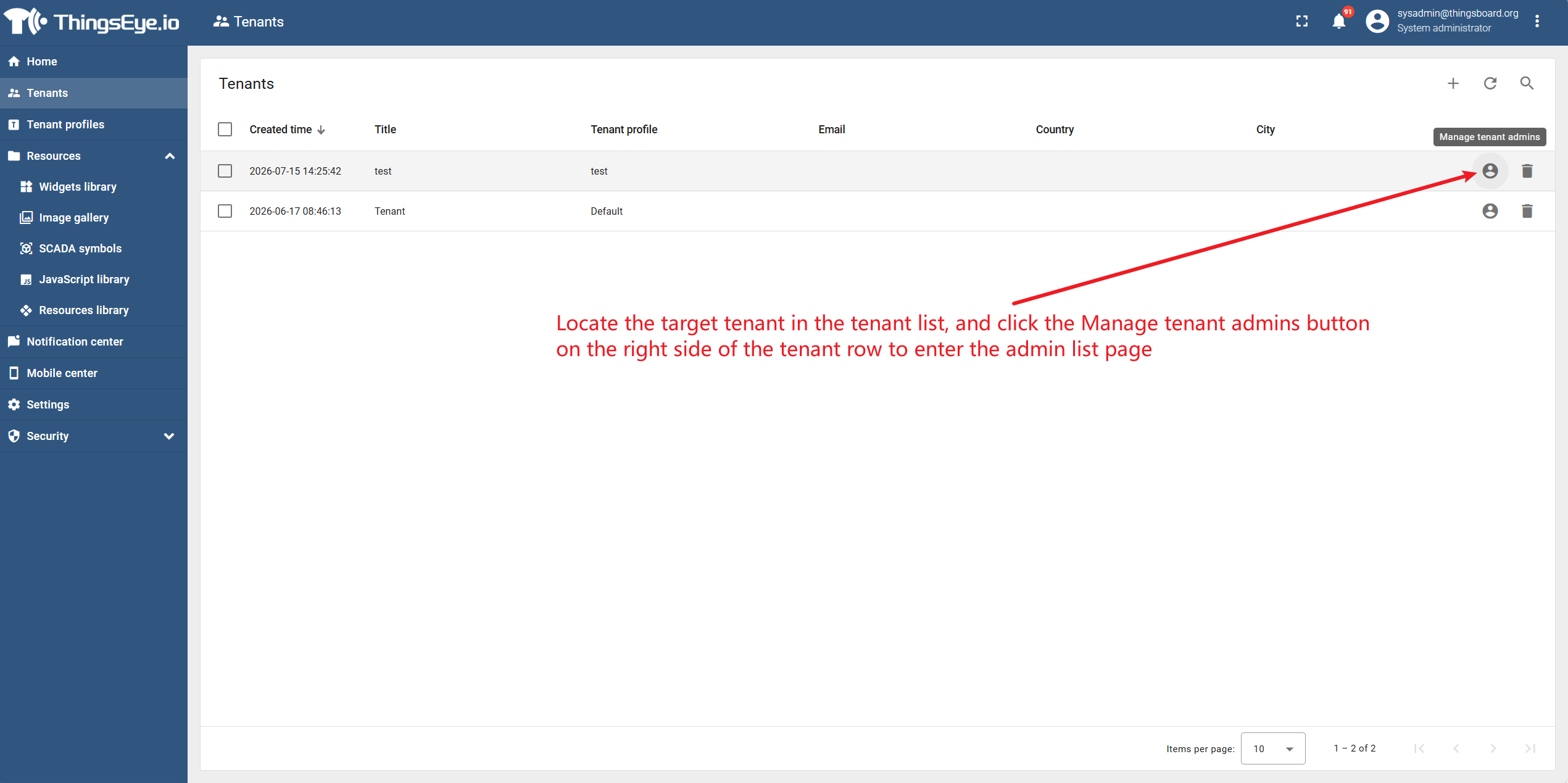
Step 2: Select the Target Tenant
Locate the target tenant in the tenant list, and click the Manage tenant admins button on the right side of the tenant row to enter the admin list page.
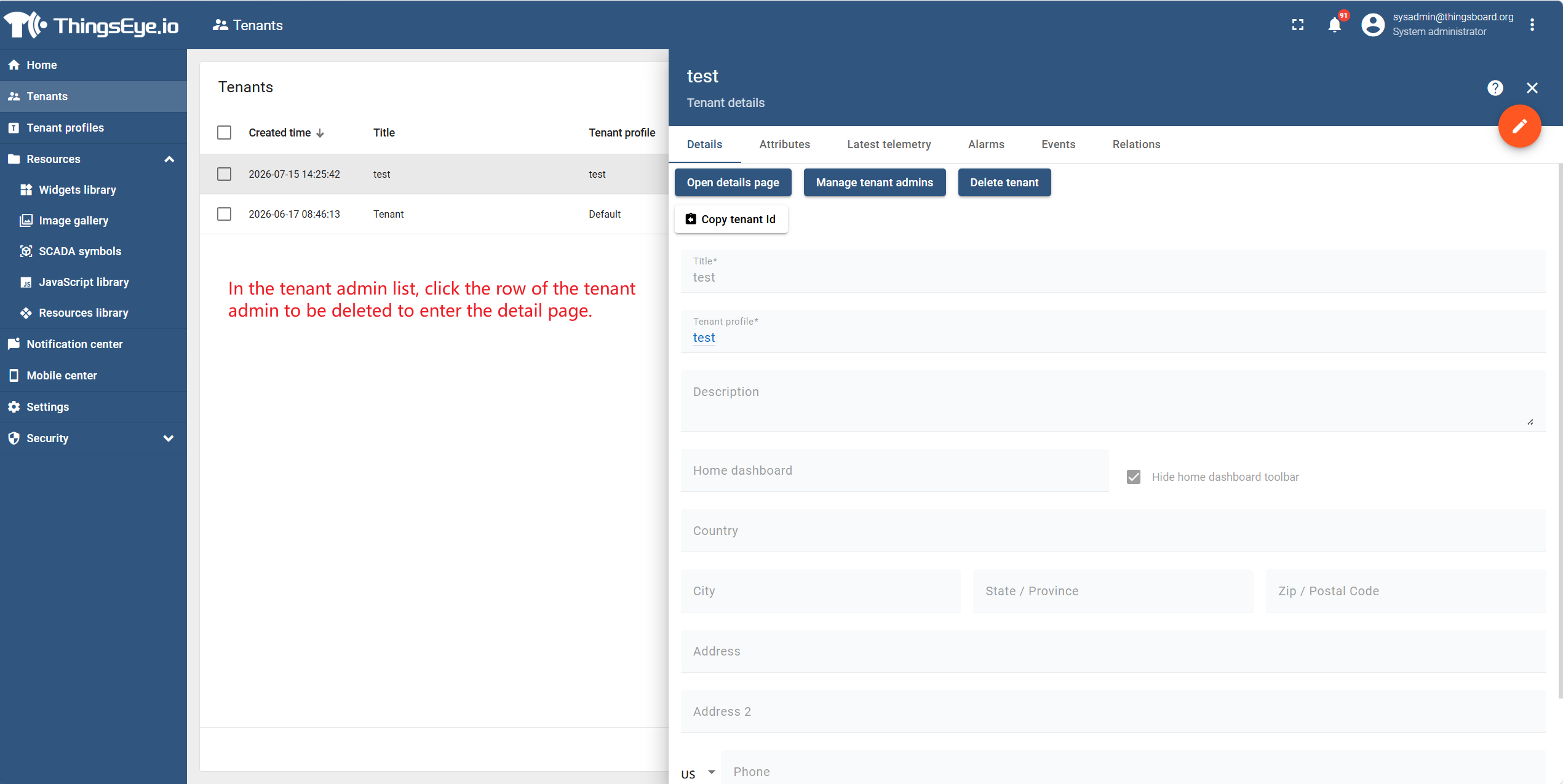
Step 3: Select the Target Admin and Enter the Detail Page
In the tenant admin list, click the row of the tenant admin to be deleted to enter the detail page.
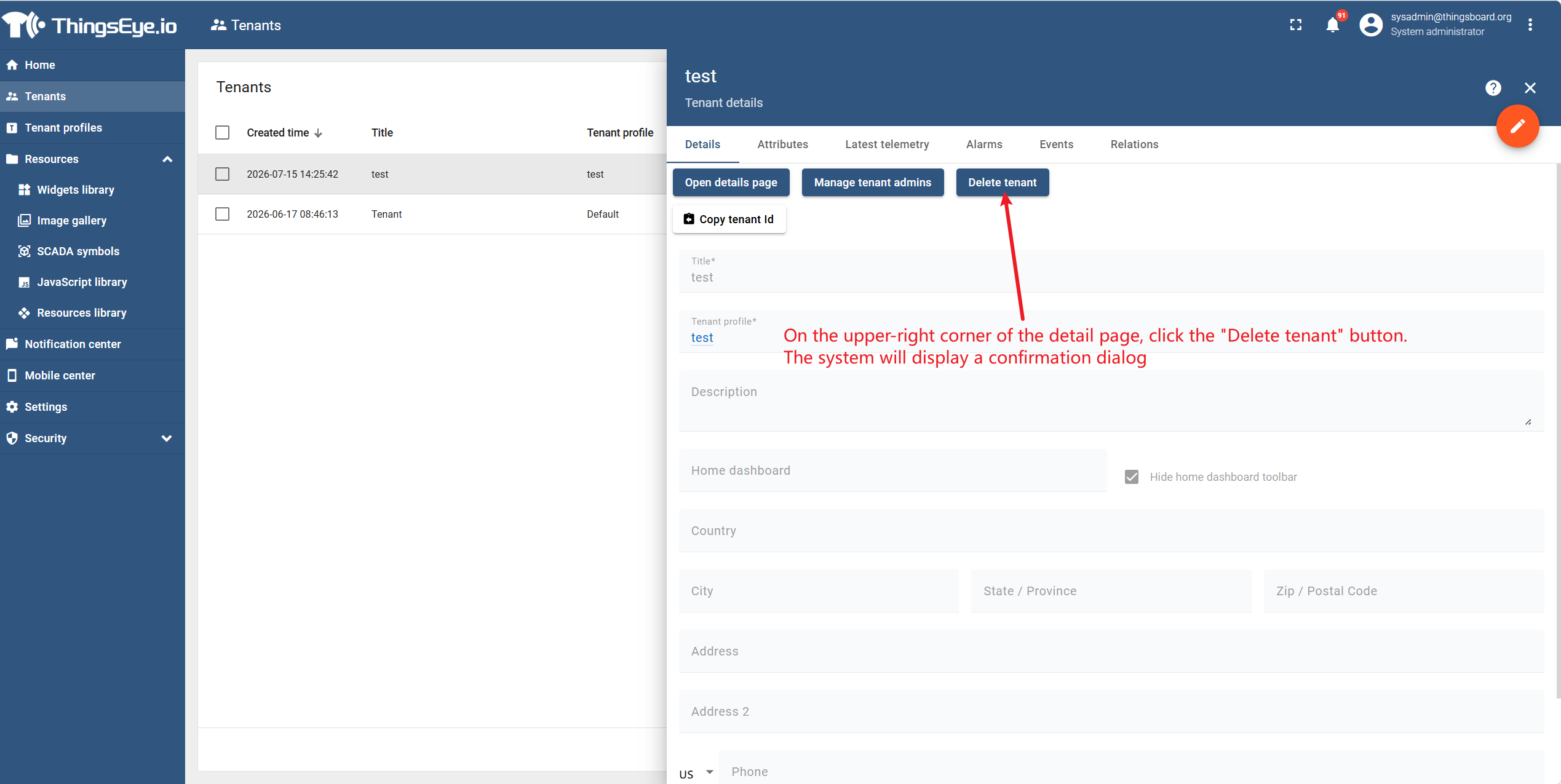
Step 4: Perform Deletion
On the upper-right corner of the detail page, click the Delete tenant admin button. The system will display a confirmation dialog.
Click Yes to complete the deletion.
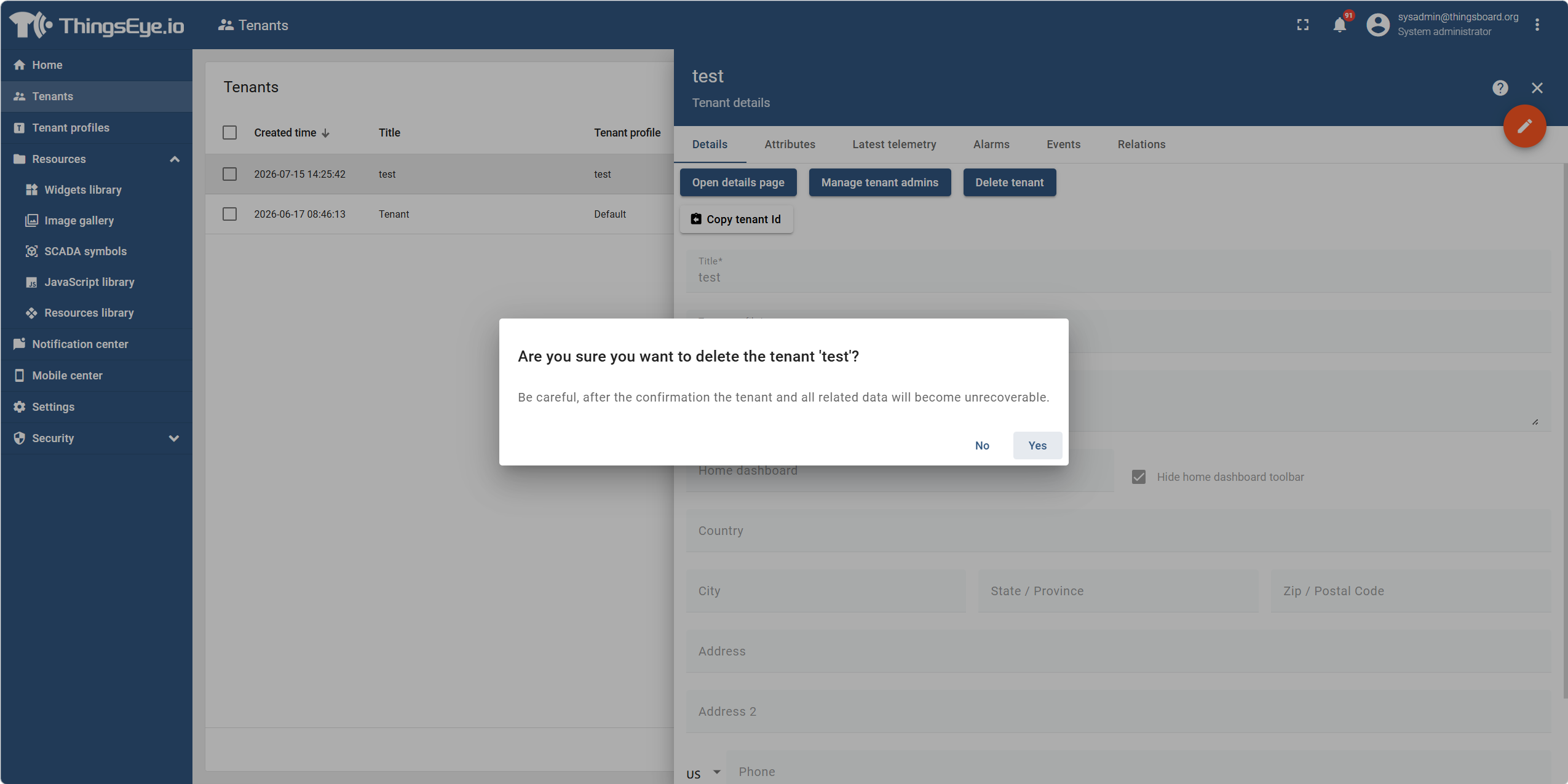
Note: The deletion operation is irreversible. The admin account cannot be restored after deletion. Please proceed with caution.
Batch Deletion
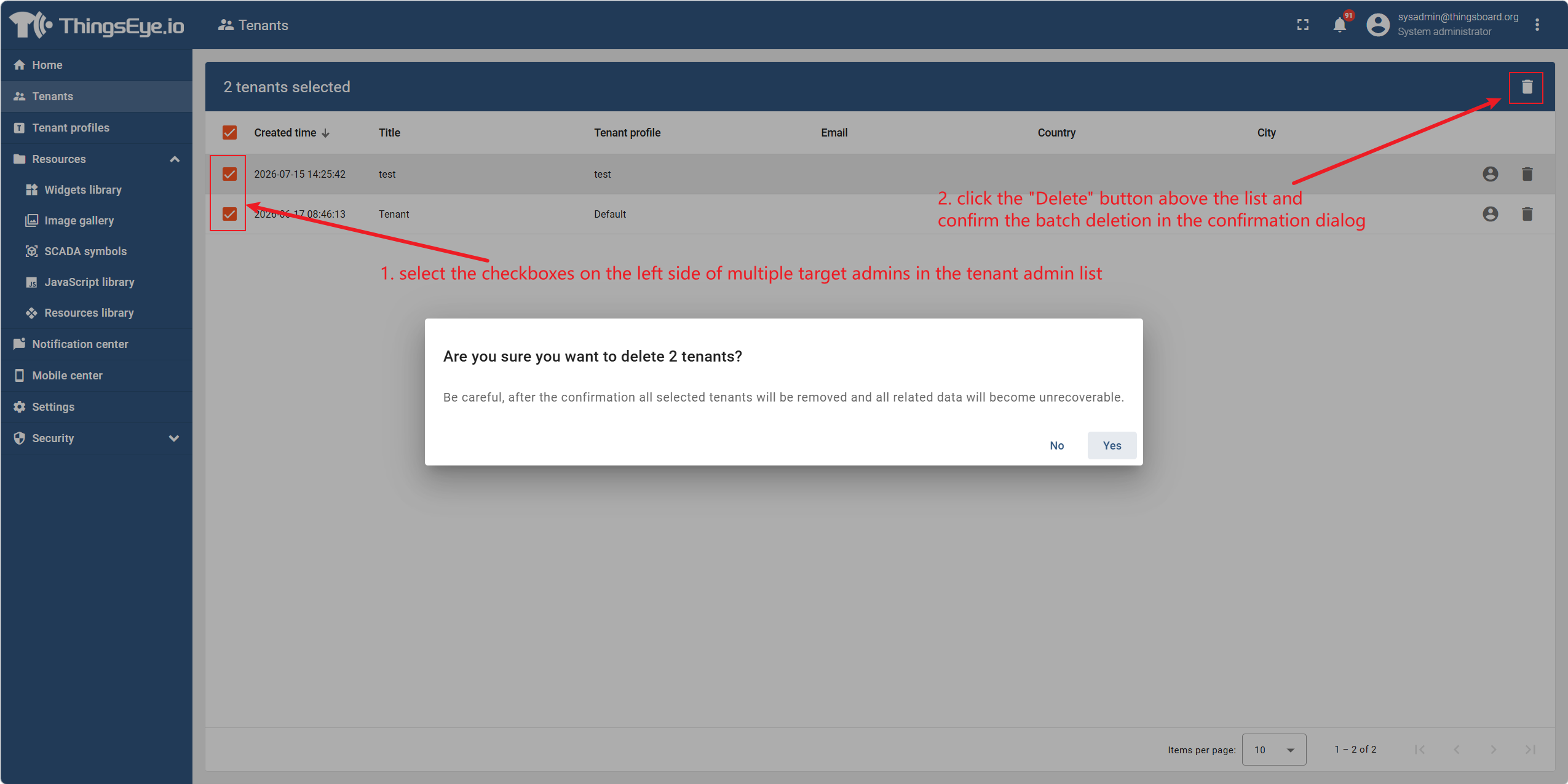
To delete multiple tenant admins at once, select the checkboxes on the left side of multiple target admins in the tenant admin list, then click the Delete button above the list and confirm the batch deletion in the confirmation dialog.
Important Notes
- After deleting a tenant admin account, all users, devices, assets and other resources created under this account will not be deleted. These resources still belong to the tenant and can be managed by other admins within the tenant.
- If the tenant has only one admin and it is deleted, the tenant will lose administrative access. It is recommended to confirm that there is another active admin under the tenant, or create a new admin before performing deletion.
- The deletion operation is irreversible. Once deleted, the account cannot be restored and can only be re-created.
- Audit logs associated with the deleted admin will still be retained for future audit trail purposes.
Completion Indicator
- The deleted admin record is no longer displayed in the tenant admin list.
- The deleted admin account can no longer be used to log in to the platform.