Customer and User Management
1.Customer and Customer Account Management 1.1 Customer Management 1.1.1 Customer Creation
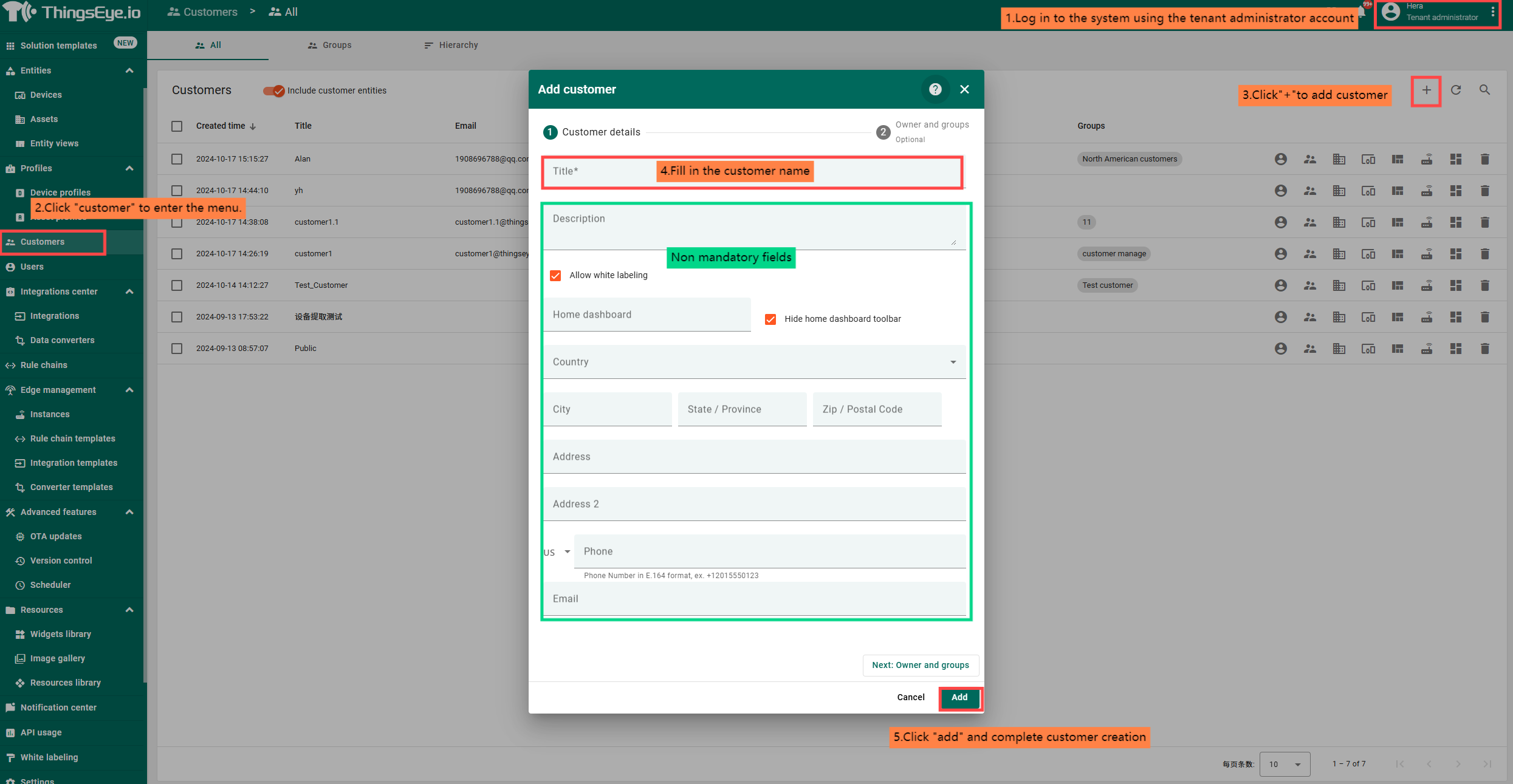
Log in to the system using the tenant administrator account created in the previous section,
click on the customer menu, click on the "+" in the upper right corner to pop up the create dialog box,
and fill in the information to create the customer.
1.1.2 Customer modification
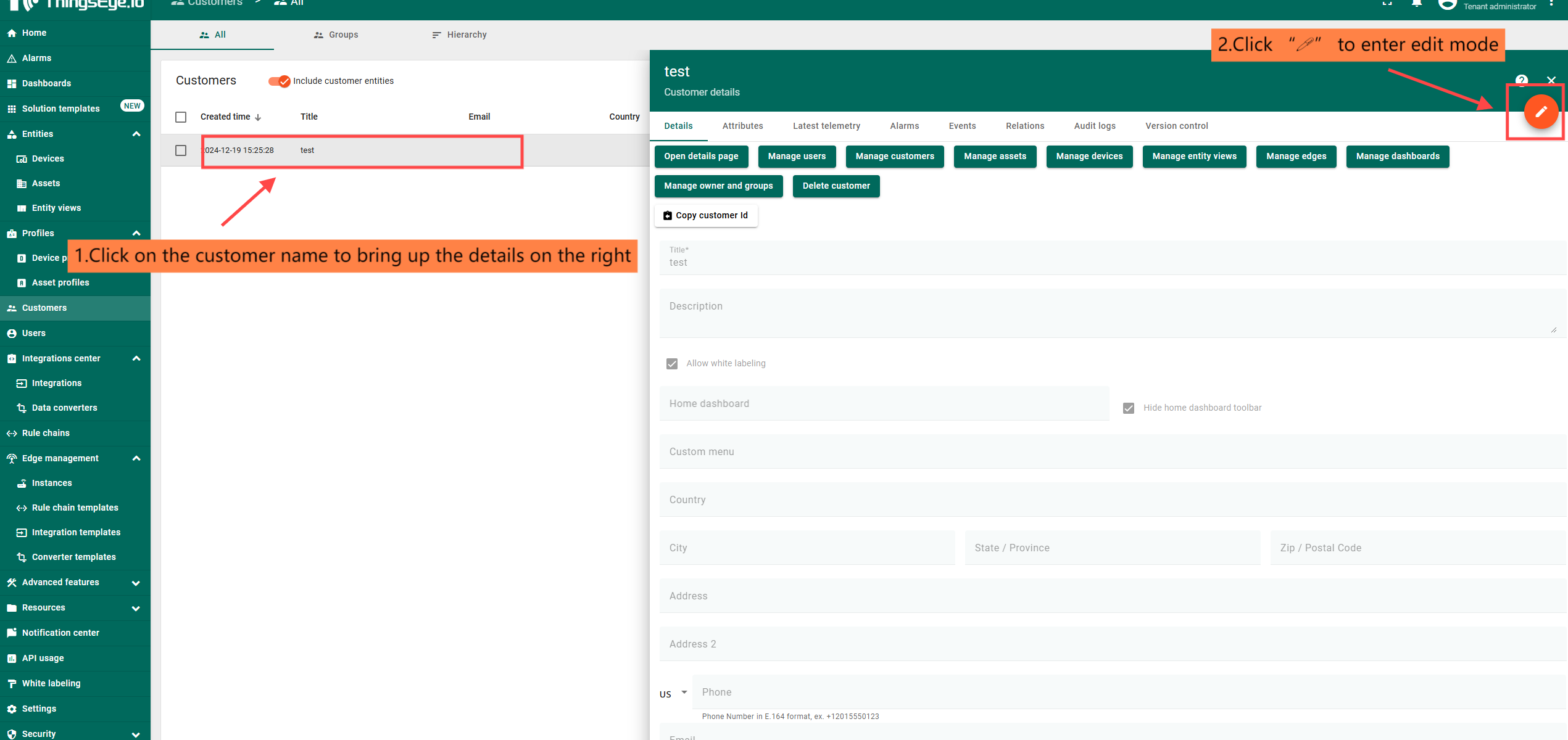
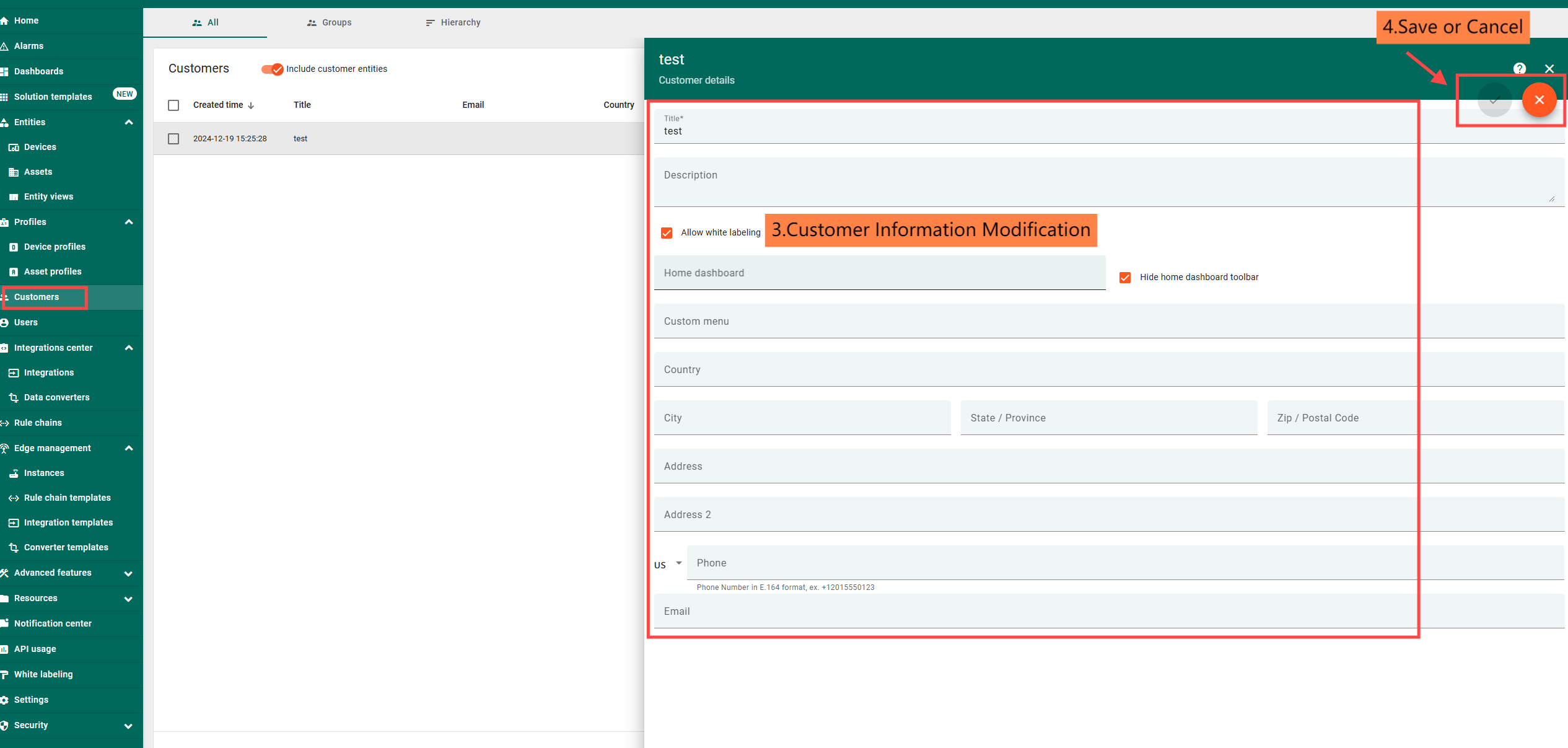
After adding, click on the customer name and enter the editing mode in the details page that pops up on the right to modify the customer's information.

1.1.3 Customer Deletion
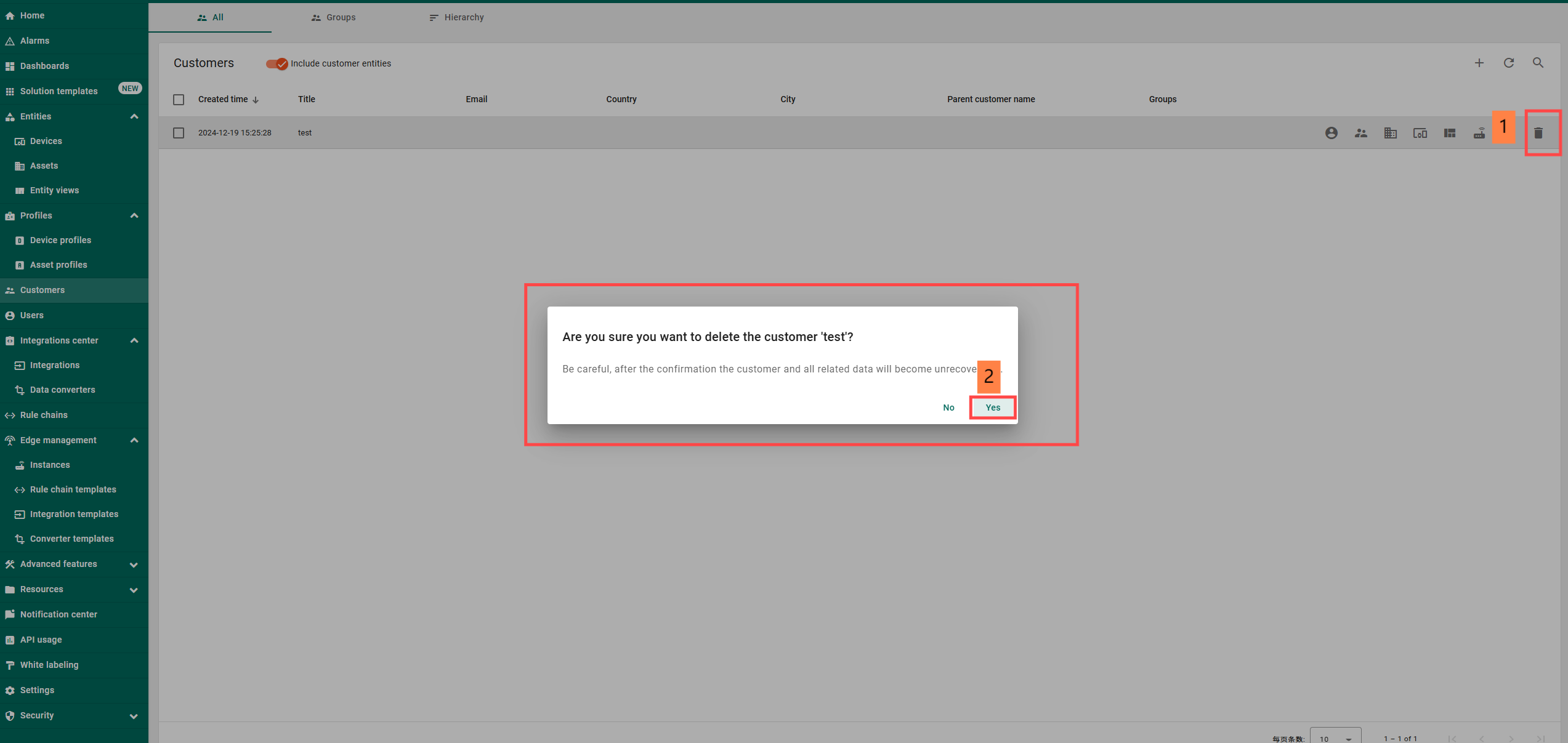
Click the trash can icon at the end of the customer you want to delete to perform the customer deletion operation.
1.1.4 Customer User Management
1.1.4.1 Customer User Creation
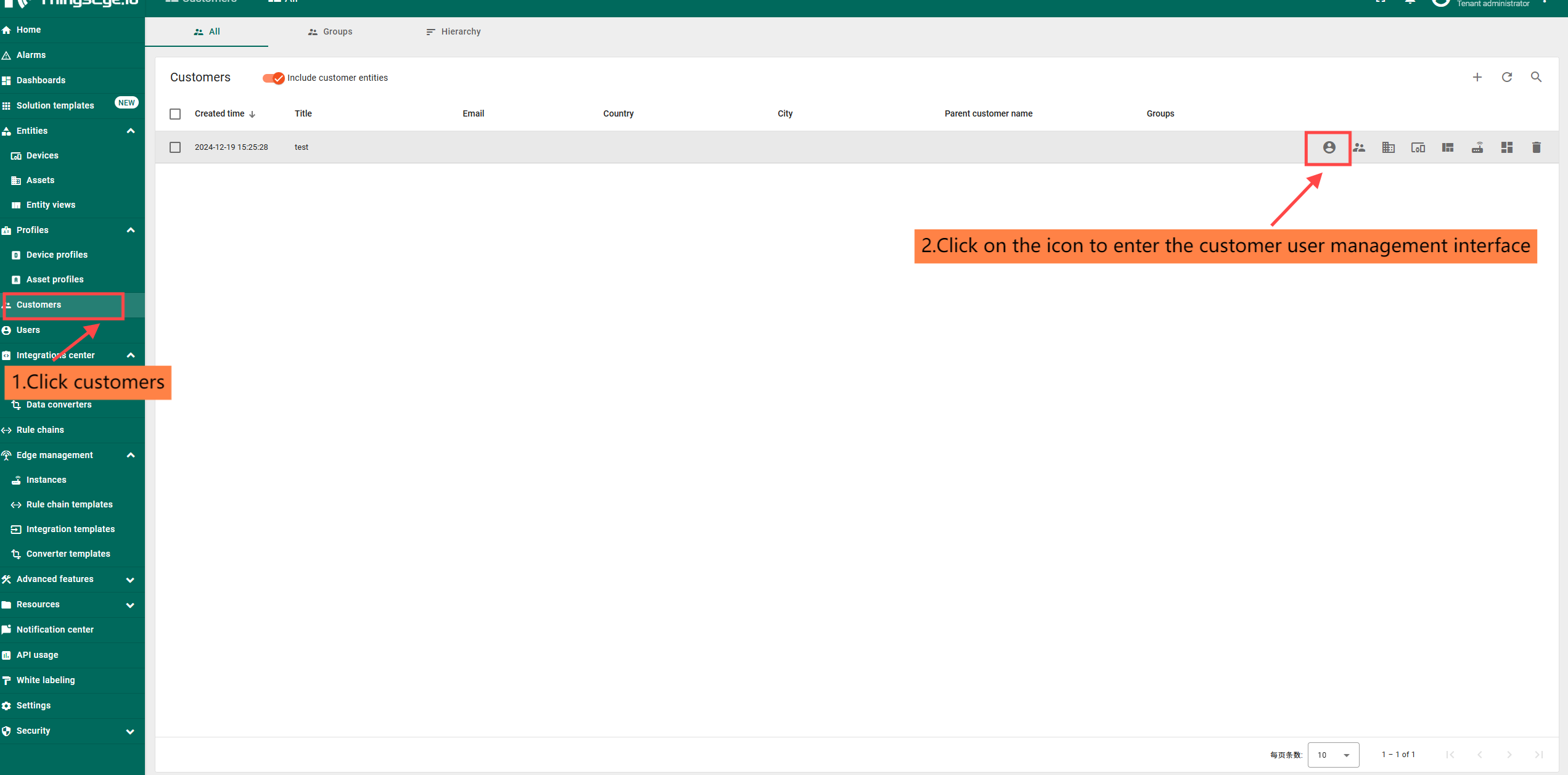
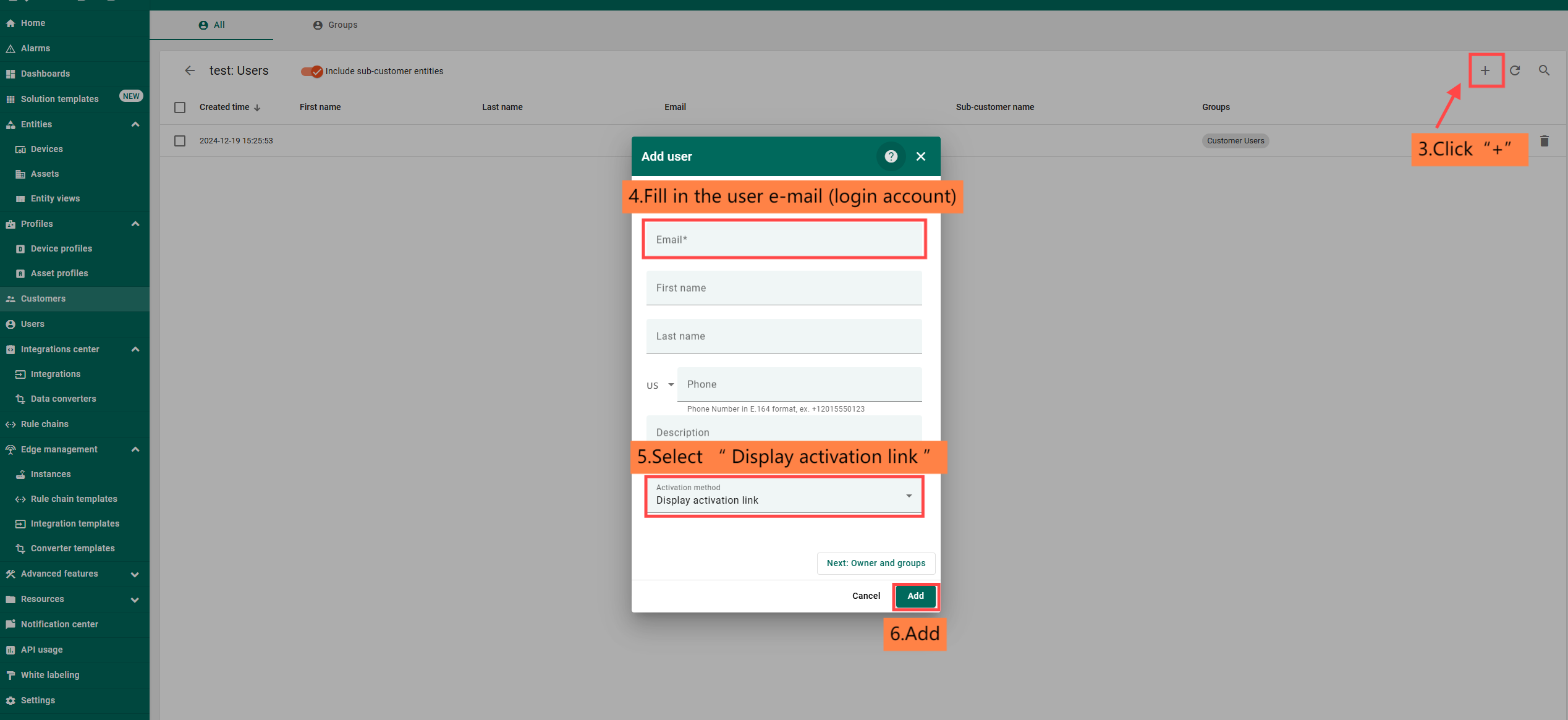
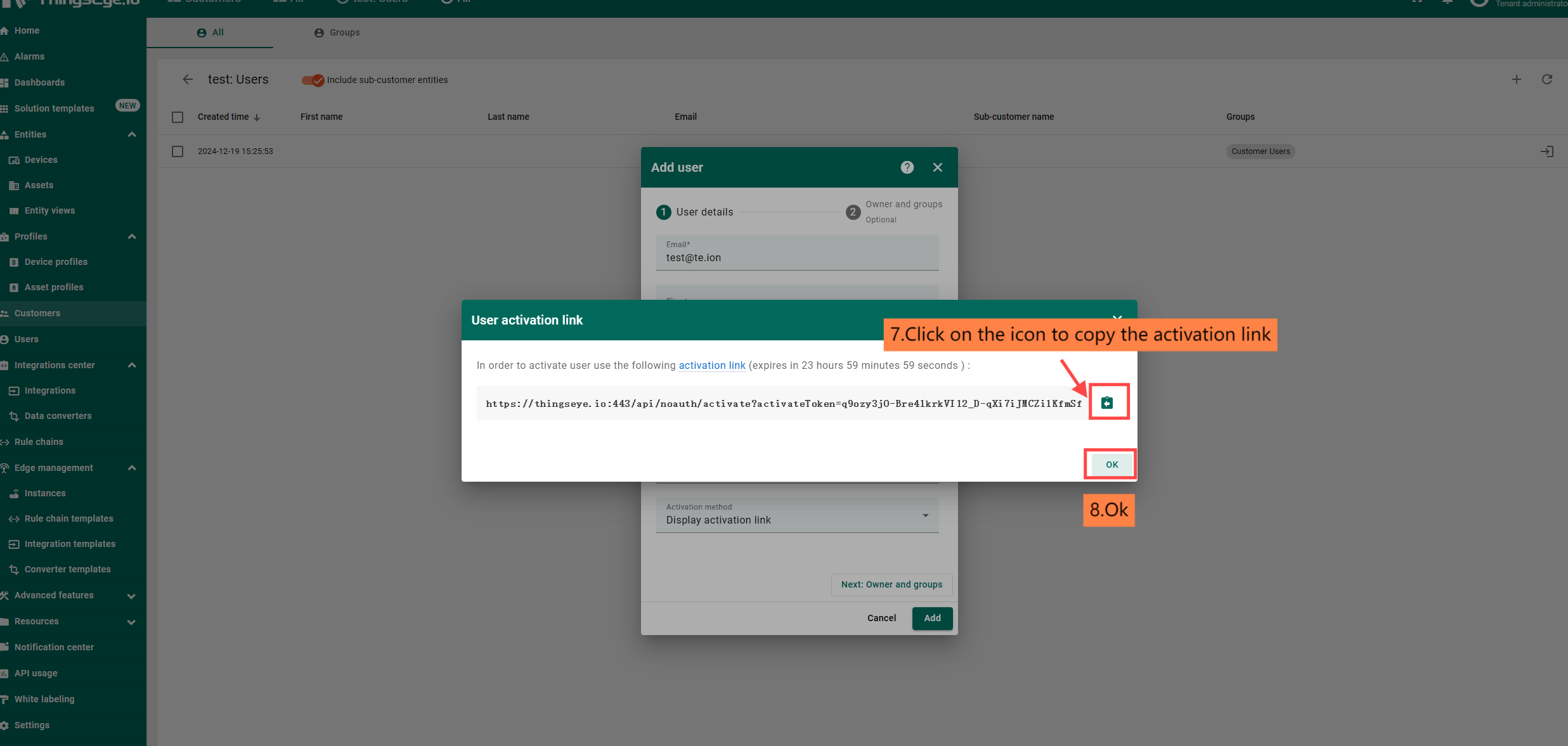
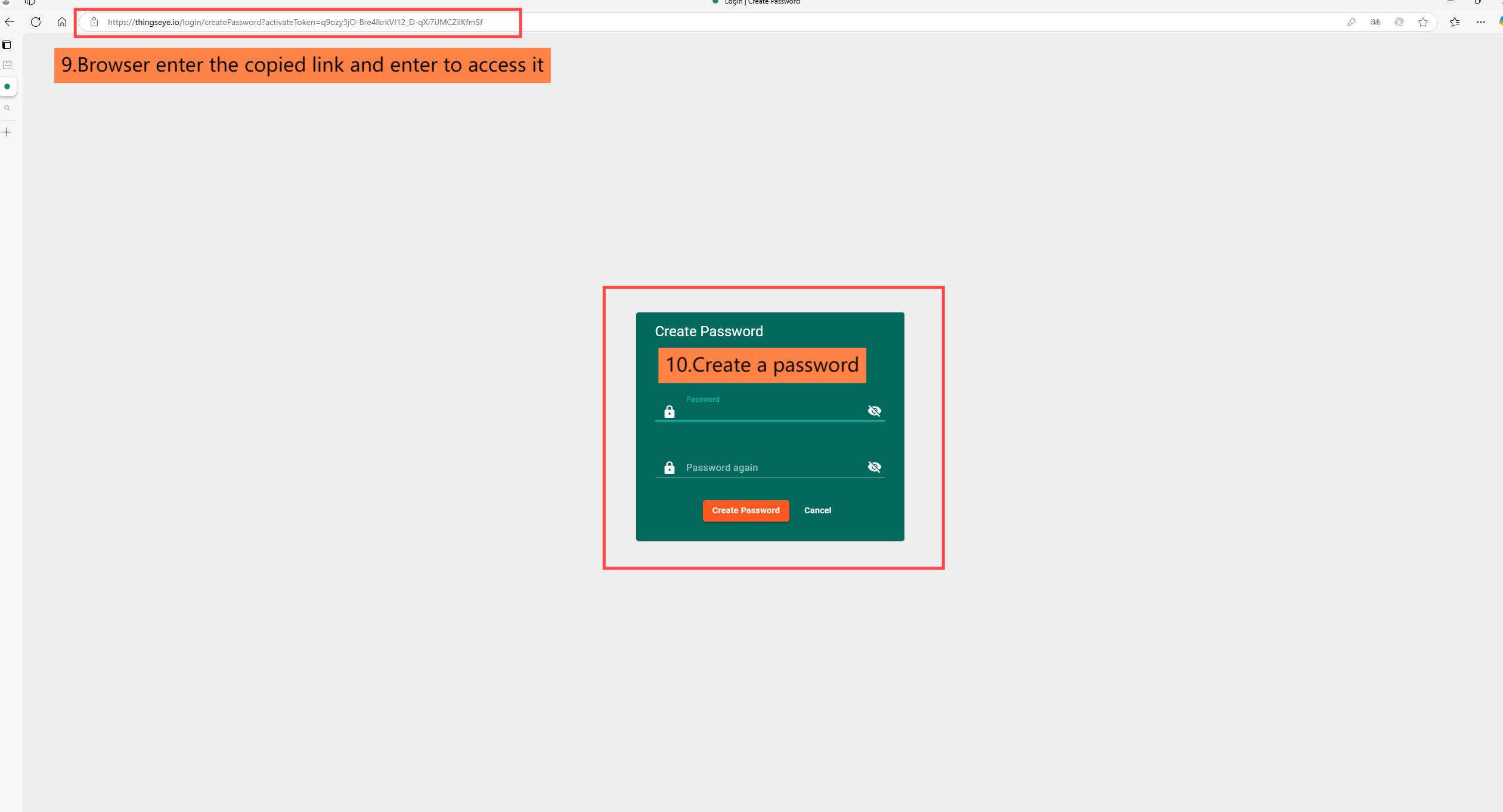
The creation of a customer user account is similar to the creation of a tenant account, and the procedure is as follows:
1.1.4.2 Customer User Modification
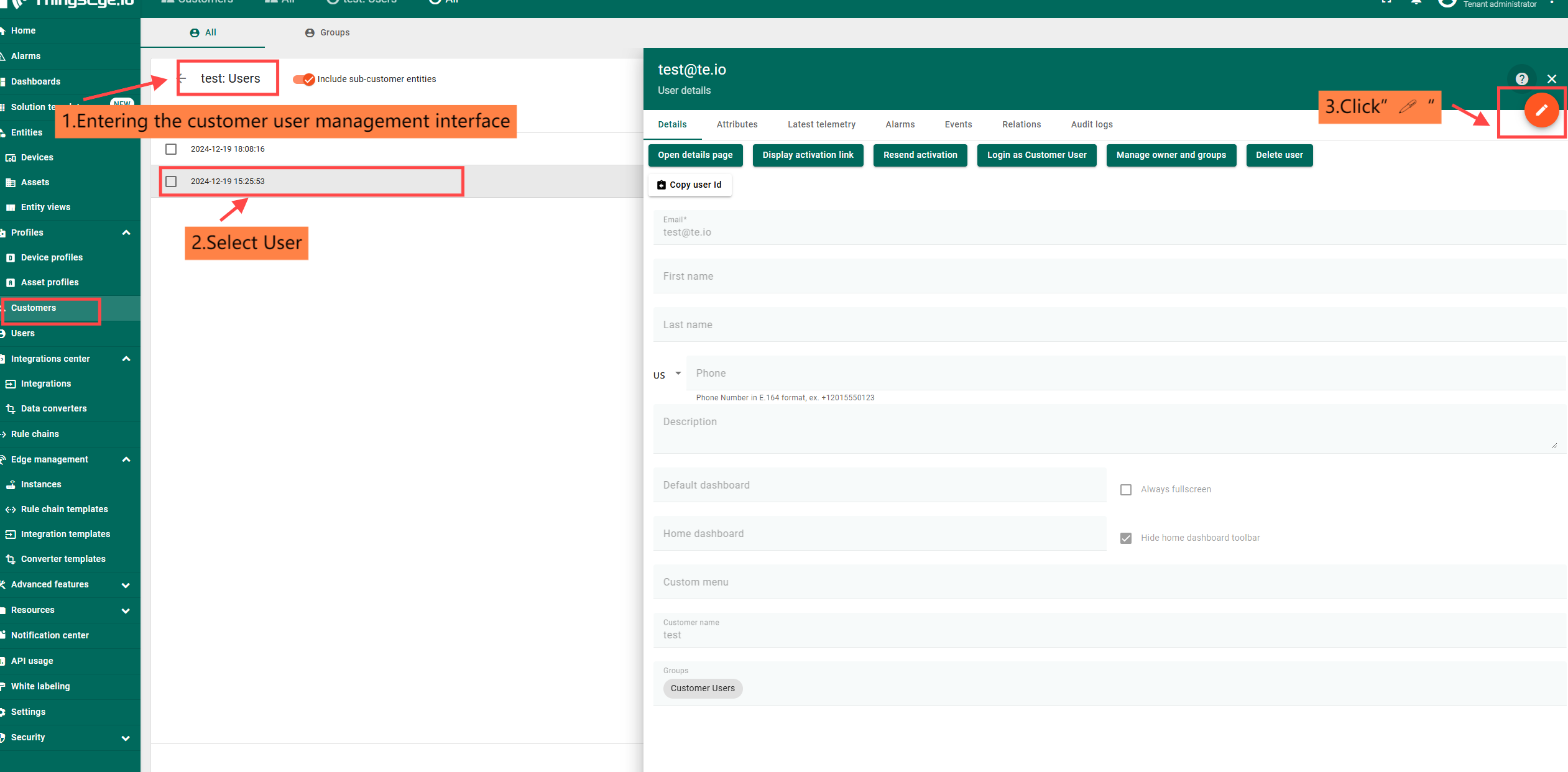
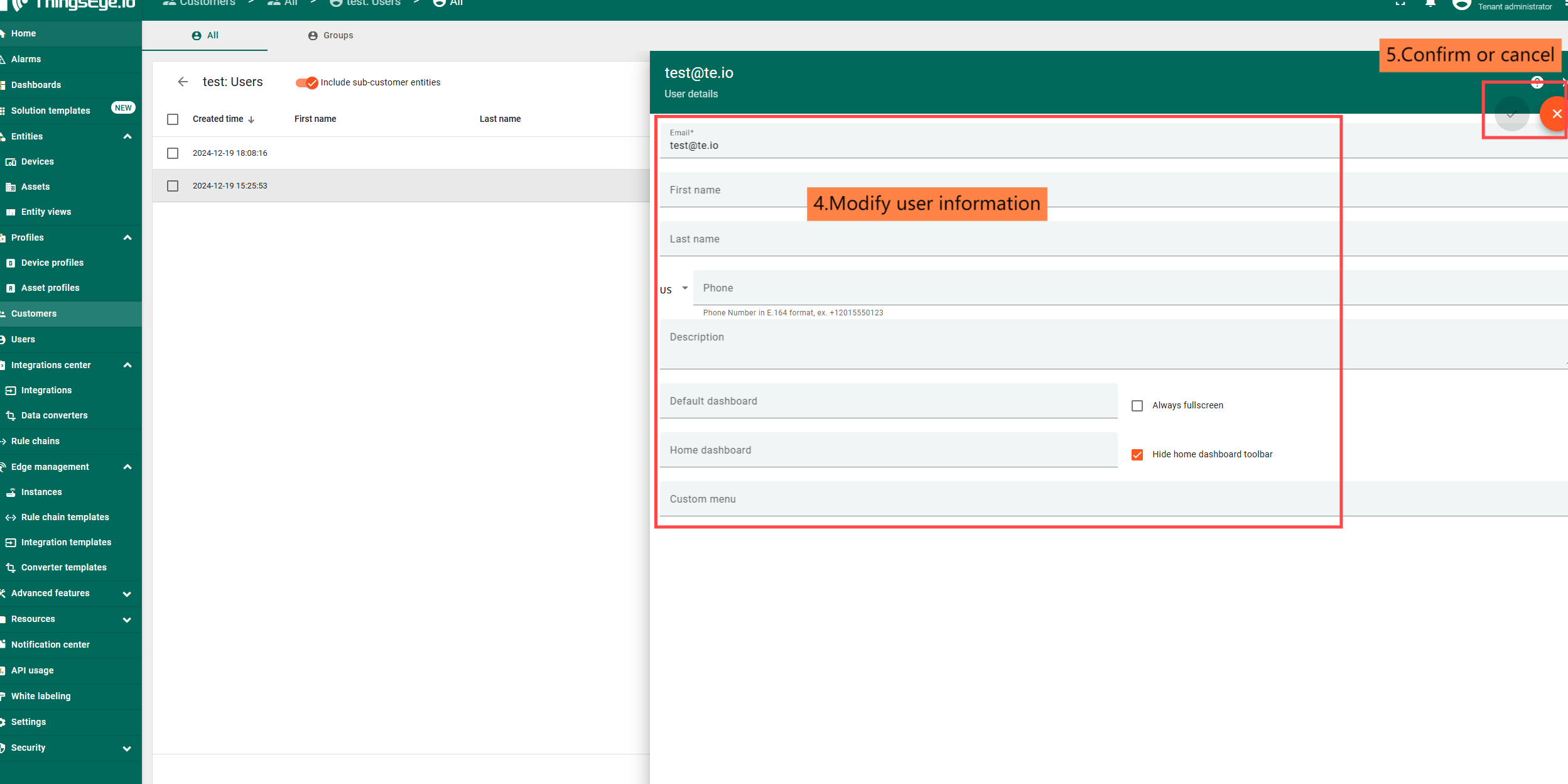
Customer user modification is similar to customer modification, follow the steps below.
1.1.4.3 Deleting a client user
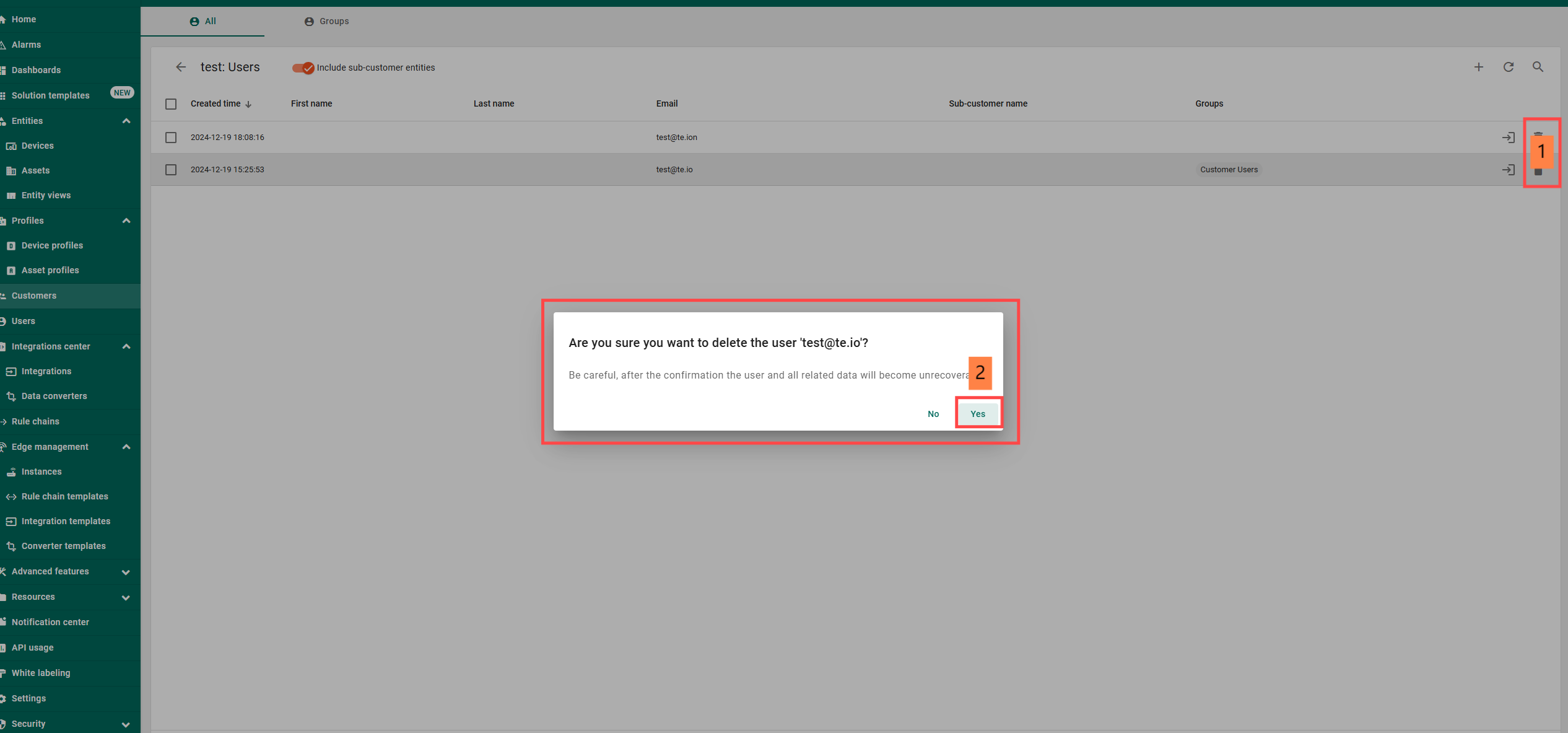
The customer user deletion operation is shown below.