Data PostProcessing Examples
1. Calcaute Data Delta in different uplink
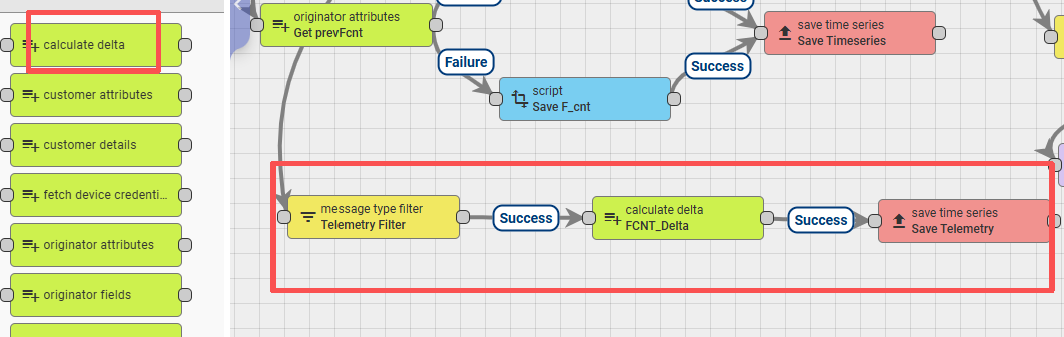
Configuration for Data Delta calculations needs to be set up within the rule chain.
There are two types of nodes to choose from:
1.1 Use the script node
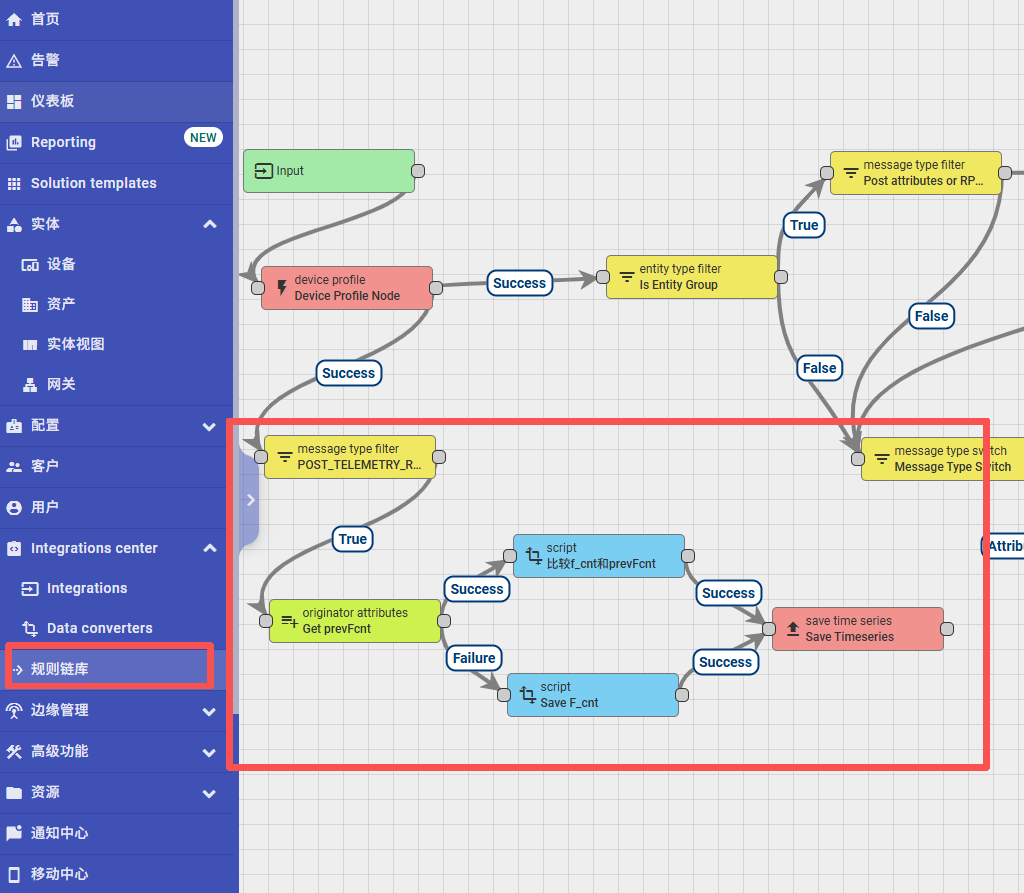
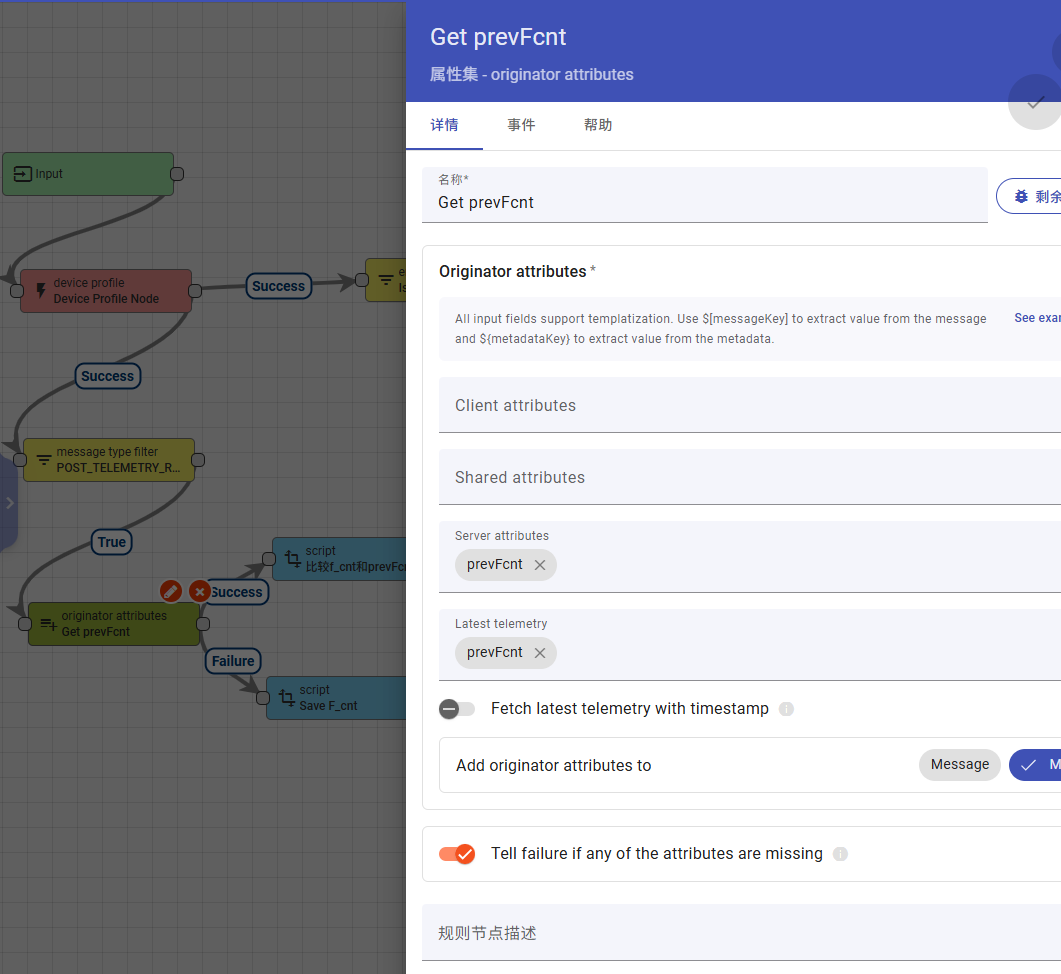
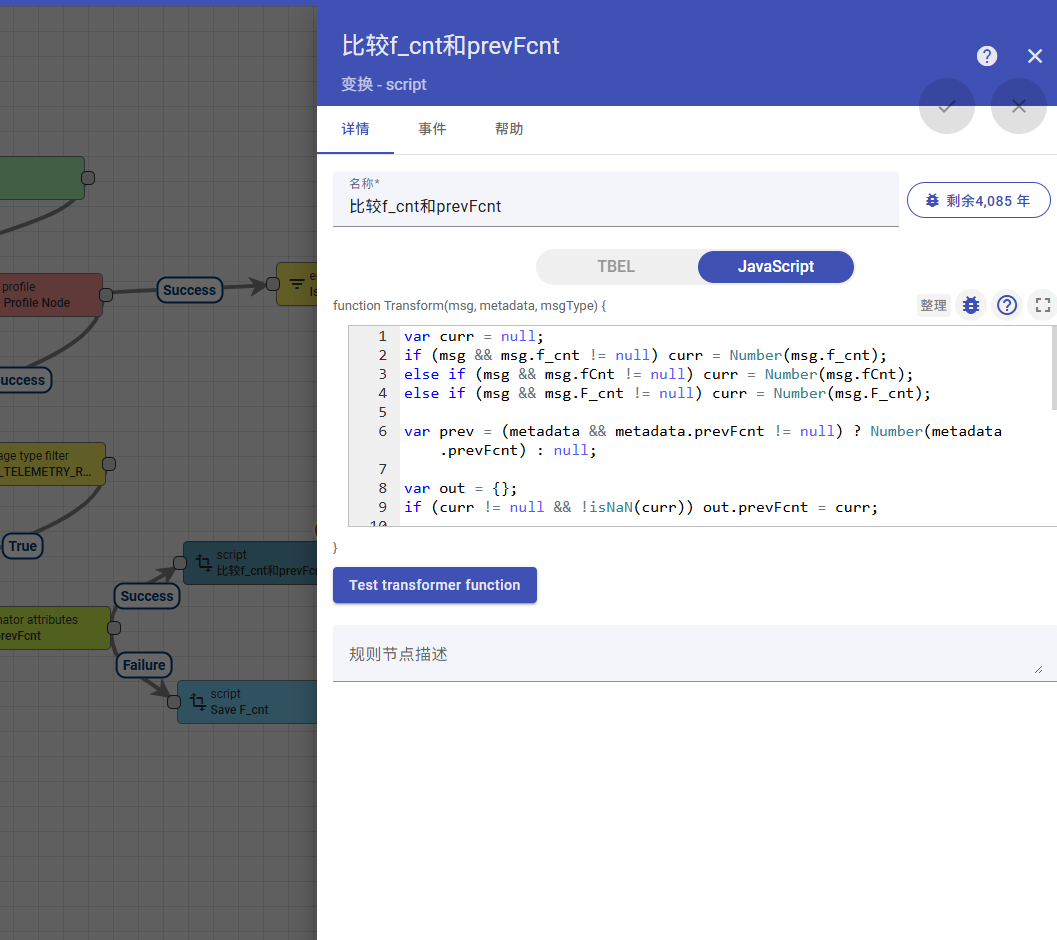
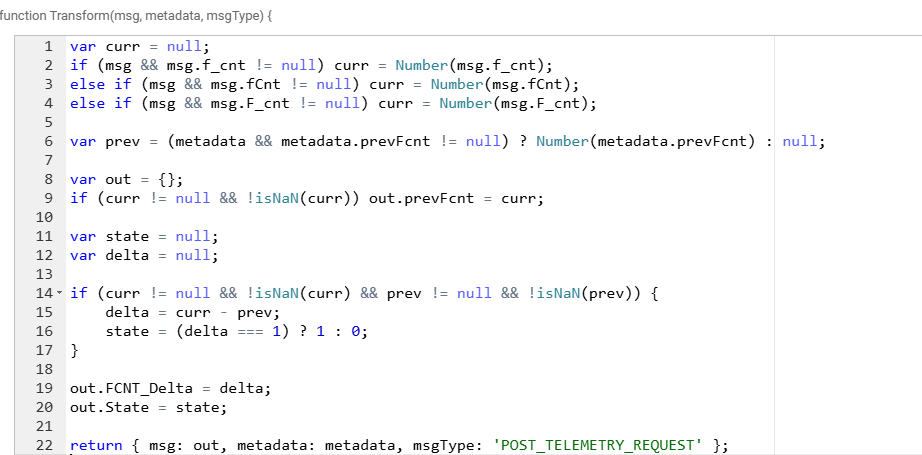
The calculation code is as follows:
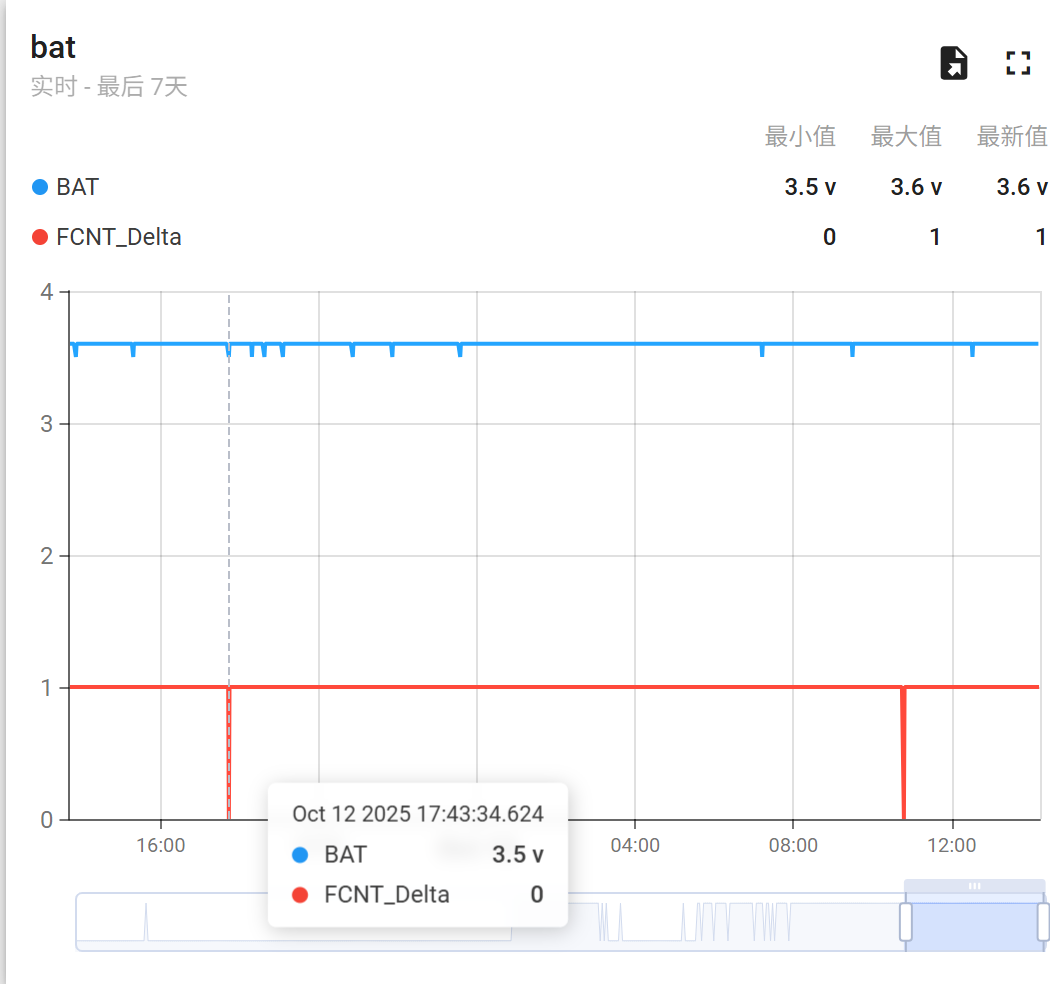
The calculated difference result is saved to State and uploaded to telemetry for display.
If the normal increment occurs without packet loss, State = 1;
if packet loss occurs, State = 0.
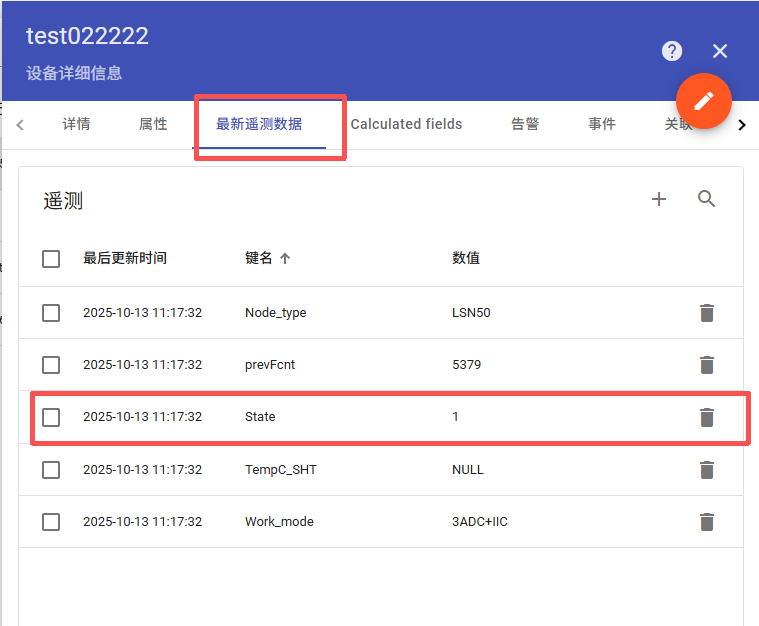
Real-time values for State can be observed in the telemetry data.
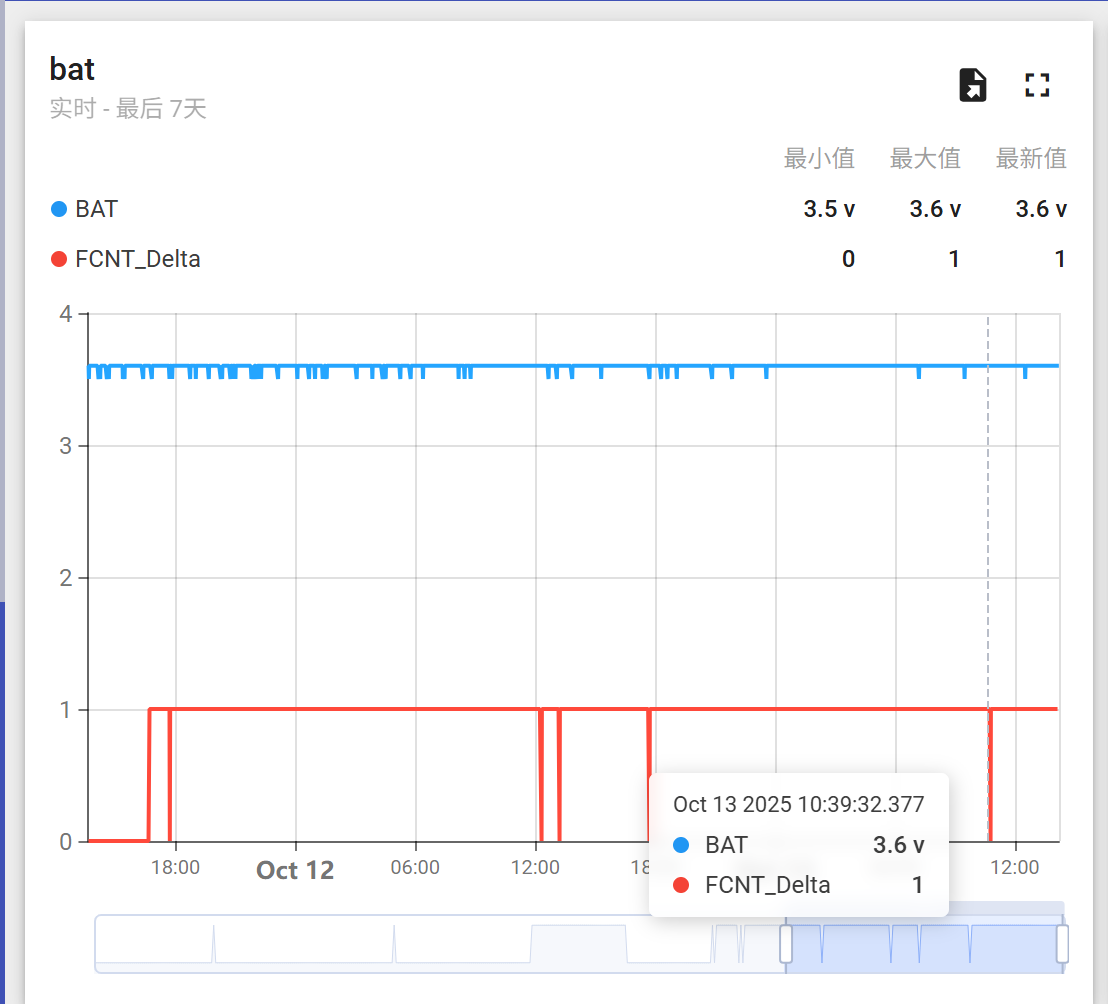
Packet loss incidents can be displayed on the dashboard, showing the exact time they occurred.
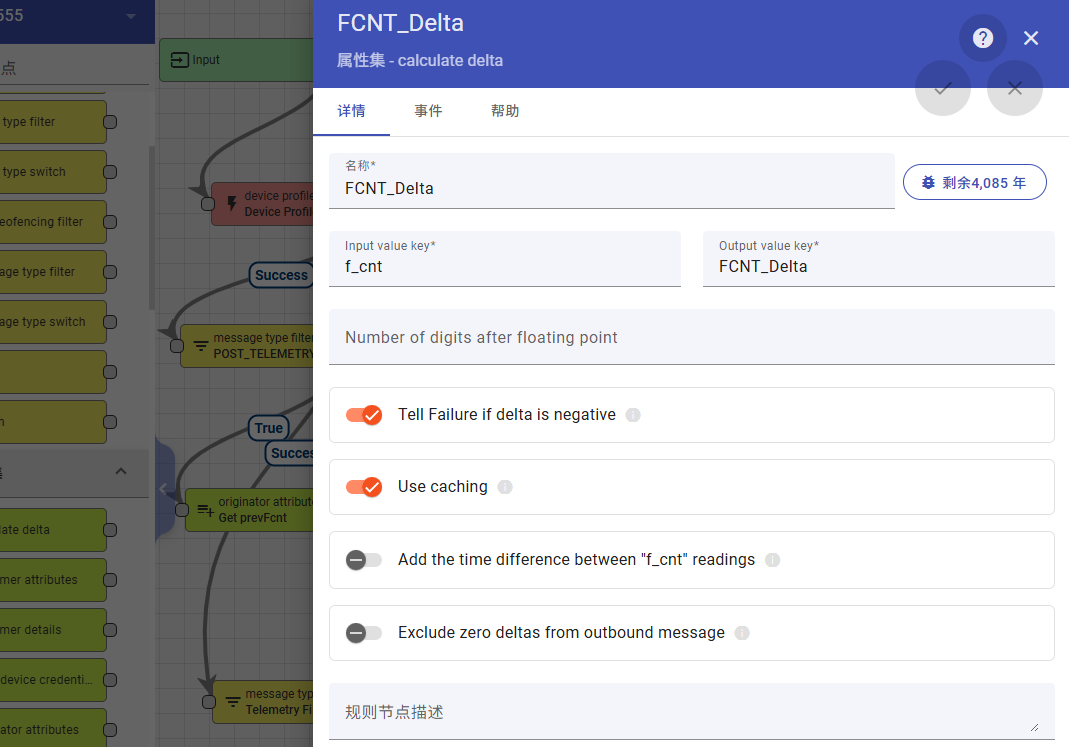
1.2 Use the calculate delta node