View Dashboards
Overview
Applicable Role: End‑User (i.e., Terminal User / Customer User, CUSTOMER_USER).
The core operation for End‑Users on the ThingsEye platform is viewing and analysing data. Dashboards are the primary vehicle for data visualisation. After the Tenant Administrator assigns configured dashboards to End‑Users, users can log in to the platform to view real‑time data, historical data, and various chart components.
End‑Users do not have permission to create, edit, or delete dashboards, nor are they authorised to configure data sources. This chapter describes how End‑Users view assigned dashboards and perform data viewing and filtering operations within dashboards.
After logging in, End‑Users load the default dashboard set by the Tenant Administrator (or the default dashboard selected by the user in personal settings), and can switch to other assigned dashboards via the left menu or the switcher at the top of the dashboard.
1. View Assigned Dashboards
Procedure
Step 1: Load the default dashboard automatically after login
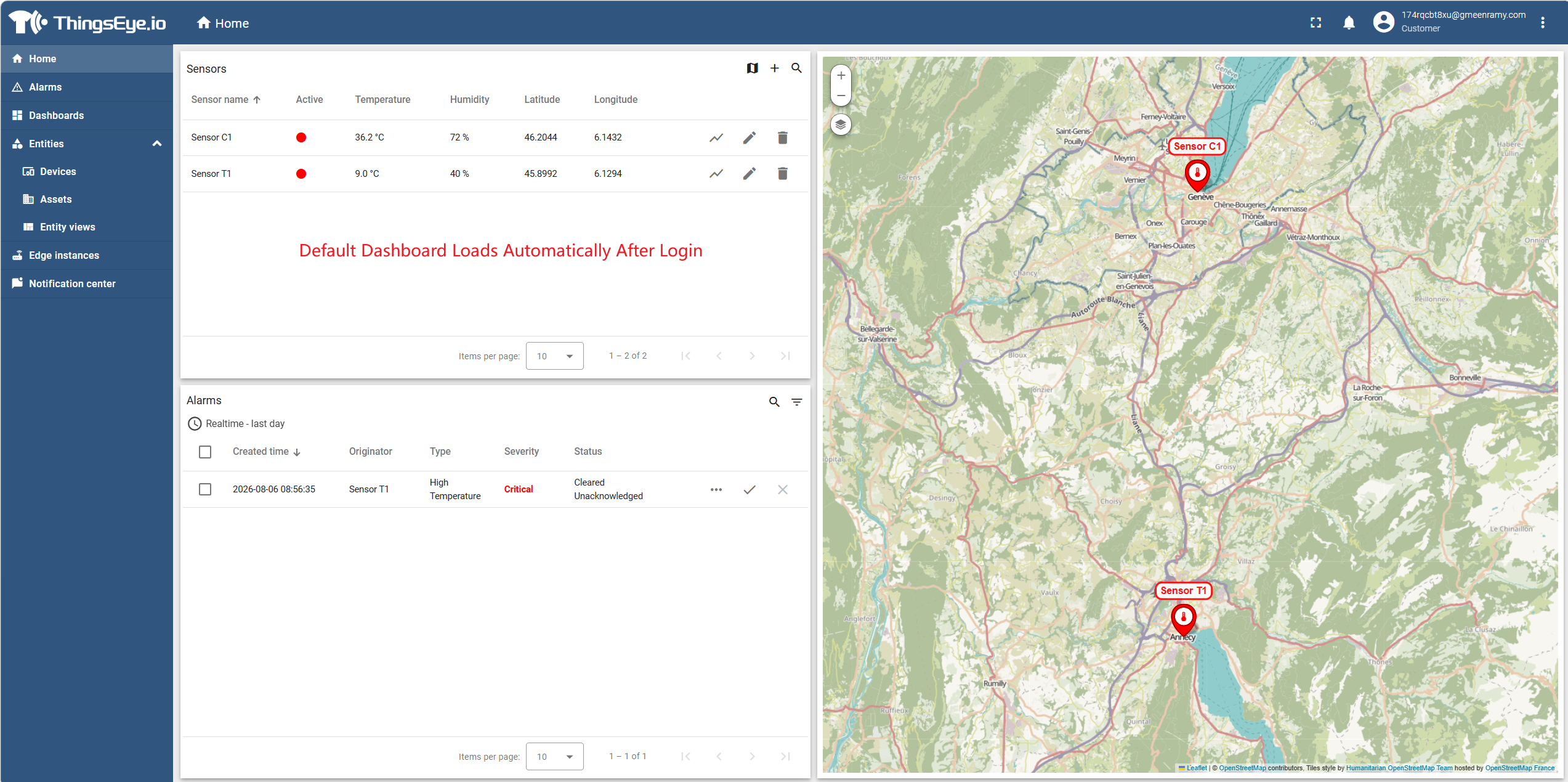
If the user has not been assigned any dashboards, the main content area will display an empty state prompt; in this case, the operations in this section do not apply.
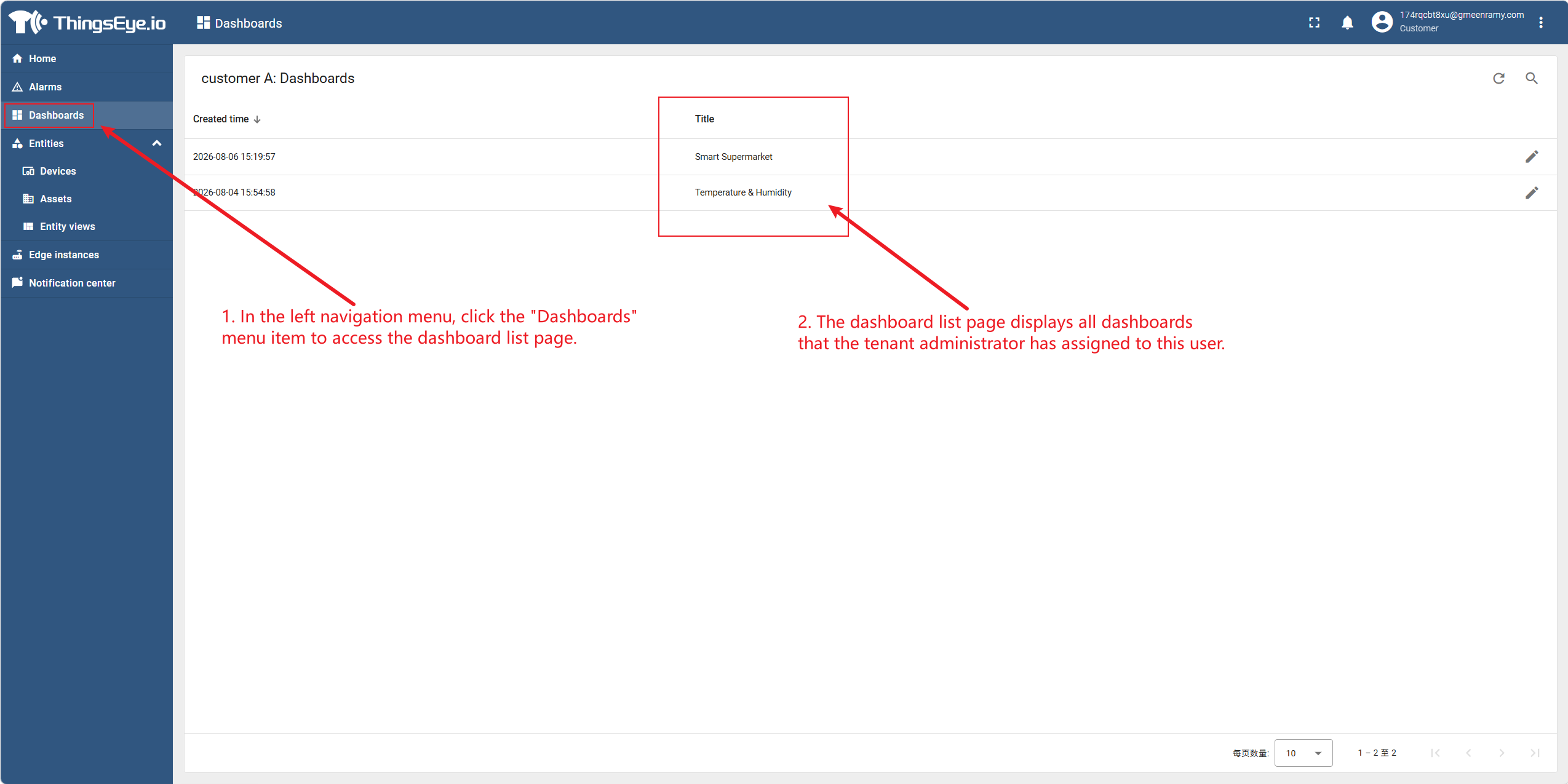
Step 2: View all assigned dashboards via the left menu
In the left navigation menu, click the "Dashboards" menu item to go to the dashboard list page.
The dashboard list page displays all dashboards that the Tenant Administrator has assigned to the user.
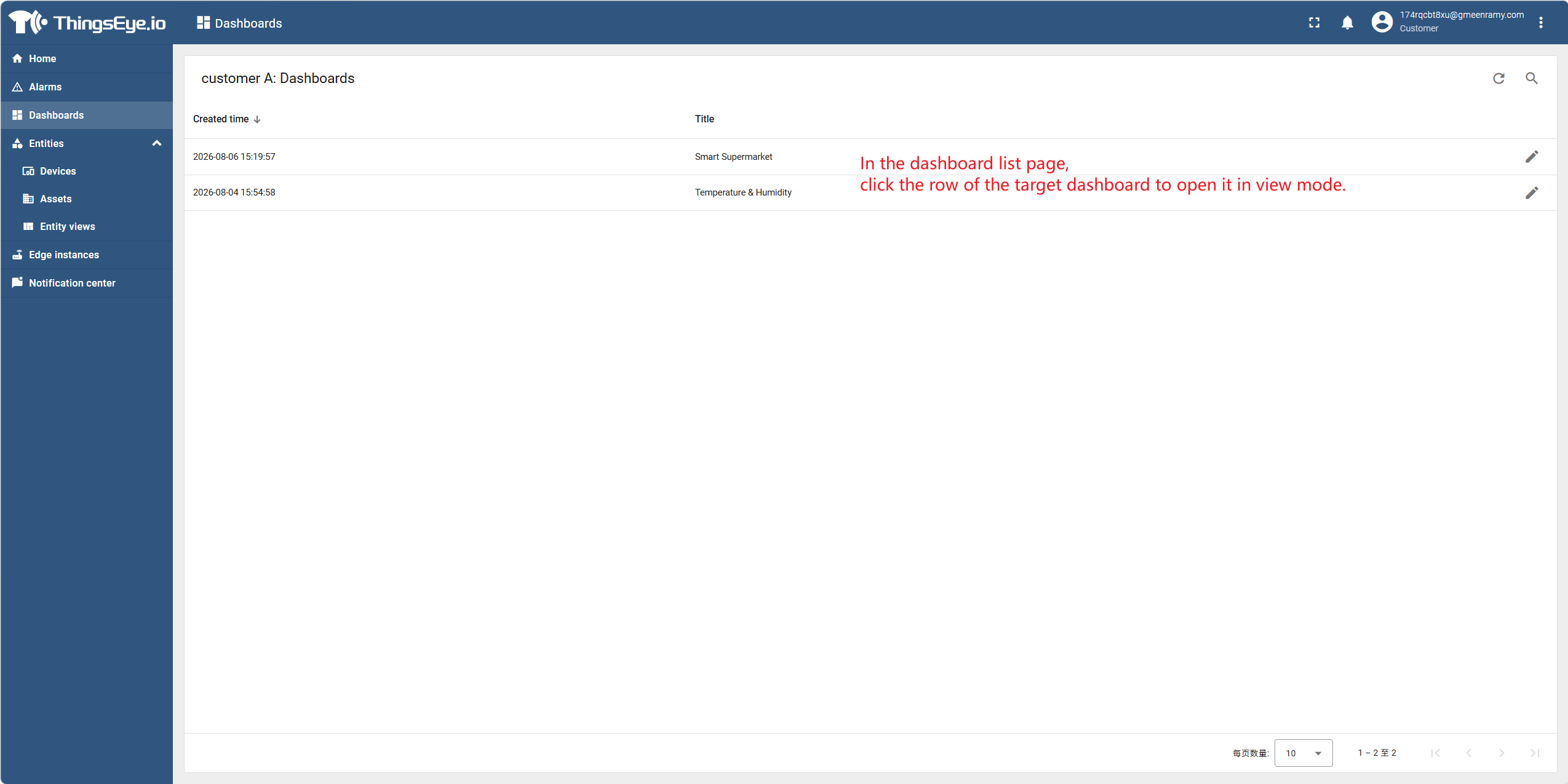
Step 3: Open a dashboard
On the dashboard list page, click the row of the target dashboard to open it in view mode.
Considerations
- End‑Users can only view dashboards that have been assigned by the Tenant Administrator; unassigned dashboards are not visible in the menu.
- On the dashboard list page, the only action available to the user is "Open and View"; no Create, Edit, or Delete buttons are displayed.
- If the Tenant Administrator updates the dashboard content, End‑Users can see the latest content after refreshing the page or reopening the dashboard.